Make client management easier with a free, ready-to-use Client Tracking Template.
Instead of creating your own spreadsheet from scratch, download the template in Google Sheets, Excel, or PDF and customize the fields to organize client information, track activity, and stay on top of follow-ups.
What Is a Client Tracking Template?
A client tracking template is a structured document or spreadsheet used by businesses and freelancers to organize and monitor all relevant information about their clients in one centralized location.
By providing a clear overview of each client’s needs and progress, the template helps teams stay organized, improve communication, and ensure that no important tasks or follow-ups fall through the cracks.
Download Spreadsheet Daddy’s Free Client Tracking Template
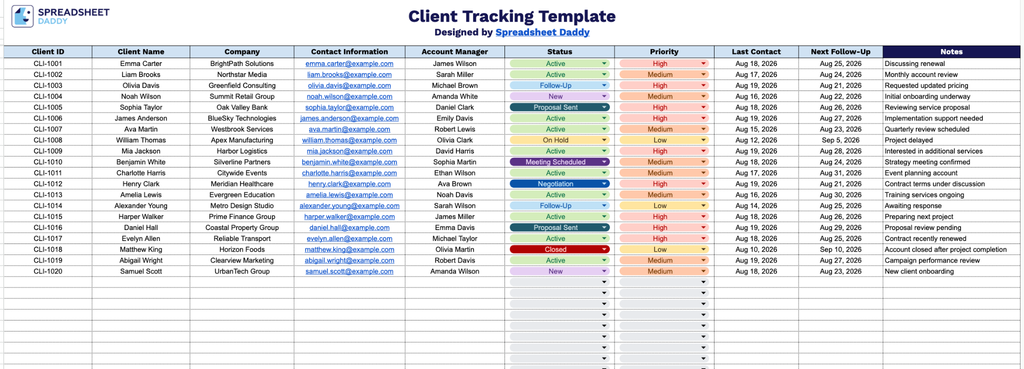
Our Client Tracking Template gives you a clean, organized way to keep tabs on all your client details in one place, from contact information and account managers to status and follow-up dates.
What’s included
- Comprehensive client information fields: The header row includes ten dedicated columns: Client ID, Client Name, Company, Contact Information, and Account Manager, giving you a structured place to log and identify every client and the team member responsible for them.
- Status and priority tracking columns: Built-in “Status” and “Priority” columns let you flag where each client stands (e.g., active, pending, closed) and how urgently they need attention, making it easy to sort and prioritize your workload at a glance.
- Follow-up and communication tracking: “Last Contact” and “Next Follow-Up” columns help you stay on top of client communication timelines, ensuring no client falls through the cracks and every outreach is logged and scheduled.
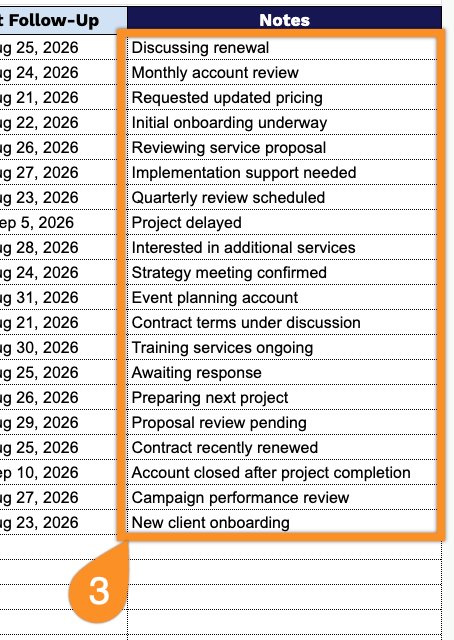
- Dedicated notes section: A wide, color-highlighted “Notes” column (shaded in navy blue for easy visual reference) gives you space to record additional context, client preferences, or important details that don’t fit into the other structured fields.
Add or remove columns to fit your exact workflow.
Select the format you prefer below to download a free Client Tracking template for managing and monitoring client details:
How to Use Our Client Tracking Template
1. Get the Client Tracking template in Excel or PDF, or save your own editable version in Google Sheets.
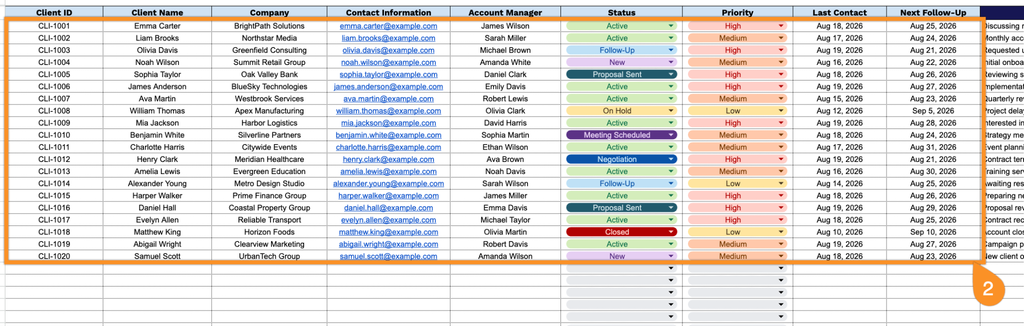
2. Enter each client’s ID, name, company, contact details, account manager, current status, priority level, last contact date, and next scheduled follow-up.
3. Use the Notes section to add important client details, follow-up reminders, special requests, or other information that may help manage the relationship.