Make coaching record-keeping easier with our free Coaching Log Template.
Designed for coaches, mentors, and consultants, it’s available in Google Sheets, Excel, and PDF and can be customized to capture session details, client progress, goals, and follow-up actions.
What Is a Coaching Log Template?
A coaching log template is a structured document used by coaches to systematically record and track their sessions with clients or athletes, capturing key details such as goals discussed, progress made, challenges encountered, and action items agreed upon.
By providing a standardized documentation format, the template streamlines the coaching process, supports data-driven decision-making, and creates a clear record that can be reviewed to measure growth and adjust strategies as needed.
Download Spreadsheet Daddy’s Free Coaching Log Template
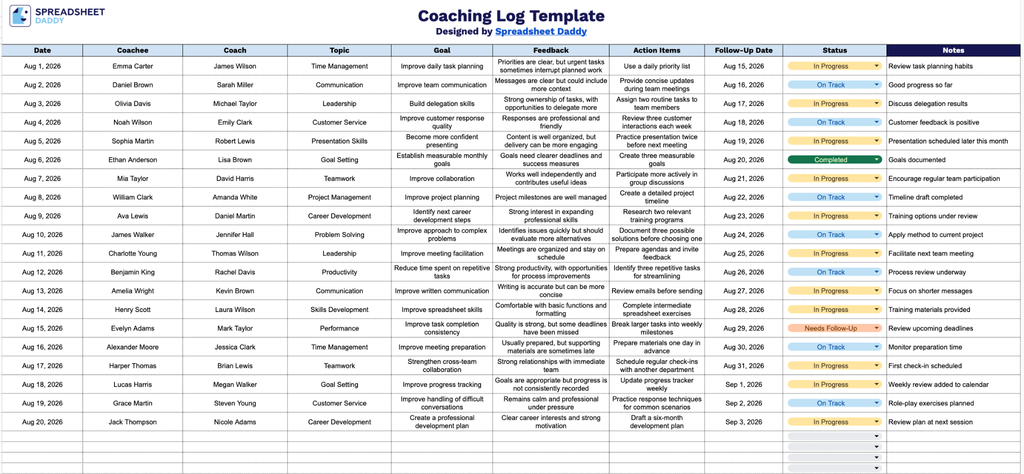
Our Coaching Log Template helps you track coaching sessions in one organized place, covering coachee and coach details, goals, feedback, action items, and follow-up dates.
What’s included
- Structured coaching session columns: The main table includes dedicated fields for Date, Coachee, and Coach, letting you record exactly when each session took place and who was involved for clear accountability and easy reference later.
- Goal and topic tracking: Separate Topic and Goal columns let you document what each coaching conversation focused on and what outcome the coachee was working toward, making it simple to track progress across multiple sessions over time.
- Feedback and action item logging: A Feedback column captures the coach’s observations and input from the session, while an adjacent Action Items column records specific next steps or commitments, keeping the coaching process results-oriented and easy to follow up on.
- Follow-up and status monitoring: The Follow-Up Date and Status columns allow you to schedule check-ins and track whether action items are open, in progress, or completed, helping you stay on top of each coachee’s development at a glance.
You can add or remove columns to match your own process.
Use the links below to download a free blank Coaching Log Template in the format that works best for you:
How to Use Our Coaching Log Template
1. Pick the format that works best for you: download the Coaching Log in Excel or PDF, or copy it to Google Sheets.
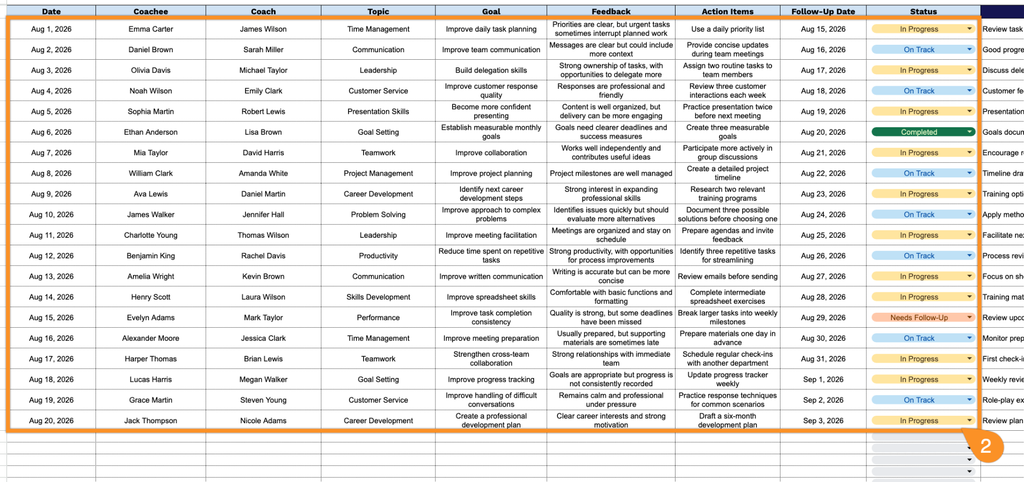
2. Enter the session date, coachee and coach names, coaching topic, goal, key feedback, agreed action items, follow-up date, and current status.
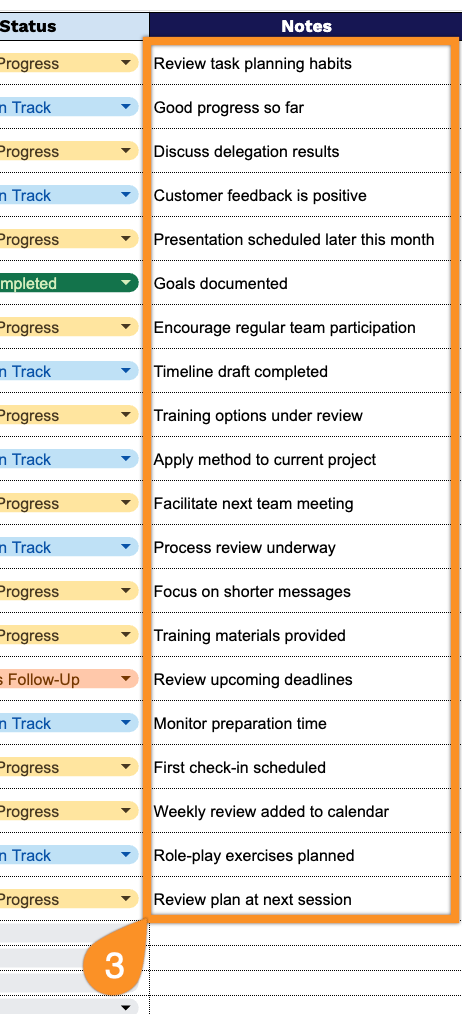
3. Use the Notes section to capture additional context, assumptions, risks, dependencies, or other important information related to the decision.