Stay on top of every conversation with our ready-to-use Communication Log Template.
Available for Google Sheets, Excel, and PDF, this free template helps you log every email, call, or meeting efficiently.
What Is a Communication Log Template?
A communication log template is a structured document used to record and track all interactions, conversations, and exchanges between team members, clients, or stakeholders throughout a project or business relationship.
This template helps maintain a clear record of decisions made, ensures accountability, and provides a reference point for future communications.
Download Spreadsheet Daddy’s Free Communication Log Template
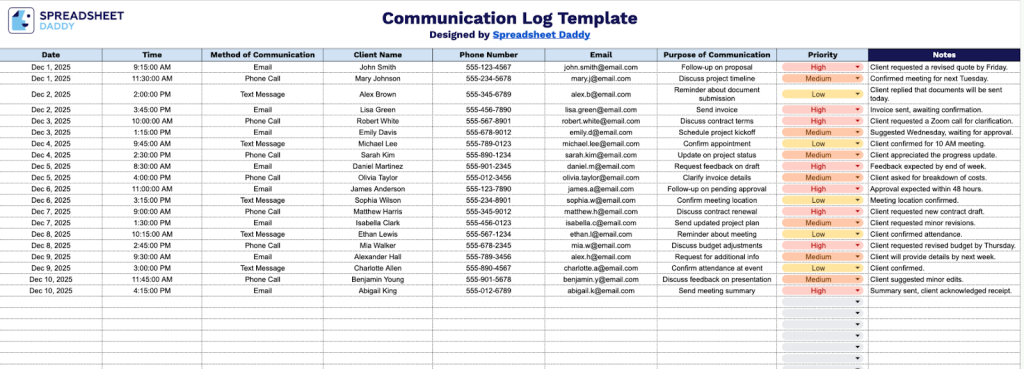
Our Communication Log Template helps you track and organize all client interactions in one centralized location.
What’s included
- Structured communication log layout: The template includes a dedicated log tab with clearly defined columns for date, time sent, communication method, client name, contact details, purpose, priority, and notes, ensuring all interactions are recorded in a consistent and organized format.
- Flexible row-based entry system: Multiple rows are provided for sequential communication records, allowing you to track ongoing conversations over time without overcrowding the sheet.
- Consistent column alignment: Each column is formatted to keep contact information, communication details, and notes neatly aligned, supporting accurate data entry and long-term record keeping.
Adjust it by adding or removing columns to match your specific workflow and business requirements.
Use the links below to grab your free blank communication log template in any format you like:
How to Use Our Communication Log Template
1. Download the template in Excel or PDF, or start a personal version in Google Sheets.
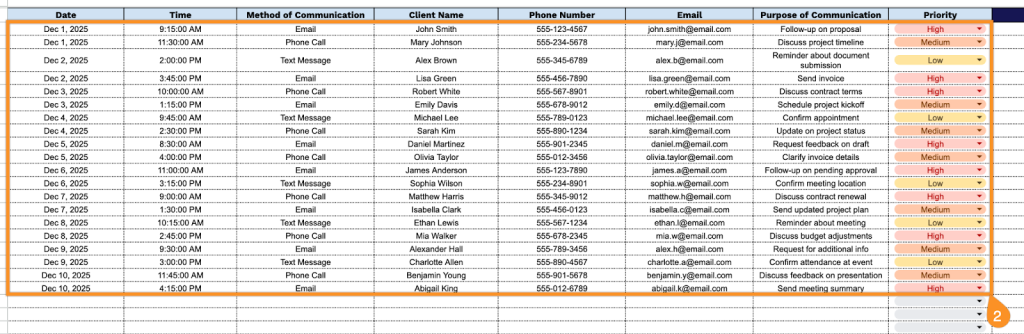
2. Complete the columns by recording all relevant interaction information:
- Date: Enter the calendar date when the communication took place.
- Time: Specify the exact time the message was sent or the call occurred.
- Method of Communication: Indicate how the communication was made, such as phone call, email, text message, or in-person meeting.
- Client Name: Record the client’s or contact person’s full name.
- Phone Number: Add the client’s primary contact number for easy follow-up.
- Email: Include the client’s email address associated with the communication.
- Purpose of Communication: Briefly describe the reason or topic of the interaction.
- Priority: Assign a priority level to highlight urgent or essential communications.
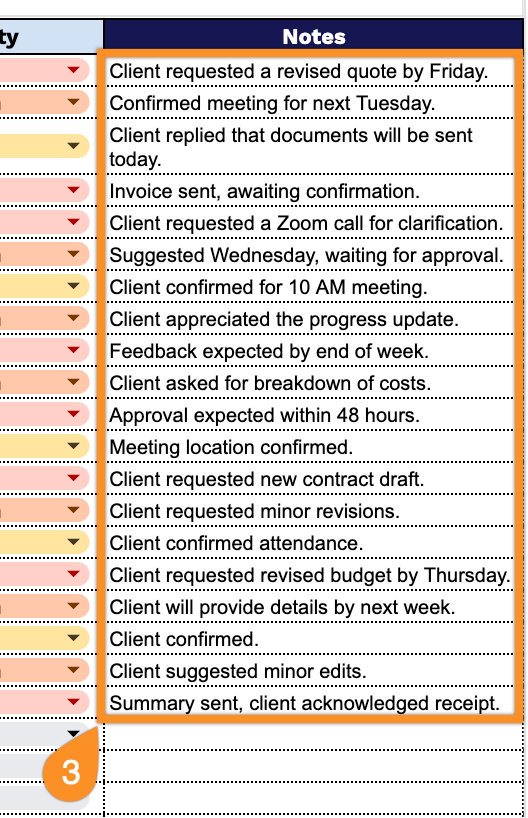
3. Use the Notes section to capture any essential details or reminders about the communication.