Make competency tracking easier with our free, professionally formatted Competency Checklist Template.
Choose from Google Sheets, Excel, or PDF and customize it to match your needs. It’s ideal for evaluating employee skills, recording completed competencies, and identifying areas that still need attention.
What Is a Competency Checklist Template?
A competency checklist template is a structured document used by organizations to evaluate and track whether individuals possess the specific skills, knowledge, and behaviors required for a particular role or task.
By outlining clear expectations and observable benchmarks, the template serves as both an assessment tool and a developmental roadmap, helping individuals identify gaps in their abilities and guiding them toward professional growth.
Download Spreadsheet Daddy’s Free Competency Checklist Template
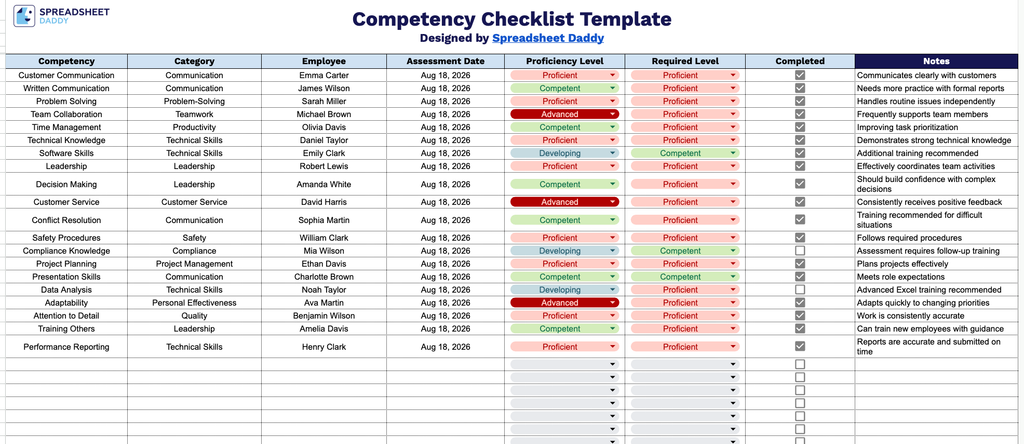
Our Competency Checklist Template helps you track employee skill assessments in one organized view, covering proficiency levels, required levels, and completion status for each competency.
What’s included
- Structured competency-tracking columns: The table includes dedicated fields for Competency, Category, and Employee, allowing you to organize skills assessments by role, department, or individual team member for clear, at-a-glance tracking.
- Assessment date and proficiency tracking: An Assessment Date column lets you log exactly when each competency was evaluated, while the Proficiency Level and Required Level columns sit side by side so you can instantly compare actual performance against the target benchmark.
- Built-in completion checkboxes: Each row includes a checkbox in the Completed column, providing a simple visual indicator to mark competencies as verified or signed off without extra formatting.
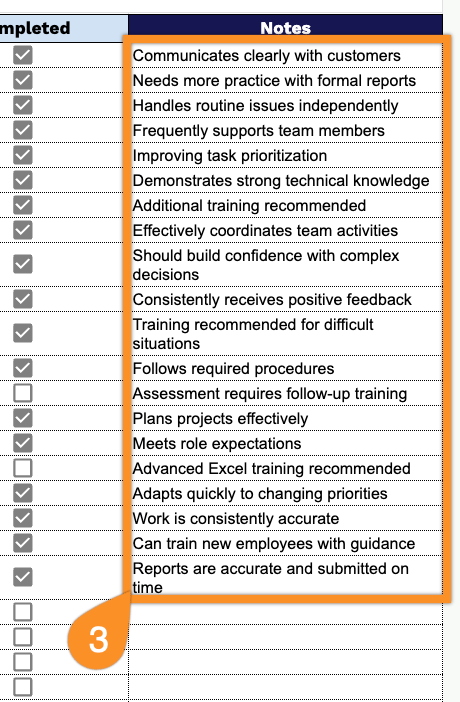
- Dedicated notes column for context: A wide Notes column at the far right gives you room to record observations, follow-up actions, certification details, or manager comments alongside each competency entry.
You can add or remove columns to match your own tracking needs.
Choose your preferred file format below and download a free, ready-to-use blank Competency Checklist template:
How to Use Our Competency Checklist Template
1. Select your preferred format and download the template as an Excel or PDF file, or create a customizable copy in Google Sheets.
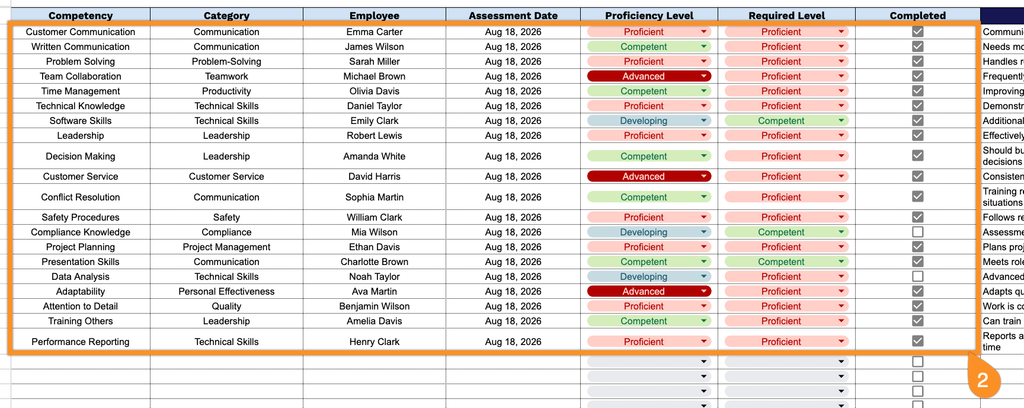
2. Enter the competency, category, employee name, assessment date, proficiency level, and required level. Then check the box for each completed competency.
3. Use the Notes section to add feedback, observations, follow-up actions, or other important details related to the employee’s competency assessment.