Take the stress out of bachelorette party planning with our free, professionally formatted Bachelorette Party Planner Template.
Available in Google Sheets, Excel, and PDF, it’s easy to customize and perfect for managing schedules, budgets, and guest lists.
What Is a Bachelorette Party Planner Template?
A bachelorette party planner template is an organizational tool that helps coordinate all the details for a bride-to-be’s pre-wedding celebration.
This template serves as a centralized checklist and timeline that ensures nothing is overlooked when organizing this important milestone event.
Download Spreadsheet Daddy’s Free Bachelorette Party Planner Template
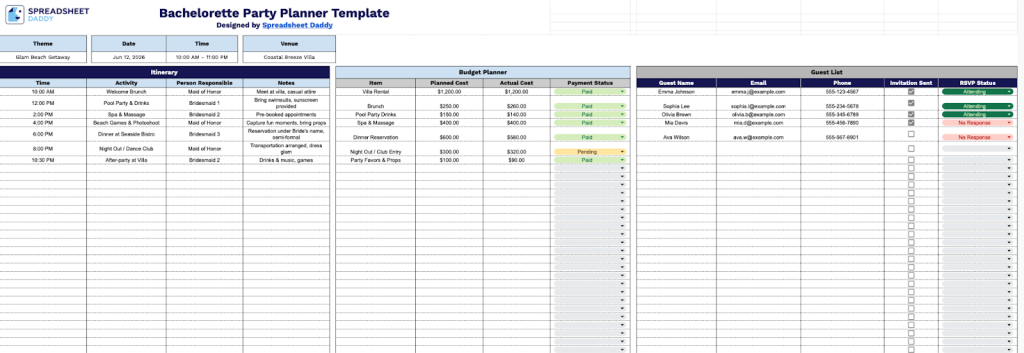
Our Bachelorette Party Planner Template helps you organize every detail of your celebration, from scheduling activities and managing your budget to tracking guest RSVPs.
What’s included
- Customizable event overview section: The header area includes editable fields for Theme, Date, Time, and Venue, allowing you to set the foundational details of the bachelorette party at a glance and ensure all planning documents reflect consistent event information across your organization’s efforts.
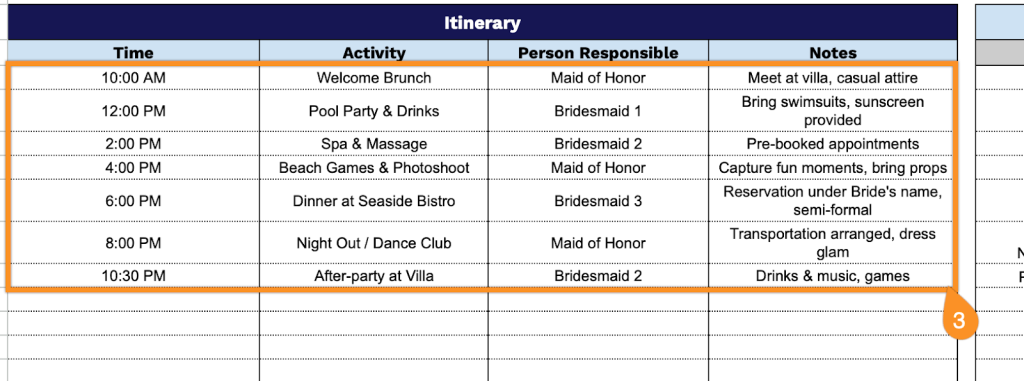
- Comprehensive itinerary tracker with accountability: The template includes a structured time-based schedule with columns for Time, Activity, Person Responsible, and Notes, allowing you to map out the entire event timeline, delegate specific tasks to attendees or coordinators, and capture essential details or special instructions for seamless execution.
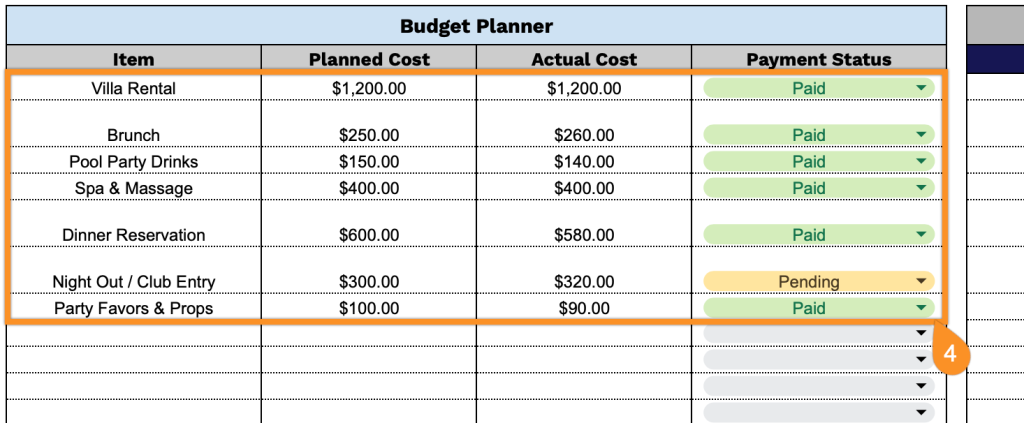
- Integrated budget management system: A dedicated Budget Planner section provides organized columns for Item, Planned Cost, Actual Cost, and Payment Status, enabling you to track all party expenses against your initial budget, monitor spending in real time, and maintain clear visibility into which items have been paid and which are still outstanding.
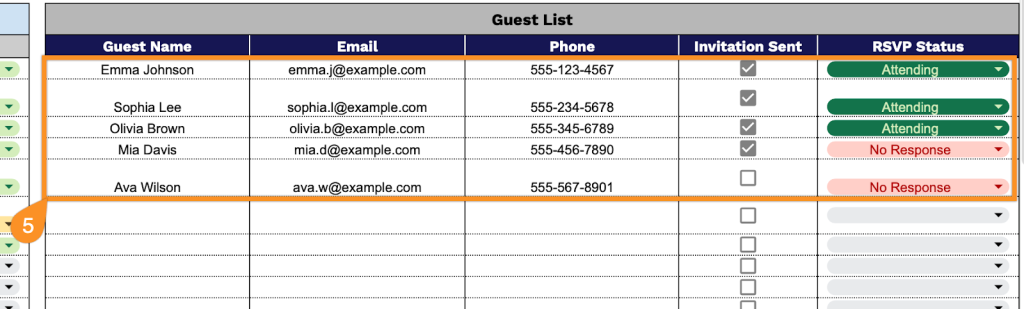
- Complete guest management database: The Guest List feature includes detailed columns for Guest Name, Email, Phone, Invitation Sent, and RSVP Status, allowing you to maintain a centralized contact registry, track invitation delivery, monitor response confirmations, and ensure comprehensive communication with all attendees throughout the planning process.
The flexible layout lets you add or remove columns to suit your specific needs, making it easy to customize for parties of any size or style.
Download a blank Bachelorette Party Planning Template using the links below and start organizing the celebration in minutes:
How to Use Our Bachelorette Party Planner Template
1. Download the Bachelorette Planner in Excel or PDF, or make a live Google Sheets version to update on the go.
2. Add the bachelorette party details at the top. Choose a theme and fill in the date, time, and venue so everyone is on the same page from the start.

3. Populate the Itinerary section with comprehensive event scheduling details:
- Time: Specify the exact hour or time range for each scheduled activity throughout the celebration.
- Activity: Describe the planned event, experience, or entertainment for that time slot.
- Person Responsible: Assign the individual who will coordinate or lead this particular activity.
- Notes: Add any special instructions, location details, or important reminders for the activity.
4. Enter all financial information in the Budget Planner section:
- Item: List each expense category or specific purchase related to the bachelorette party.
- Planned Cost: Record the estimated amount budgeted for this particular item.
- Actual Cost: Document the final price paid upon completion of the purchase.
- Payment Status: Indicate whether the item has been paid, is pending, or remains unpaid.
5. Organize attendee information within the Guest List section:
- Guest Name: Input the full name of each person invited to the bachelorette celebration.
- Email: Provide the email address for sending digital invitations and updates.
- Phone: Include the contact phone number for direct communication if needed.
- Invitation Sent: Check the box to confirm when the invitation has been delivered to this guest.
- RSVP Status: Track the response (attending, not attending, maybe, or no response).