Save time and improve compliance oversight with our free Compliance Tracking Template.
Designed for easy editing in Google Sheets, Excel, and PDF, this template helps businesses track requirements, deadlines, responsible parties, and compliance progress with less effort.
What Is a Compliance Tracking Template?
A compliance tracking template is a structured document or spreadsheet that organizations use to monitor, record, and manage their adherence to relevant laws, regulations, industry standards, and internal policies.
Centralizing this information in one place helps teams stay organized, reduces the risk of violations, and provides a clear audit trail for regulators or management.
Download Spreadsheet Daddy’s Free Compliance Tracking Template
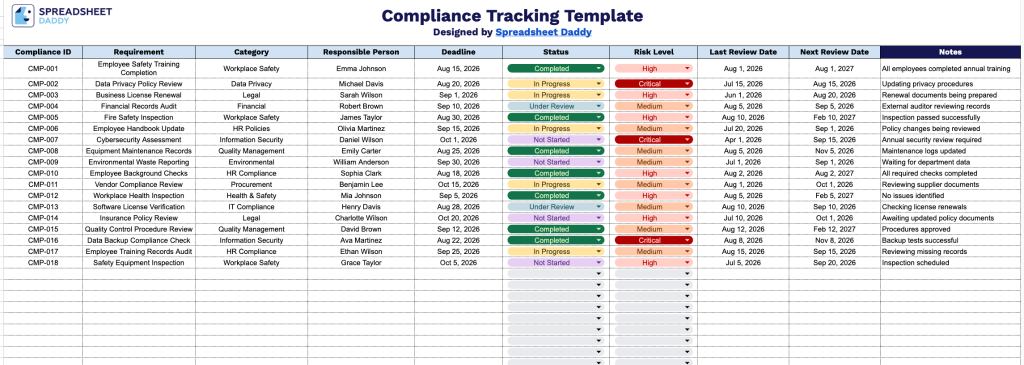
Our Compliance Tracking Template helps you monitor regulatory and internal compliance requirements in a single organized spreadsheet, keeping deadlines, responsible parties, and review dates easy to track.
What’s included
- Structured compliance log with ten key tracking fields: The main table includes columns for Compliance ID, Requirement, Category, Responsible Person, Deadline, Status, Risk Level, Last Review Date, Next Review Date, and Notes, giving you a complete record of every regulatory or internal requirement your organization needs to monitor.
- Unique identifier system for easy reference: The Compliance ID column lets you assign a sequential or coded identifier to each requirement, making it easy to cross-reference items in audits, reports, or team discussions.
- Ownership and accountability tracking: The Responsible Person column lets you assign each compliance item to a specific team member or department, ensuring clear accountability and making it easy to follow up on outstanding tasks.
- Risk and status visibility at a glance: The Status and Risk Level columns let you flag where each requirement stands (e.g., compliant, in progress, overdue) and how critical it is, helping you prioritize high-risk or time-sensitive items first.
- Built-in review cycle management: The Last Review Date and Next Review Date columns help you maintain an ongoing audit trail and stay ahead of recurring compliance checks, so nothing slips through the cracks between review periods.
It’s built to adapt to your organization’s needs, so you can add or remove columns as needed to match your specific compliance workflow.
Choose your preferred file format from the options below and download a free blank Compliance Tracking Template:
How to Use Our Compliance Tracking Template
1. Download the Compliance Tracking template as an Excel or PDF file, or make a customizable copy in Google Sheets to manage your records efficiently.
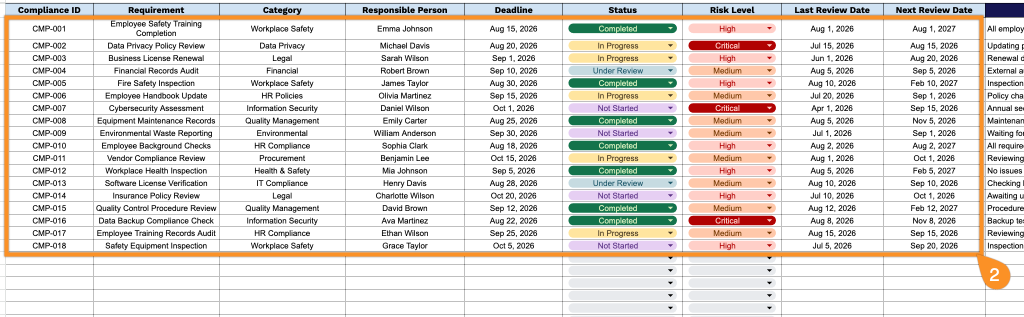
2. Add key compliance details, including the compliance ID, requirement, category, assigned owner, deadlines, current status, risk level, and review dates, to keep all compliance activities organized and up to date.
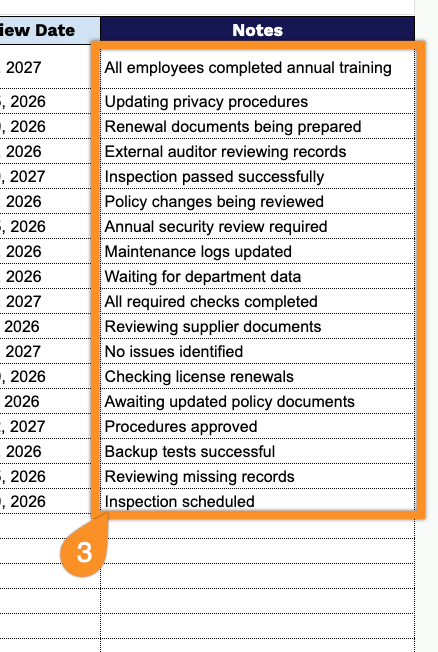
3. Use the Notes section to include additional comments, follow-up actions, exceptions, or important compliance-related information.