Keep all your customer info in one place with our customizable Customer Database Template.
Download it for free in Google Sheets, Excel, or PDF and start tracking contacts, emails, phone numbers, and account status right away.
What Is a Customer Database Template?
A customer database template is a pre-formatted structure for organizing and storing customer information systematically.
These templates provide a ready-made framework that can be customized to fit specific business needs, saving time compared to building a database from scratch.
Download Spreadsheet Daddy’s Free Customer Database Template
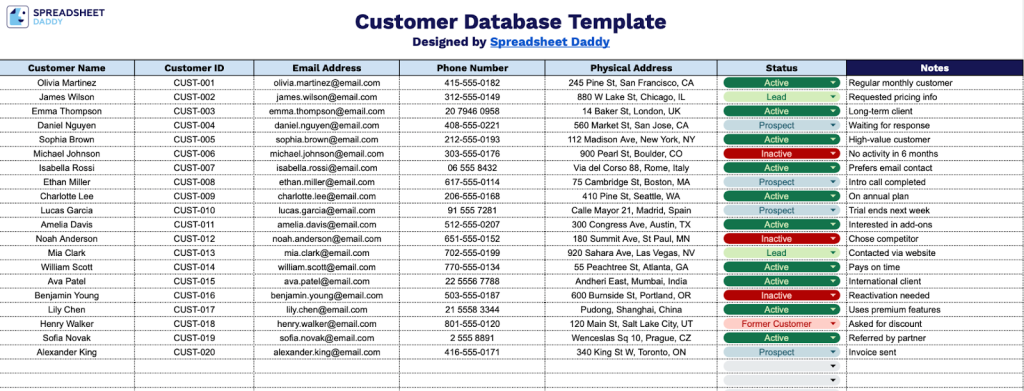
Our Customer Database Template provides a structured way to organize and track client information in a single central location.
What’s included
- Comprehensive customer tracking columns: The template features seven essential data fields, including Customer Name, Customer ID, Email Address, Phone Number, Physical Address, Status, and Notes, providing a complete framework for organizing and managing all critical customer information in one centralized location.
- Unique customer identification system: Each entry includes a dedicated Customer ID column that lets you assign and track unique identifiers for each customer, making it easy to reference specific clients, avoid duplicate entries, and maintain accurate records across your business operations.
- Status monitoring functionality: The Status column lets you categorize and track customer relationships in real time, marking clients as active, inactive, prospective, or any custom status relevant to your business, helping you prioritize follow-ups and manage your customer pipeline effectively.
- Flexible notes and annotations section: A dedicated Notes column provides space to record essential customer preferences, interaction history, special requirements, and any additional context that helps personalize service and maintain detailed records beyond the standard contact information fields.
You can easily customize it by adding or removing columns to match your specific business needs.
Click the links below to download a free blank customer database template in the format that works best for you:
How to Use Our Customer Database Template
1. Download our ready-made Customer Database template in Excel or PDF, or save a copy to Google Sheets.
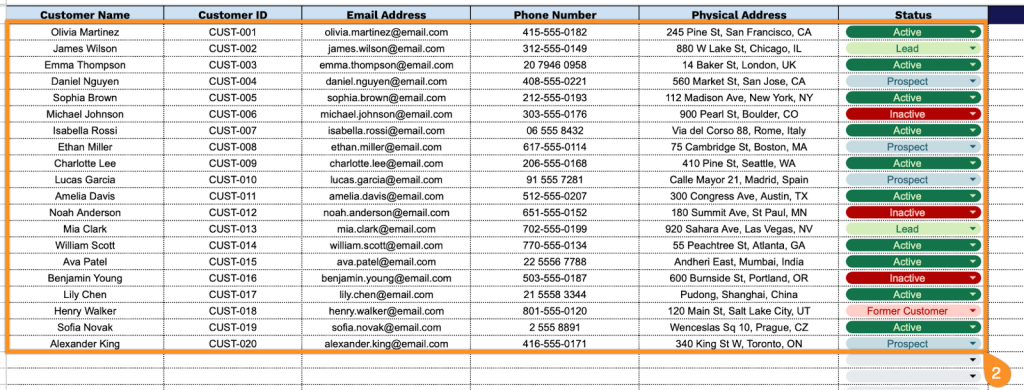
2. Complete the columns by entering all essential contact details:
- Customer Name: Enter the customer’s full name as it appears in your records or as provided during registration.
- Customer ID: Assign each customer a unique identifier for easy tracking and reference throughout your system.
- Email Address: Record the customer’s primary email contact for communication, receipts, and marketing purposes.
- Phone Number: Include the customer’s preferred contact number, including the appropriate country and area codes.
- Physical Address: Document the complete mailing address, including street, city, state/province, postal code, and country.
- Status: Indicate the customer’s current standing (active, inactive, lead, prospect, etc.) to track engagement and account status.
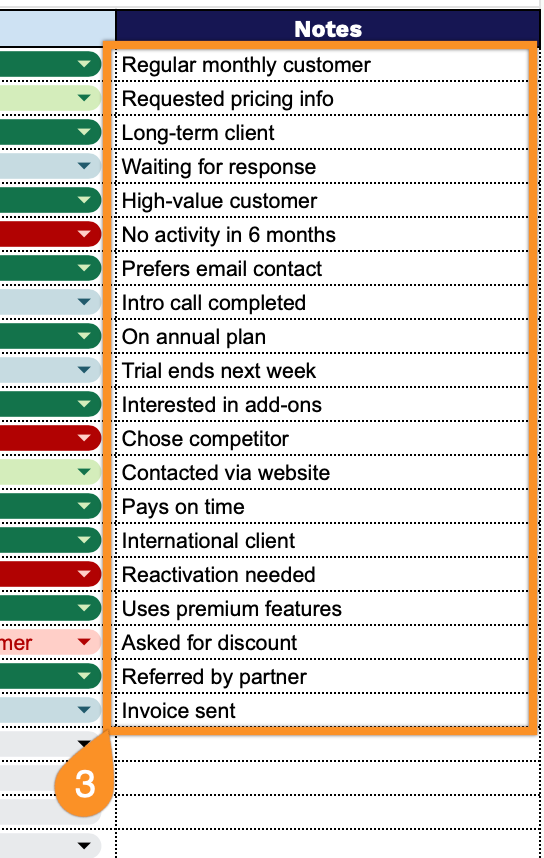
3. Use the Notes section to add extra information, such as special preferences, follow-up reminders, or any critical customer details.