Make daily sales tracking effortless.
Our free Daily Sales Report Template is ready to use in Google Sheets, Excel, and PDF, letting you record sales, calculate totals, and capture notes in a professional, easy-to-read layout, so you can focus on growing your business.
What Is a Daily Sales Report Template?
A daily sales report template is a standardized document that tracks and summarizes a business’s sales activities and performance over a single day.
This template helps businesses monitor sales trends, quickly identify opportunities or problems, and make informed decisions based on up-to-date sales data.
Download Spreadsheet Daddy’s Free Daily Sales Report Template
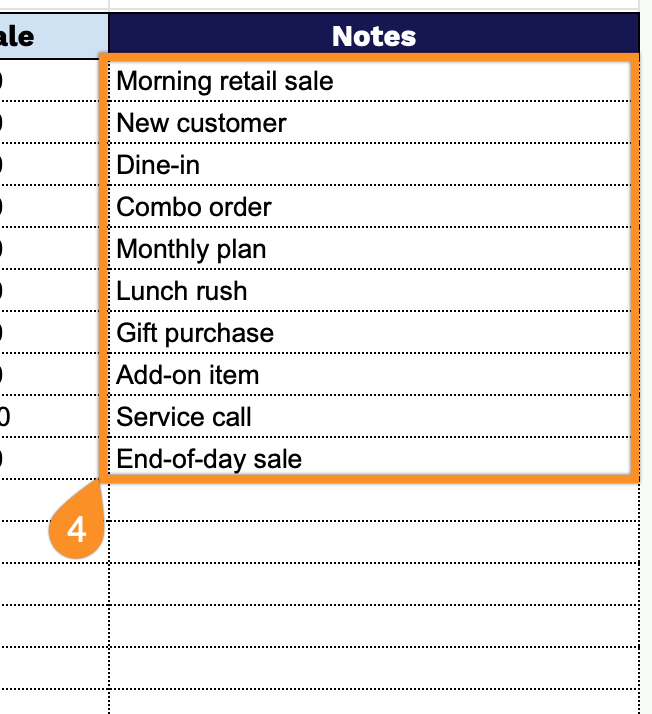
Our Daily Sales Report Template helps you track your business transactions throughout the day.
What’s included
- Comprehensive transaction tracking table: The main body features a structured table with columns for Time, Salesperson, Product/Service, Quantity (QTY), Unit Price, Total Sale, and Notes, enabling you to record every sales transaction throughout the day with complete details about when it occurred, who made the sale, what was sold, pricing information, and any relevant observations or special conditions.
- Automated summary calculations: The header section includes dynamic fields that automatically calculate Total Quantity and Total Sales, providing real-time visibility into your daily sales performance without manual number crunching, with the total sales amount displayed in currency format for precise financial tracking.
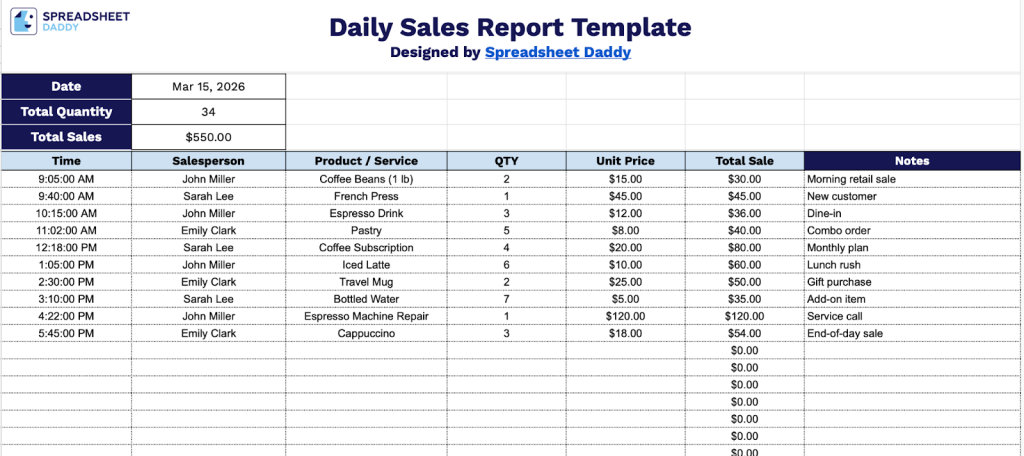
- Date documentation field: A dedicated date field at the top of the template allows you to clearly label each report with the specific day it covers, making it easy to organize, file, and reference your sales records chronologically for weekly, monthly, or annual analysis.
The template is fully customizable, allowing you to add or remove columns based on your specific business needs.
Click the links below to download a free, ready-to-use Daily Sales Report Template in your preferred format:
How to Use Our Daily Sales Report Template
1. Download the template in Excel or PDF format, or duplicate it in Google Sheets to personalize it.
2. At the top, enter the date for the day you’re tracking. The template will automatically update the Total Quantity and Total Sales as you fill in the table.
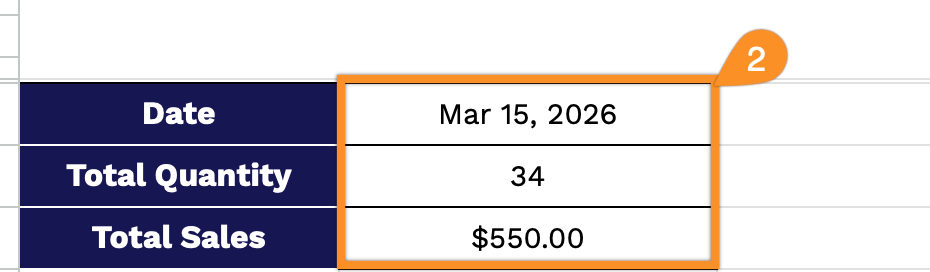
3. Complete the columns by entering all essential sales information:
- Time: Record the exact time when the transaction was completed.
- Salesperson: Enter the name or ID of the team member who processed the sale.
- Product / Service: Specify the item sold or service provided to the customer.
- QTY: Input the quantity of products sold or units of service delivered.
- Unit Price: Enter the price per individual item or service unit.
- Total Sale: This field is automatically calculated by multiplying the quantity by the unit price to display the total transaction value.
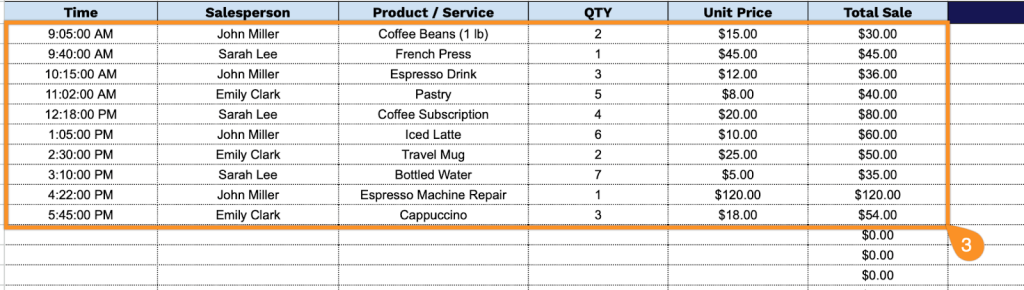
4. Use the Notes column to record additional information such as special discounts, returns, customer requests, or any unusual circumstances affecting the sale.