

Want a ready-made template without starting from scratch?
Our free Pixel Art Template is perfect for planning, designing, and organizing your pixel creations. Available in Google Sheets, Excel, Word, Google Docs, and PDF, it’s easy to edit and lets you map out every pixel with precision.
What Is a Pixel Art Template?
A pixel art template is a pre-made grid or outline that serves as a starting point for creating pixel art, typically featuring a defined canvas size and sometimes including basic shapes, color palettes, or reference guides.
They’re handy for beginners learning pixel art techniques or for experienced artists looking to speed up their workflow with standardized formats.
Download Spreadsheet Daddy’s Free Pixel Art Template
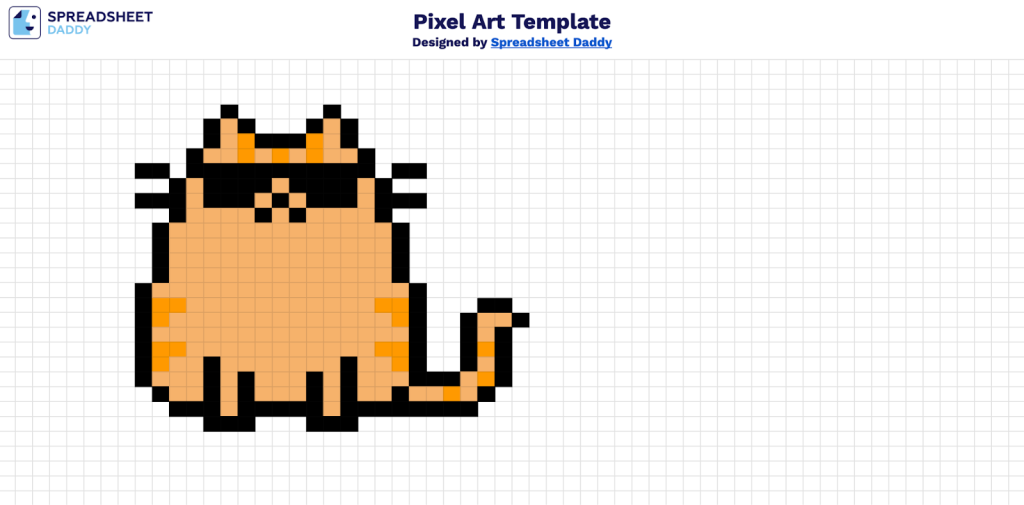
Our Pixel Art Template provides a flexible grid-based canvas for creating digital artwork.
What’s included
- Pre-formatted grid canvas: A structured spreadsheet grid optimized for creating pixel art designs, with equal-sized cells that serve as individual pixels for your artwork.
- Easy color application system: Simple cell-based coloring that allows you to fill individual pixels by changing cell background colors, making it accessible for users of all skill levels.
- Flexible design space: Customizable grid dimensions that can be adjusted to accommodate various pixel art project sizes, from small icons to larger, detailed illustrations.
- Clean, distraction-free interface: Minimalist template design that focuses on your creative work without unnecessary formatting or complicated features.
You can customize the workspace by adding or removing columns to fit your specific project needs.
Download a free blank pixel art template in your preferred format using the links below:
How to Use Our Pixel Art Template
1. Download the template in Excel or PDF, or save a personal copy in Google Sheets.
2. Begin designing your pixel masterpiece.
