If you need a simple way to organize your data quality reviews, this free Data Quality Checklist Template can help.
Download it as a Google Sheets, Excel, or PDF file and customize the checklist to monitor accuracy, completeness, consistency, validity, and other essential data-quality requirements.
What Is a Data Quality Checklist Template?
A data quality checklist template is a structured document used to systematically evaluate and validate data against predefined standards and criteria, ensuring that datasets are accurate, complete, consistent, and reliable.
By providing a repeatable and standardized framework, the template helps organizations identify errors, gaps, or inconsistencies in their data before it is used for reporting, analysis, or decision-making.
Download Spreadsheet Daddy’s Free Data Quality Checklist Template
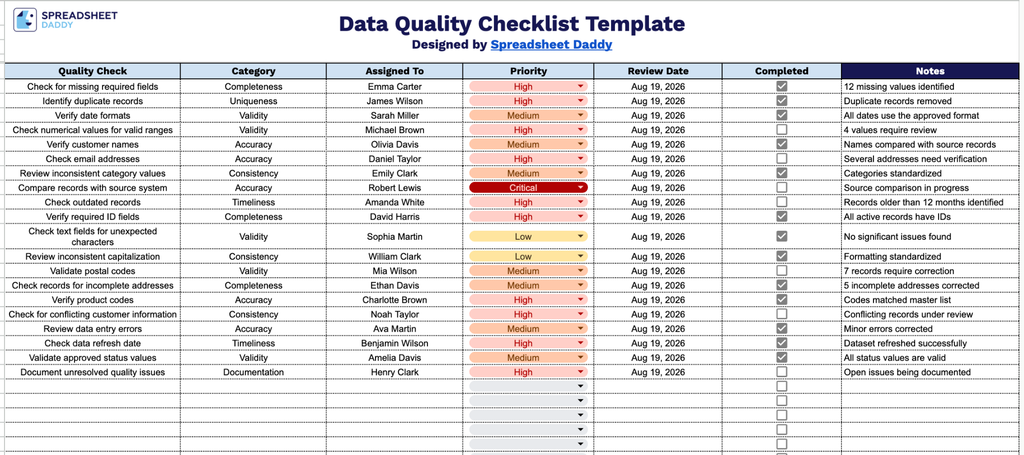
Our Data Quality Checklist Template is designed to help you track and manage data quality checks across your datasets.
What’s included
- Structured quality check columns: The template includes seven dedicated columns: Quality Check, Category, Assigned To, Priority, Review Date, Completed, and Notes, giving you a clear framework to document each data quality task, who owns it, and its current status.
- Categorization and prioritization fields: The Category and Priority columns let you group checks by type (such as accuracy, completeness, or consistency) and rank them by urgency, making it easy to sort your workload and focus on the most critical issues first.
- Built-in completion tracking: Each row includes a checkbox in the Completed column, so you can visually mark off quality checks as they’re finished and track progress across the entire list at a glance.
Columns can be added or removed at any time to fit your specific needs.
Select a download option below to access the free Data Quality Checklist template in your preferred format:
How to Use Our Data Quality Checklist Template
1. Download the Data Quality Checklist as an Excel or PDF file, or make your own editable copy in Google Sheets.
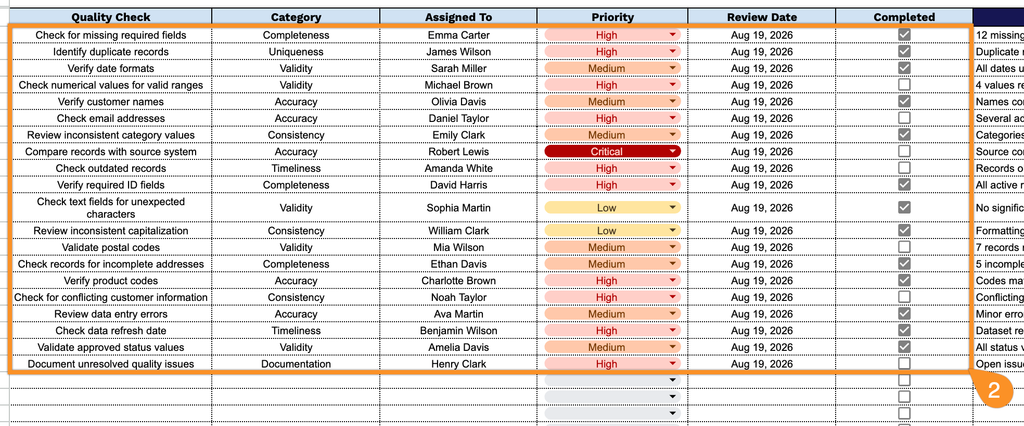
2. Enter each quality check along with its category, assignee, priority level, and review date. Once a check has been completed and verified, mark the corresponding checkbox to keep track of your progress.
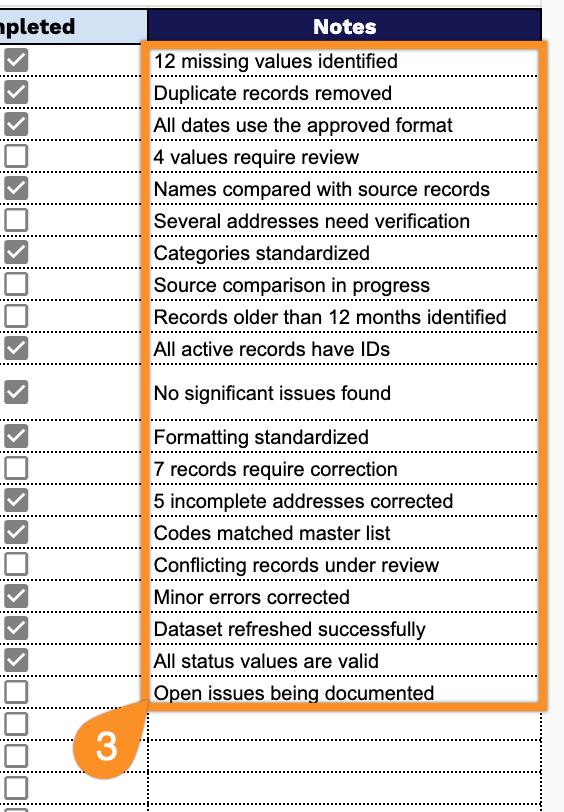
3. Use the Notes section to add important observations, follow-up actions, or special instructions related to the data quality review.