Looking for a reliable digital receipt template for managing payments?
Download our free, professionally formatted digital receipt template in Google Sheets, Excel, Word, Google Docs, or PDF. It’s simple to edit and provides clear, accurate payment documentation.
Explore our full collection of free receipt templates to discover more customizable options.
What Is a Digital Receipt Template?
A digital receipt template is a pre-formatted electronic document that businesses use to provide proof of purchase for online or in-store transactions.
Digital receipts can be delivered via email or text message or stored in mobile apps, offering a convenient, eco-friendly alternative to paper receipts that customers can easily save, organize, and access for returns, warranties, or expense tracking.
Download Spreadsheet Daddy’s Free Digital Receipt Template
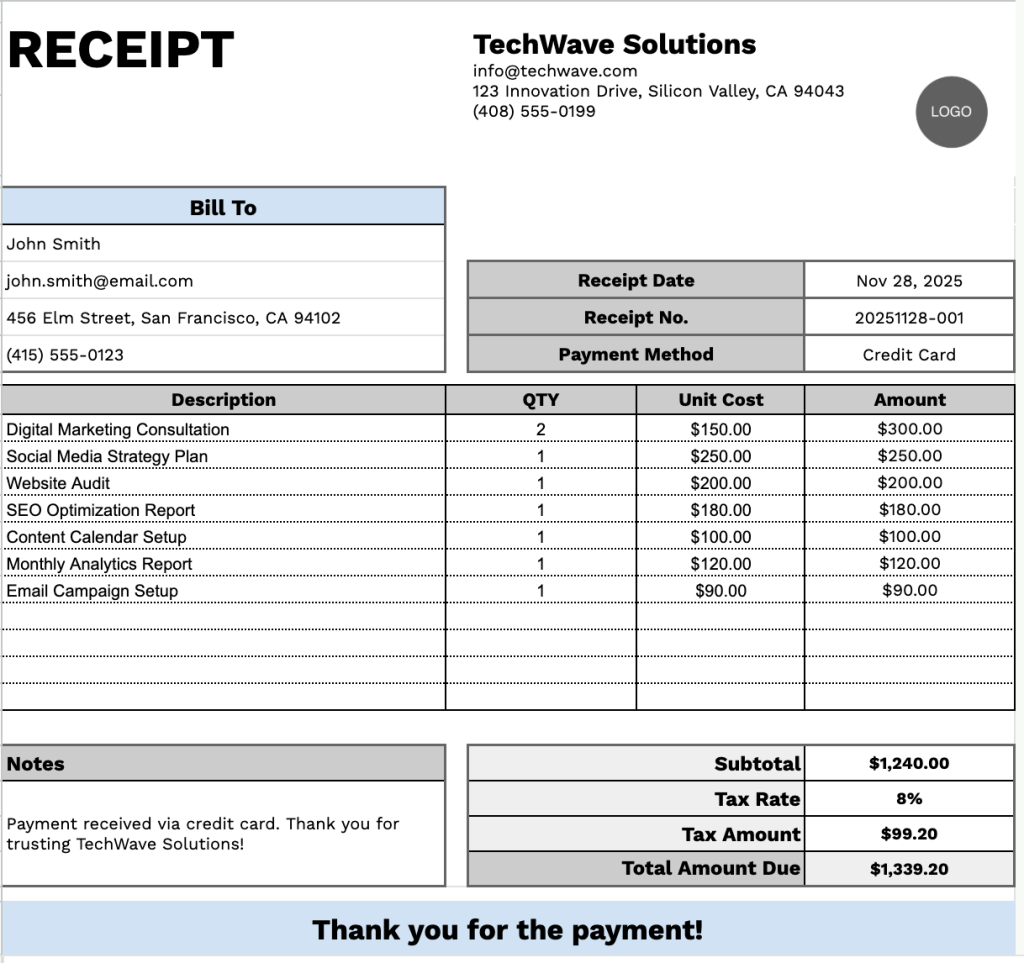
Our Digital Receipt Template provides a clean, professional format for documenting business transactions and services.
What’s included
- Customizable business information fields: The header section includes editable placeholders for company name, email address, physical address, and phone number, allowing you to quickly brand the receipt with your dealership or business details for professional documentation.
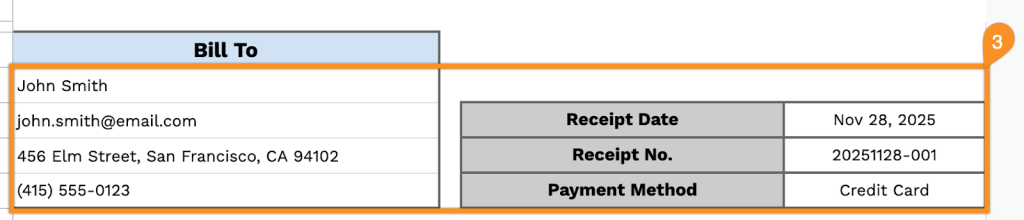
- Dual-panel customer and transaction tracking: The Bill To section captures complete customer details (name, email, address, phone number) on the left, while the right panel records essential transaction data, including receipt date, unique receipt number, and payment method, for comprehensive record-keeping.
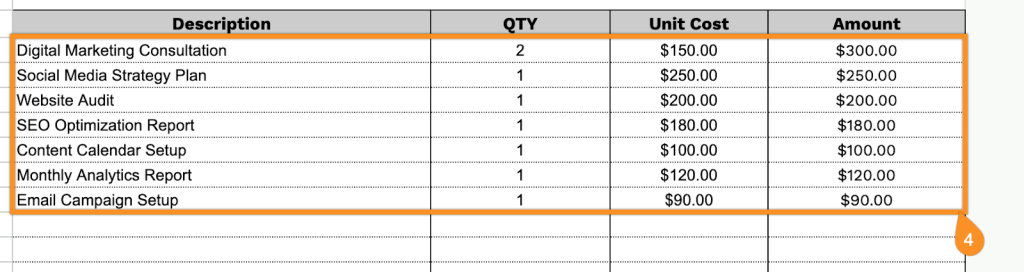
- Multi-row itemized transaction table: A table with four columns (Description, QTY, Unit Cost, Amount) enables detailed breakdowns of products or services sold, with each row displaying quantity, unit pricing, and calculated line-item totals for transparent billing.
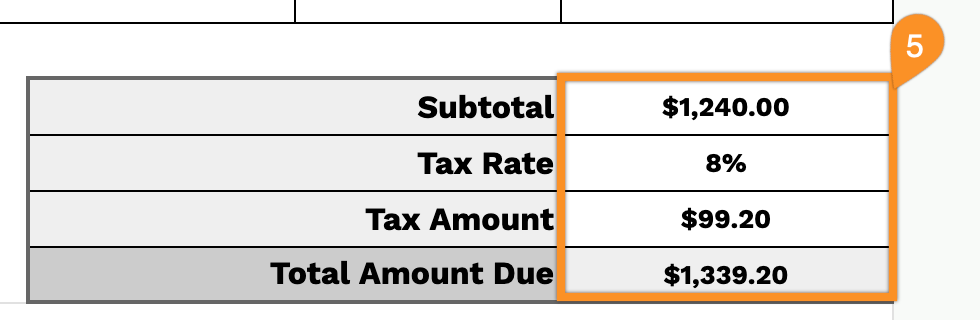
- Automated financial calculation section: The bottom-right summary area displays the subtotal, a customizable tax rate percentage field, the calculated tax amount, and the final total amount due, providing complete visibility into all charges and ensuring accurate payment processing.
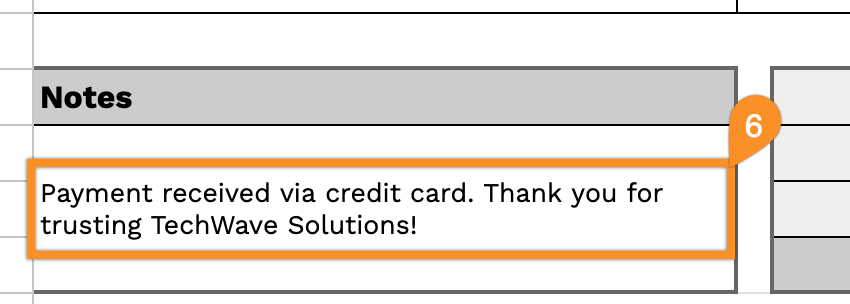
- Notes field and courtesy message: A dedicated notes section allows you to add payment terms, special instructions, or transaction details, complemented by a professional “Thank you for the payment!” closing statement to maintain positive customer relations.
The layout is fully customizable, allowing you to add or remove columns based on your specific business requirements.
Pick your favorite format and grab a free digital receipt template from the links below:
How to Use Our Digital Receipt Template
1. Download this digital receipt template as an Excel, Word, or PDF file, or make your own version in Google Sheets or Docs.
2. Add your company details at the top of the template, including your business name, email, address, phone number, and logo.

3. Enter the customer’s information in the Bill To section, and fill in the receipt date, receipt number, and payment method.
4. List all items or services provided. Add the quantity and unit price for each entry; the digital template will automatically calculate each line total.
5. If tax applies, enter the tax rate. The template will automatically generate the subtotal, tax amount, and final total.
6. Use the Notes area to include any additional information the customer may need, such as return policies, warranty details, or special instructions.