Want a simple way to manage your EOS Scorecard?
Download our free, ready-to-use template in Google Sheets, Excel, or PDF.
It’s designed to help you track key weekly metrics, improve visibility across your numbers, and stay aligned with your EOS goals.
What Is an EOS Scorecard Template?
An EOS (Entrepreneurial Operating System) scorecard is a simple weekly reporting tool used by leadership teams to track the key measurable numbers that indicate whether a business is on track to hit its goals.
The scorecard gives leaders an at-a-glance, data-driven pulse on the health of the business, removing the need to rely on gut feelings or wait for monthly reports to identify issues.
Download Spreadsheet Daddy’s Free EOS Scorecard Template
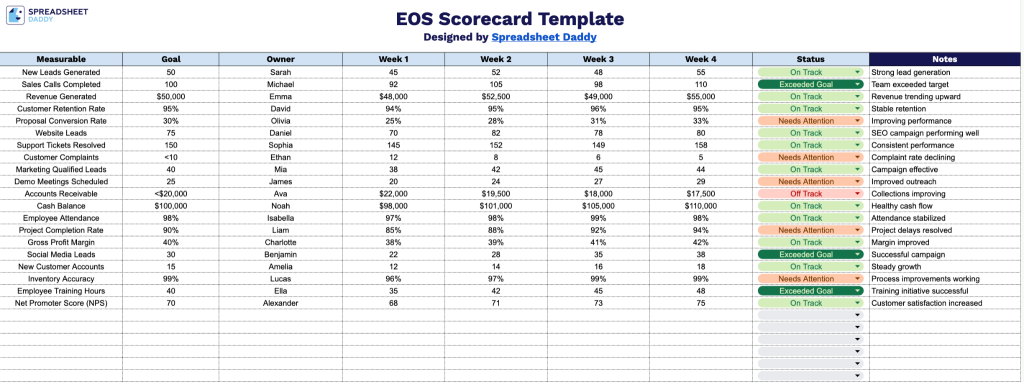
Our EOS Scorecard Template helps your team track weekly performance metrics against measurable goals, keeping everyone aligned and accountable.
What’s included
- Nine dedicated columns for complete metric tracking: Each row spans across labeled columns for Measurable, Goal, Owner, Week 1, Week 2, Week 3, Week 4, Status, and Notes, giving teams everything needed to define a metric, assign accountability, log four weeks of performance data, and capture commentary all in one row.
- Owner and accountability fields built into every row: Each measurable includes an Owner column positioned directly alongside the Goal field, reinforcing the EOS accountability structure by tying every tracked number to a specific responsible person on the team.
- Status and Notes columns for at-a-glance reporting: The final two columns provide space to flag whether a metric is on track, behind, or complete in the Status column, while the wide Notes column accommodates context, explanations, or action items, making the scorecard useful both during weekly meetings and as a post-meeting reference document.
Customize the template by adding or removing columns to fit the specific measurables your leadership team has chosen to track.
Grab a free blank version of the template in your desired format using the download links provided below:
How to Use Our EOS Scorecard Template
1. Get started by downloading the template as an Excel/PDF file or making a Google Sheets copy.
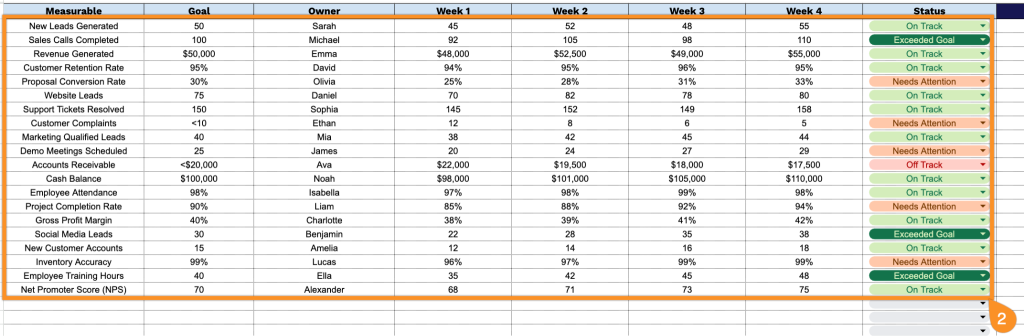
2. Include a clear measurable, the goal, the owner, weekly results, and the current status for each item.
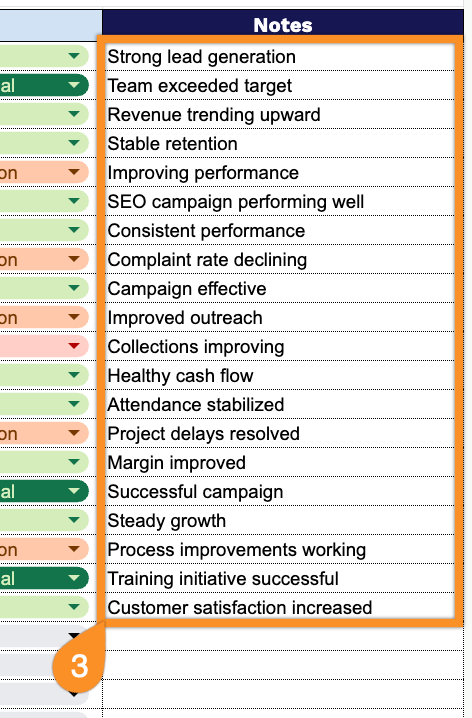
3. Use the Notes section to capture context behind performance fluctuations, issues impacting targets, action reminders, or key observations that explain the numbers.