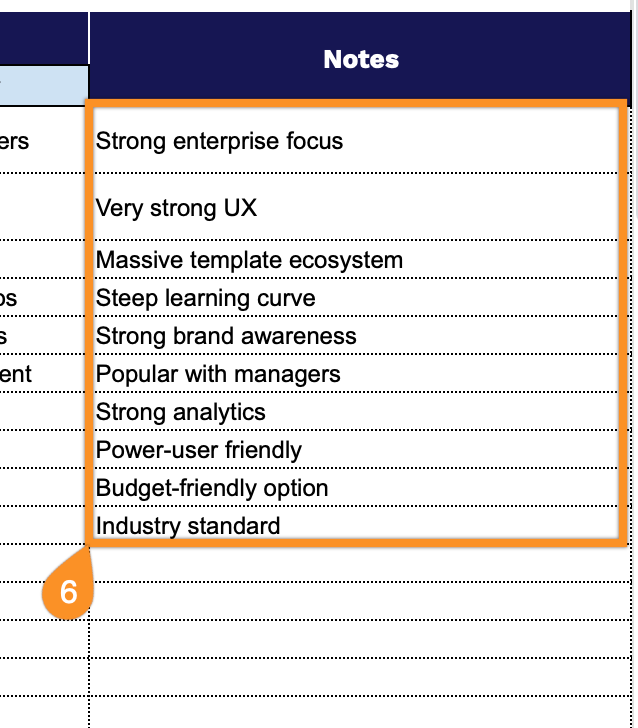
Gain a clearer view of your competitive landscape with our free Competitor Analysis Template.
Designed for strategic insights, this editable template lets you evaluate competitors side by side, track positioning, and spot the advantages that set your business apart.
What Is a Competitor Analysis Template?
A competitor analysis template is a structured framework that helps businesses systematically evaluate and compare their competitors’ strengths, weaknesses, strategies, and market positioning.
By organizing this competitive intelligence in one place, the template enables companies to identify market opportunities, benchmark their own performance, and make informed strategic decisions.
Download Spreadsheet Daddy’s Free Competitor Analysis Template
Our Competitor Analysis Template helps you systematically compare and evaluate your competition across key business dimensions.
What’s included
- Comprehensive competitor profile section: The template features dedicated columns for capturing essential competitor information, including company name, website URL, market segment classification, target audience demographics, and geographical location, enabling you to build a complete picture of each competitor’s market positioning and operational scope.
- Product and service comparison framework: Structured columns let you document and compare core features, unique selling points, quality assessments, and product breadth across multiple competitors, making it easy to identify competitive advantages and gaps in your own offerings.
- Detailed pricing analysis fields: The template includes specific columns for tracking price tiers, base pricing structures, and competitors’ discounts and promotional strategies, providing clear visibility into competitive pricing dynamics and market positioning.
- Marketing and brand positioning tracker: Dedicated columns capture competitor brand messaging, value propositions, marketing channel usage, and content strategy approaches, allowing you to analyze how competitors communicate with their audiences and identify opportunities to differentiate your marketing efforts.
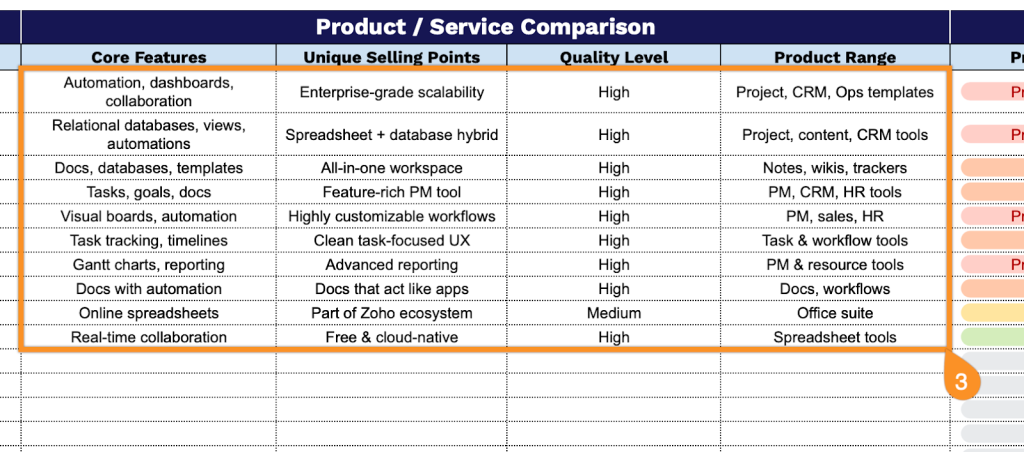
- Flexible notes and observations area: An additional notes column provides space for recording qualitative insights, strategic observations, competitive threats, or opportunities that don’t fit into structured categories, ensuring you can capture all relevant intelligence in one organized location.
You can easily add or remove columns to customize the template based on your specific analysis needs.
Select a format below to download a free blank competitor analysis template and start evaluating competitors:
How to Use Our Competitor Analysis Template
1. Start by downloading the template in Excel or PDF, or duplicating it in Google Sheets.
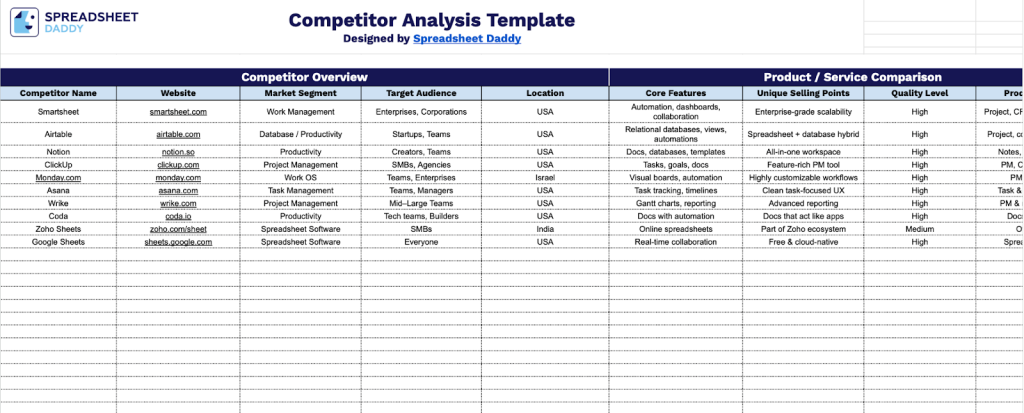
2. Complete the Competitor Overview section by entering all fundamental identification and market positioning information:
- Competitor Name: Enter the official business name of the competitor you’re analyzing.
- Website: Record the primary web address where the competitor maintains their online presence.
- Market Segment: Specify the specific industry sector or niche in which the competitor operates.
- Target Audience: Identify the primary customer demographics or groups the competitor serves.
- Location: Include the geographic regions, cities, or markets where the competitor is active.
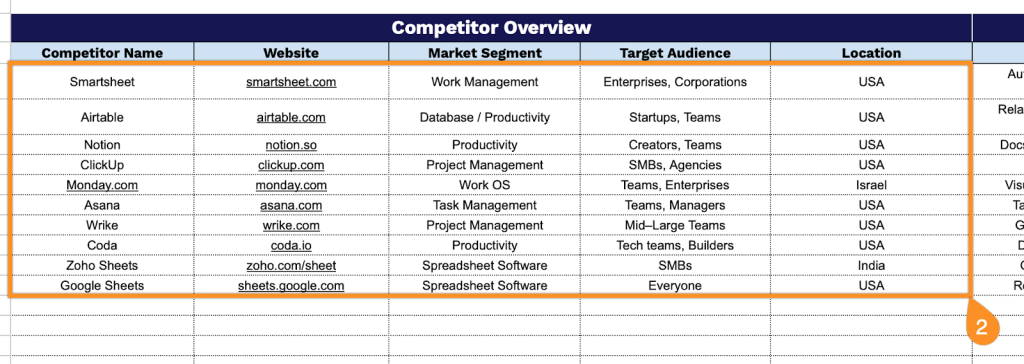
3. Fill the Product/Service Comparison section by documenting key offering characteristics and differentiators:
- Core Features: List the primary functionalities or attributes that define the competitor’s main products or services.
- Unique Selling Points: Identify the distinctive advantages or innovations that set the competitor apart from others.
- Quality Level: Assess the overall standard of the competitor’s offerings.
- Product Range: Specify the breadth and variety of products or services available in their catalog.
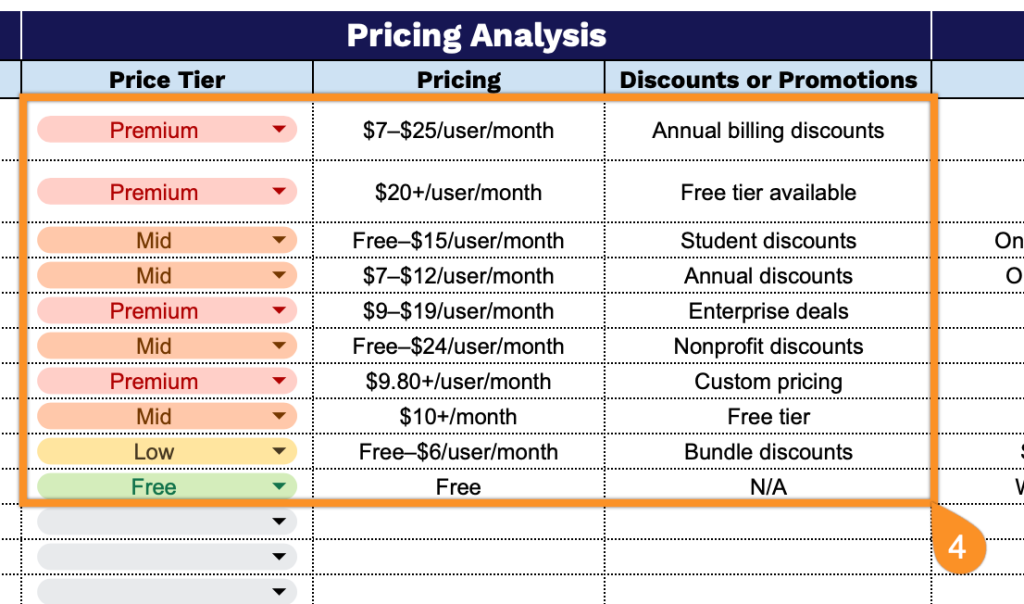
4. Add the Pricing Analysis section by capturing all financial positioning and promotional strategies:
- Price Tier: Set the general pricing category the competitor occupies in the market (Low, Mid, Premium, or Free).
- Pricing: Record the actual cost structures, price points, or pricing models the competitor employs.
- Discounts or Promotions: Document any active special offers, seasonal sales, or incentive programs.
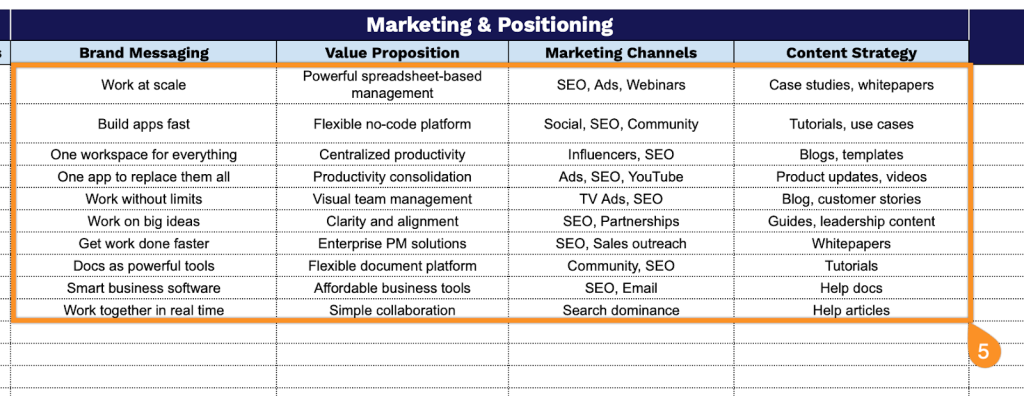
5. Enter the Marketing & Positioning section by analyzing communication strategies and brand presence:
- Brand Messaging: Capture the core themes, tone, and key messages the competitor uses in their communications.
- Value Proposition: Identify the primary benefits and solutions the competitor promises to deliver to customers.
- Marketing Channels: List the platforms and mediums the competitor uses to reach their audience (social media, email, advertising, etc.).
- Content Strategy: Specify the types of content and engagement approaches the competitor employs to attract and retain customers.
6. Use the Notes section to capture insights, strengths, weaknesses, or strategic observations about each competitor.