Skip the setup and start tracking right away.
Our free Food Journal Template is professionally formatted and ready to use in Google Sheets, Excel, or PDF. It’s designed for quick meal logging and simple customization, making it ideal for everyday use.
What Is a Food Journal Template?
A food journal template is a structured document or form designed to help you track what you eat and drink throughout the day.
These templates provide an organized way to monitor eating habits, identify patterns, and support health or nutrition goals.
Download Spreadsheet Daddy’s Free Food Journal Template
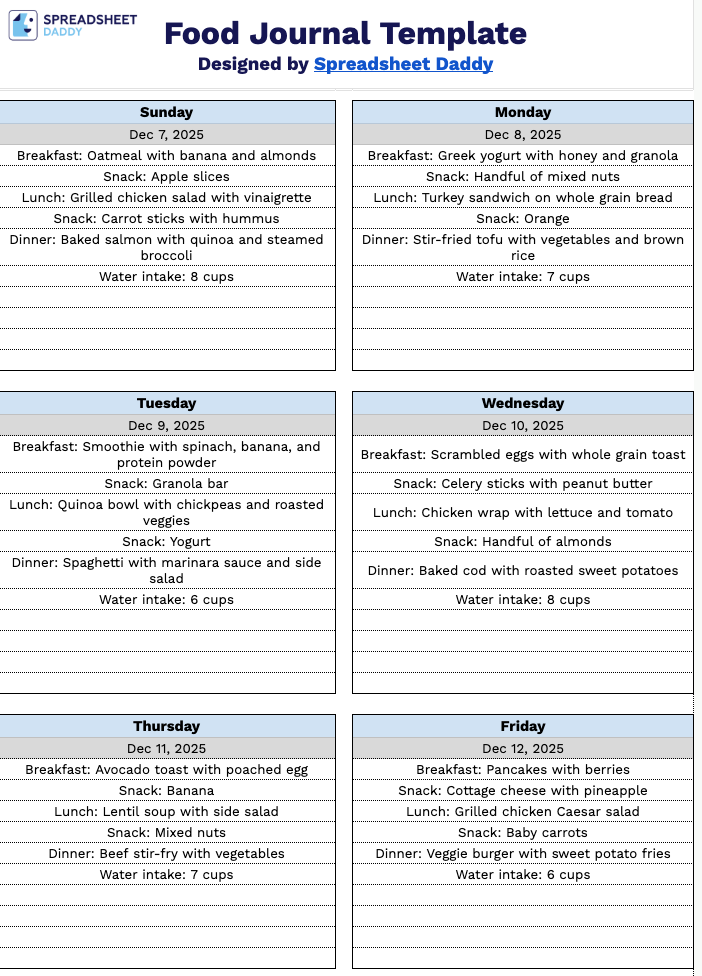
Our Food Journal Template helps you track your daily meals, snacks, and water intake throughout the week.
What’s included
- Weekly day-by-day tracking layout: The template features seven dedicated columns for each day of the week, providing a complete weekly overview to help you monitor your eating habits and patterns over the entire seven-day period.
- Customizable date entry fields: Each day column includes a date placeholder you can fill in with the specific date, allowing you to personalize the journal for any week of the year and maintain accurate, chronological records of your food intake.
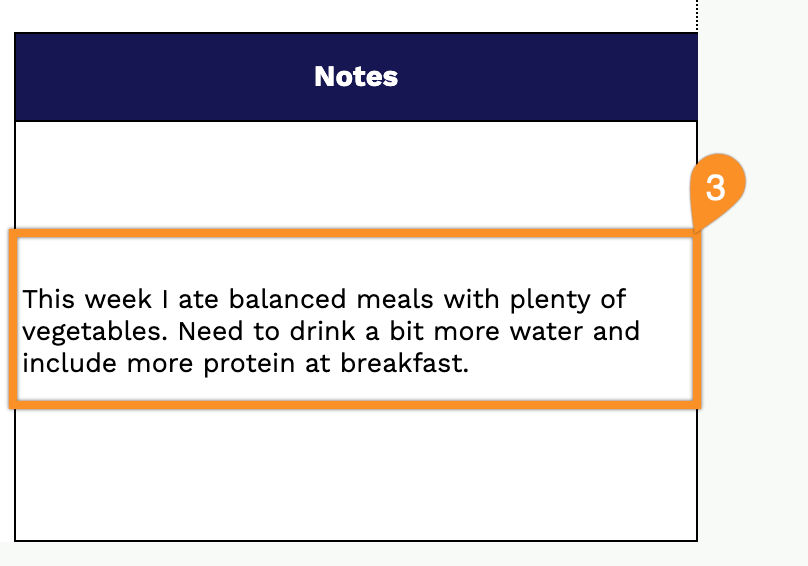
- Dedicated notes section for observations: A separate notes area on the right side of the template provides space to record additional insights, dietary goals, symptom tracking, meal reflections, and any essential observations about your eating habits and how foods affect you.
- Flexible open-format structure: The spacious daily sections let you log meals, snacks, portion sizes, calorie counts, water intake, macronutrients, and any other dietary information in whatever format suits your personal tracking method and nutritional goals.
You can customize it by adding or removing columns to fit your specific tracking needs.
Download a free blank food journal template below and start tracking your meals in the format that works best for you:
How to Use Our Food Journal Template
1. Access the food journal by downloading it in Excel or PDF, or opening a customizable version in Google Sheets.
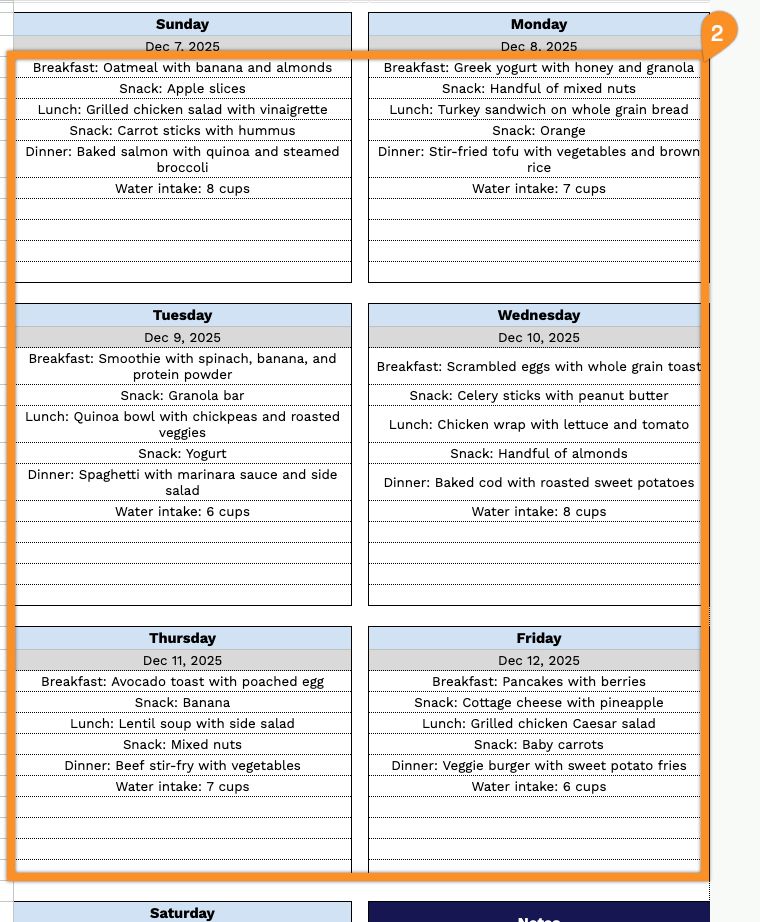
2. Add the date for each day and log your meals as you go, including breakfast, lunch, dinner, and snacks.
3. Use the Notes section for any additional details.