Streamline your grade tracking with our professional Gradebook Template.
Compatible with Google Sheets, Excel, and PDF, it allows accurate recording of student scores, assignments, and overall performance.
Fully editable to fit any class size or grading system.
What Is a Gradebook Template?
A gradebook template is a pre-formatted spreadsheet designed to help teachers track and calculate student grades throughout a course or academic term.
These templates streamline the grading process by providing a structured framework that saves educators time and reduces calculation errors.
Download Spreadsheet Daddy’s Free Gradebook Template
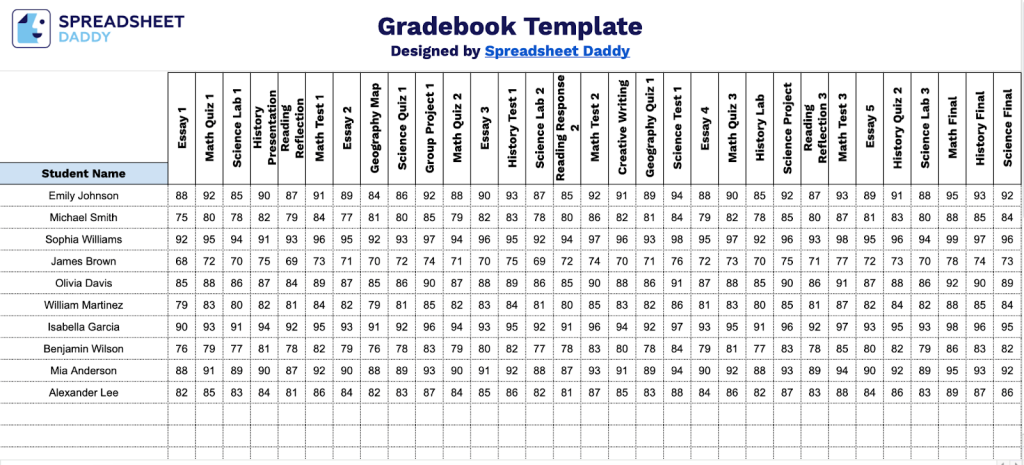
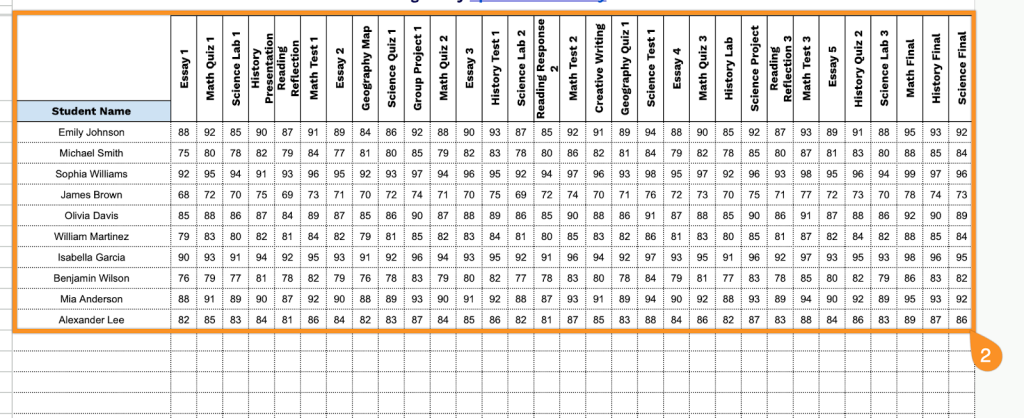
Our Gradebook Template provides a structured way to track student assignments and test scores throughout the academic year.
What’s included
- Comprehensive student roster column: The leftmost column is dedicated to student names, providing a clear organizational structure where educators can list all students in their class, ensuring easy identification and consistent record-keeping throughout the academic term.
- Five pre-configured assignment columns: The template includes Assignment 1 through Assignment 5 as default column headers, offering immediate functionality for tracking multiple assessments, homework, quizzes, or projects, with the flexibility to rename these columns based on specific curriculum needs.
- Clean, minimal design for easy data entry: The spreadsheet features a straightforward grid layout with clearly labeled headers and ample space for grade input, eliminating visual clutter and allowing teachers to focus on efficient grade recording and student performance tracking.
- Scalable row structure for classroom flexibility: The template provides expandable rows beneath the student name column, accommodating classes of varying sizes from small seminars to large lecture sections, with the ability to add or remove student entries as enrollment changes throughout the semester.
The flexible design allows you to easily add or remove columns to match your specific curriculum and grading needs.
Click one of the links below to access a free blank gradebook template in the format you need:
How to Use Our Gradebook Template
1. Use this template by downloading it in Excel or PDF, or by creating your own Google Sheets copy.
2. Enter your students’ names, add assignments or tests, and record their grades.