Planning a renovation doesn’t have to mean complicated budgeting.
Our free Home Renovation Budget Template is available in Google Sheets, Excel, and PDF. It is designed to help you organize costs, track expenses, and stay in control of your renovation budget.
What Is a Home Renovation Budget Template?
A home renovation budget template is a structured document or spreadsheet that helps homeowners plan and track all costs associated with a remodeling project.
This tool helps prevent budget overruns by providing a clear financial roadmap and enabling you to compare planned and actual expenses in real time.
Download Spreadsheet Daddy’s Free Home Renovation Budget Template
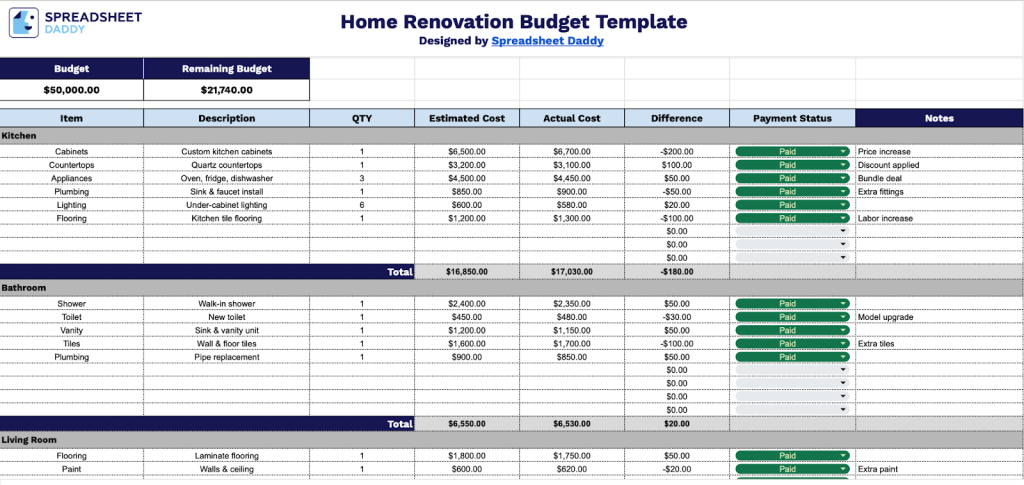
Our Home Renovation Budget Template helps you track and manage expenses across different areas of your home improvement project.
What’s included
- Comprehensive budget-tracking system: The template features a transparent header that displays your total and remaining budgets in real time, allowing you to monitor your renovation spending at a glance and stay within your financial limits throughout the project.
- Multi-category organizational structure: The template includes 10 pre-formatted category sections (e.g., kitchen, bathroom, flooring), each with dedicated rows for itemized expenses and automatic subtotal calculations, enabling you to organize costs by room or renovation type for better financial visibility.
- Detailed expense-tracking columns: Each line item includes fields for Item Description, Quantity (QTY), Estimated Cost, Actual Cost, Difference calculation, Payment Status, and Notes, providing complete transparency between your planned budget and real-world spending and tracking payment progress.
- Automatic cost variance calculations: The Difference column automatically calculates the gap between estimated and actual costs for each item, helping you identify budget overruns or savings instantly and make informed decisions throughout your renovation project.
- Flexible payment and note management: The Payment Status column lets you track which expenses have been paid, are pending, or require follow-up, while the Notes field provides space to record vendor information, material specifications, delivery dates, and other project-critical details for comprehensive record-keeping.
You can easily customize the spreadsheet by adding or removing columns to fit your specific needs and preferences.
Use the links below to download a free Home Renovation Budget Template in your preferred format:
How to Use Our Home Renovation Budget Template
1. Get started by downloading this Home Renovation Budget Template as an Excel or PDF file, or make a custom copy in Google Sheets.
2. Start by setting your overall renovation budget.

3. Then break it down into categories and list each item with its description, quantity, estimated cost, actual cost, and payment status. The template automatically totals everything and shows the difference between what you planned to spend and what you actually paid, along with the remaining budget, so that you can keep your renovation costs on track.

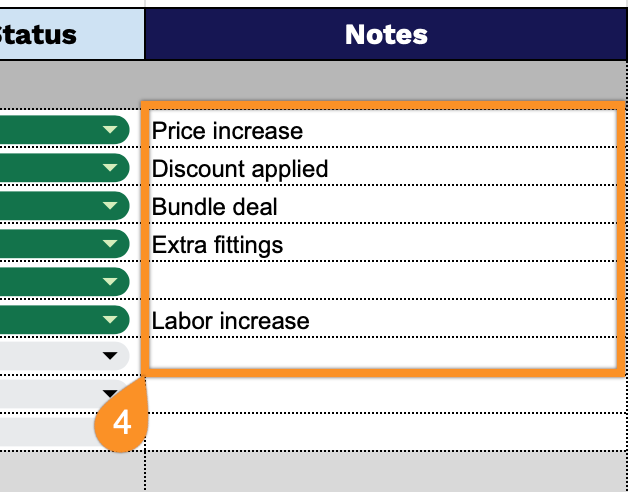
4. Use the Notes section for any special instructions, project details, or reminders.