Get your next sprint organized faster with our free, professionally designed Sprint Backlog Template.
Available in Google Sheets, Excel, and PDF, it gives you a simple way to list tasks, set priorities, assign work, and monitor what needs to be completed during the sprint.
What Is a Sprint Backlog Template?
A sprint backlog template is a structured document or tool used by Agile and Scrum teams to organize and track the specific tasks, user stories, and work items selected from the product backlog for completion within a single sprint.
By providing a standardized format, the template helps teams plan more efficiently, maintain transparency, monitor progress in real time, and ensure that every team member understands their responsibilities toward achieving the sprint goal.
Download Spreadsheet Daddy’s Free Sprint Backlog Template
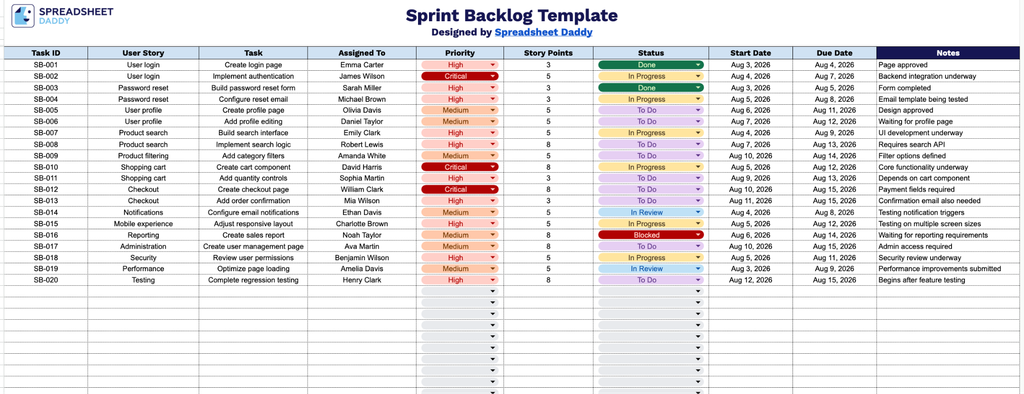
Our Sprint Backlog Template gives your team a clear, organized way to track user stories, tasks, assignments, priorities, and progress throughout a sprint.
What’s included
- Structured task tracking columns: The sheet includes ten columns: Task ID, User Story, Task, Assigned To, Priority, Story Points, Status, Start Date, Due Date, and Notes, giving you a complete framework to log, assign, and monitor every item in your sprint from kickoff to completion.
- User story and task breakdown fields: Dedicated User Story and Task columns let you connect each work item back to the broader feature or requirement it supports, keeping development work aligned with actual user needs.
- Prioritization and estimation fields: The Priority and Story Points columns allow your team to rank tasks by urgency and estimate relative effort, making it easier to plan sprint capacity and sequence work effectively.
- Timeline tracking with Start and Due Date columns: Two dedicated date columns let you record when each task begins and when it’s expected to be completed, helping you monitor pacing and flag items at risk of slipping.
You can add or remove columns to match your own team’s workflow and reporting needs.
Choose your preferred format below to get a free, ready-to-use blank Sprint Backlog template:
How to Use Our Sprint Backlog Template
1. Get the Sprint Backlog template in Excel or PDF, or save a customizable copy to your Google Sheets account.
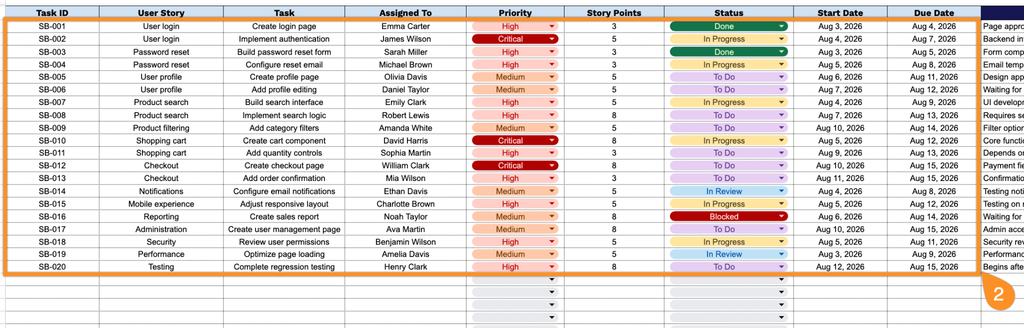
2. Add key task details, including the task ID, user story, task description, assignee, priority, story points, status, start date, and end date.
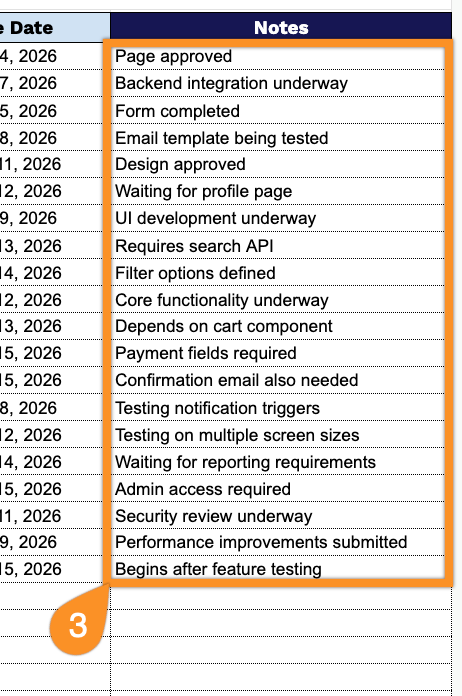
3. Use the Notes section to add important details, dependencies, blockers, or special instructions related to specific backlog items.