Skip the hassle of designing an audit template yourself.
Our free Internal Audit Template comes in Google Sheets, Excel, and PDF formats, offering a ready-to-use layout for documenting audit procedures, reviewing compliance areas, recording results, and keeping your audit process organized.
What Is an Internal Audit Template?
An internal audit template is a structured document or framework used by organizations to systematically evaluate and assess their internal processes, controls, and compliance with policies, regulations, and standards.
By using a template, organizations can improve efficiency, reduce the risk of oversight, and maintain a clear record of findings, recommendations, and corrective actions for management review.
Download Spreadsheet Daddy’s Free Internal Audit Template
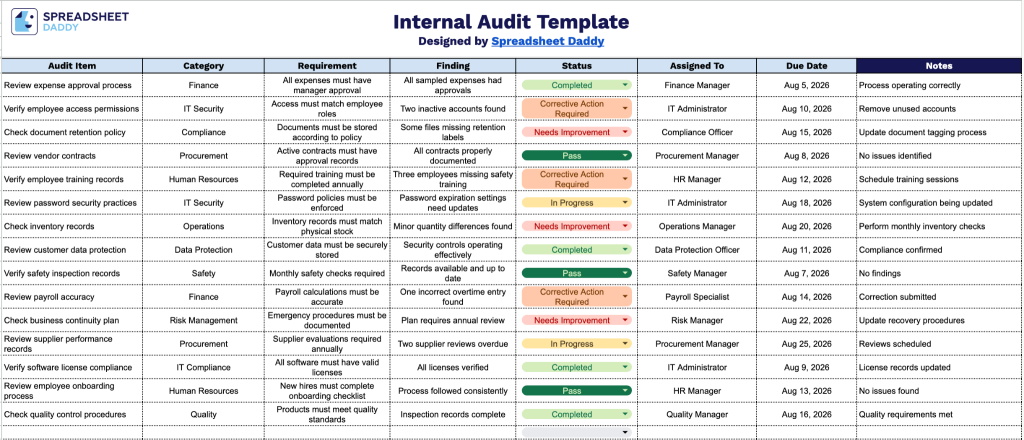
Our Internal Audit Template gives you a clear, organized way to track audits across departments.
What’s included
- Structured audit-tracking columns: The template includes eight dedicated fields: Audit Item, Category, Requirement, Finding, Status, Assigned To, Due Date, and Notes, providing a consistent framework for documenting every item you review from start to finish.
- Category-based organization: The Category column lets you group audit items by department, process, or compliance area, making it easy to filter and analyze findings by the part of the business they affect.
- Requirement and finding comparison: Separate Requirement and Finding columns let you document the standard or policy being audited alongside your actual observations, creating a clear record of compliance gaps or confirmations.
- Ownership and deadline tracking: The Assigned To and Due Date fields let you designate who is responsible for resolving each finding and by when, so outstanding action items are easy to monitor and follow up on.
- Status field for progress monitoring: The Status column lets you mark each audit item’s current state (open, in progress, or resolved), giving you an at-a-glance view of overall audit completion.
Add or remove columns to match exactly what your audit process needs.
Pick your preferred format below to download a blank Internal Audit template:
How to Use Our Internal Audit Template
1. Select the format that works best for you: download the template as an Excel or PDF file, or create a personalized Google Sheets version.
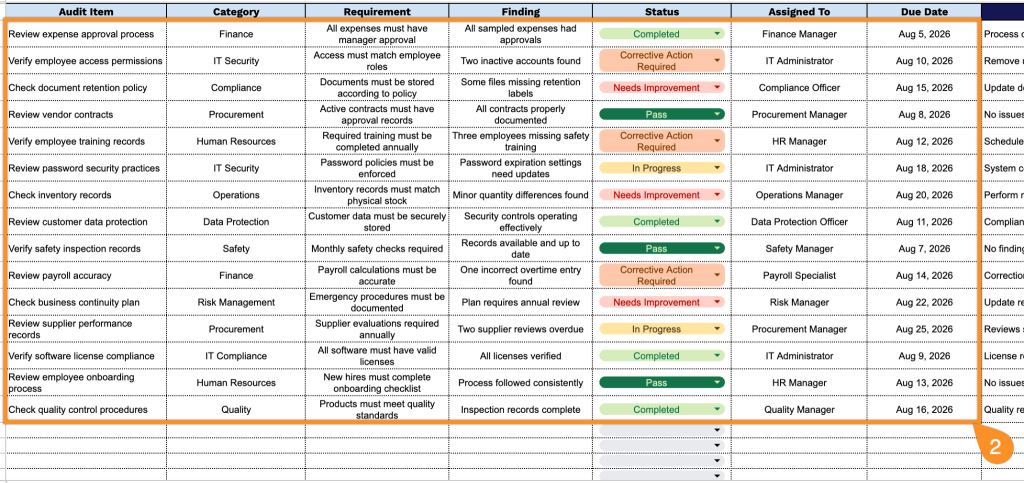
2. Record key audit details, including the audit item, category, applicable requirement, findings, current status, assigned team member, and completion deadline.
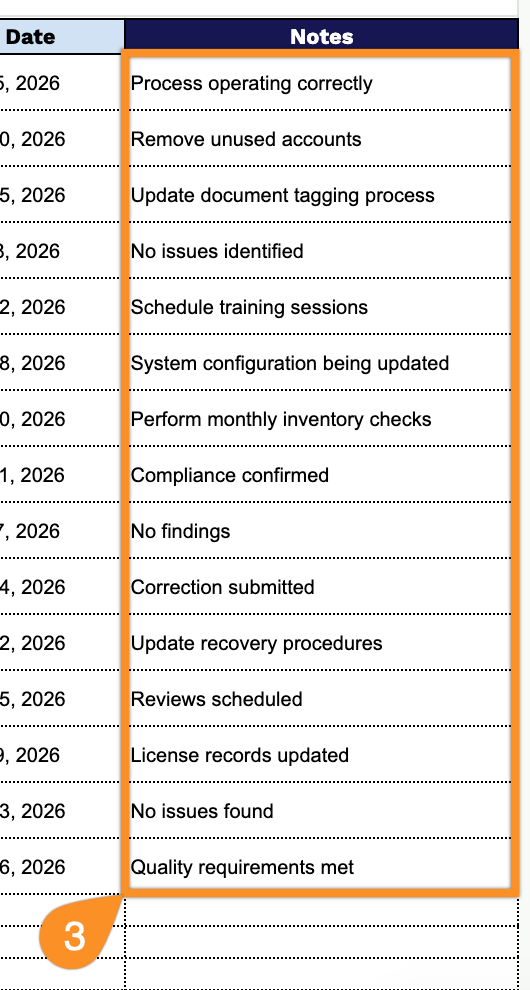
3. Use the Notes section to include additional comments, explanations, supporting details, or special instructions related to the internal audit process.