Looking to streamline your job hunt without starting from scratch?
Our free Job Search Template, available in Google Sheets, Excel, and PDF, helps you track applications, interviews, and follow-ups efficiently. It’s fully editable, so you can customize it to match your unique career goals.
What Is a Job Search Template?
A job search template is a structured document that helps job seekers organize and track their job search activities in one place.
Using a template streamlines the job search process by ensuring you stay organized, meet deadlines, and can easily reference essential details throughout your search.
Download Spreadsheet Daddy’s Free Job Search Template
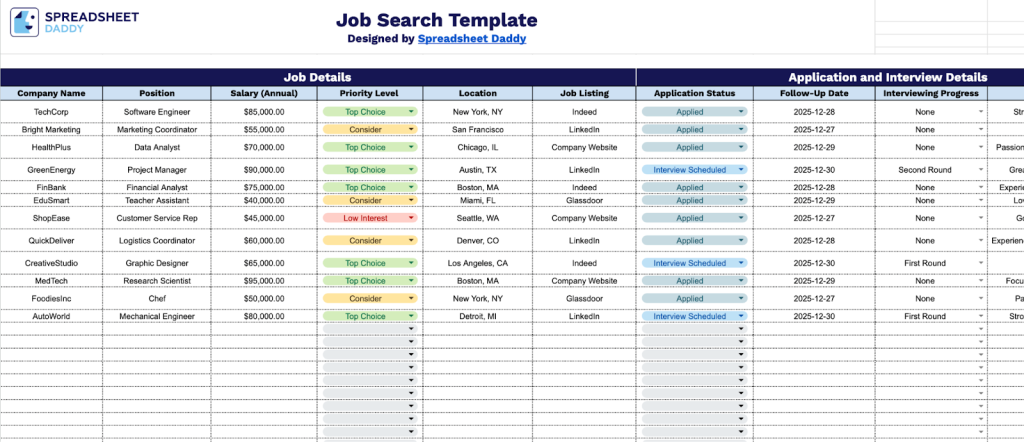
Our Job Search Template helps you organize and track your job applications in one central location.
What’s included
- Comprehensive job-tracking fields: The template includes organized columns for company name, position title, annual salary, priority level, and location, allowing you to capture all essential details for each opportunity and compare multiple positions side-by-side for informed decision-making.
- Application and interview progress monitoring: Track your entire application journey with dedicated fields for application status, follow-up dates, interview progress, and outcome notes, helping you stay organized and maintain momentum throughout your job search.
- Complete contact information management: Store all recruiter and hiring manager details in designated fields for names, email addresses, and phone numbers, ensuring quick access to key contacts when you need to follow up or communicate about your application.
- Priority level system: Assign priority rankings to each job opportunity so you can strategically focus your time and energy on the most promising positions and manage multiple applications without losing track of your top choices.
- Flexible notes section: Capture important observations, interview insights, company culture details, or personal reminders in a dedicated notes area, providing a comprehensive record of each opportunity to reference during follow-ups and decision-making.
You can customize it by adding or removing columns to match your specific needs and preferences.
Pick your favorite format and grab a free job search template from the links below:
How to Use Our Job Search Template
1. Save this template as an Excel or PDF file, or copy it to Google Sheets for personal use.
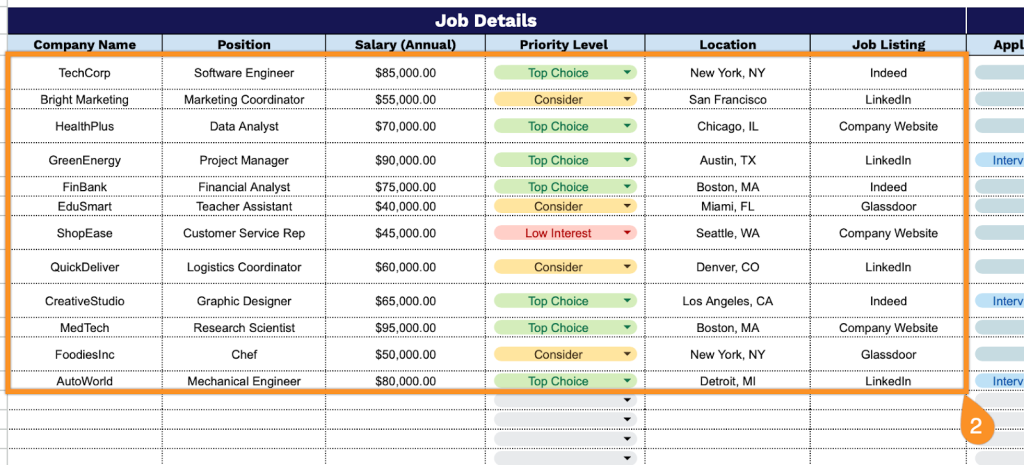
2. Enter the Job Details by entering all essential position information:
- Company Name: Enter the organization or employer you’re applying to for accurate tracking.
- Position: Specify the complete job title and role you’re pursuing at this company.
- Salary (Annual): Record the compensation range or specific wage offered for the position.
- Priority Level: Indicate your level of interest or urgency for this opportunity.
- Location: Document the work location, including city, state, or remote work designation.
- Job Listing: Include the URL or reference number linking to the original job posting.
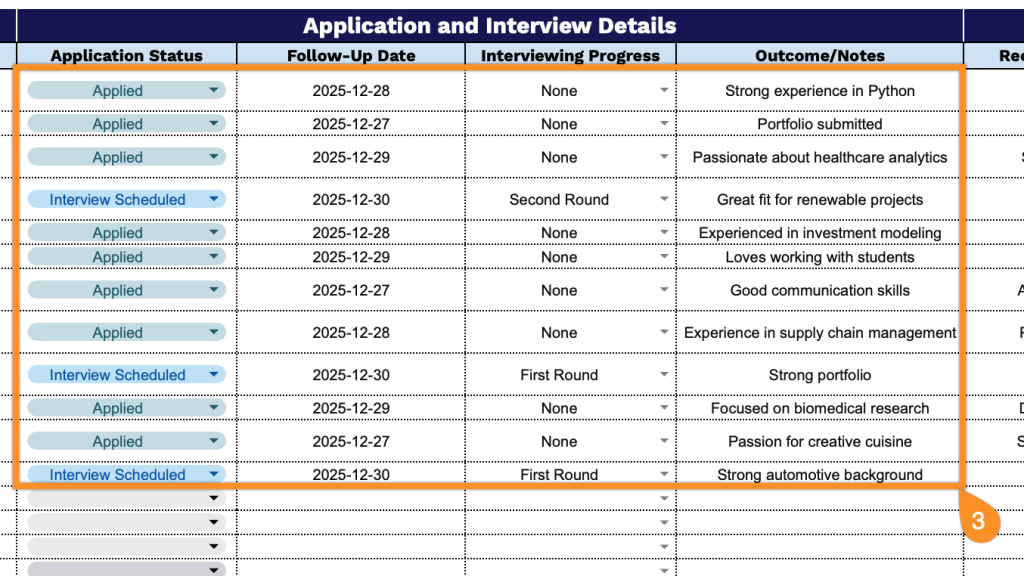
3. Complete the Application and Interview Details section by tracking your progress:
- Application Status: Record the current stage of your application.
- Follow-Up Date: Note when you should next check in or expect to hear back from the employer.
- Interviewing Progress: Track which interview rounds you’ve completed and those scheduled.
- Outcome/Notes: Document any feedback, decisions, or essential details from your interactions.
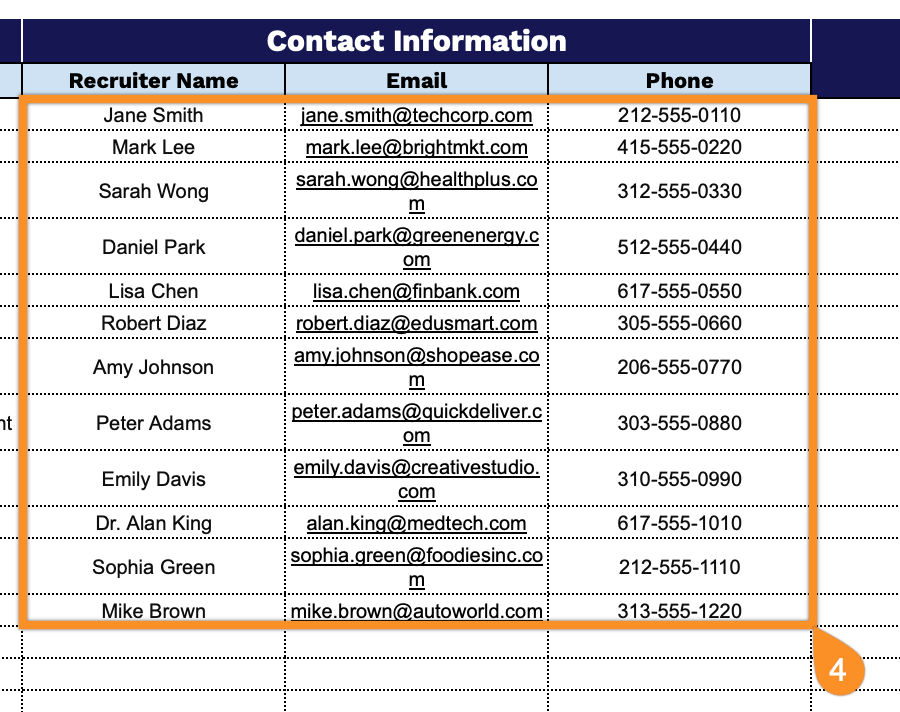
4. Add the Contact Information by recording your key connections:
- Recruiter Name: Enter the full name of the hiring manager or recruiter handling your application.
- Email: Document the primary email address for correspondence regarding this position.
- Phone: Include the direct contact number for following up on your application status.
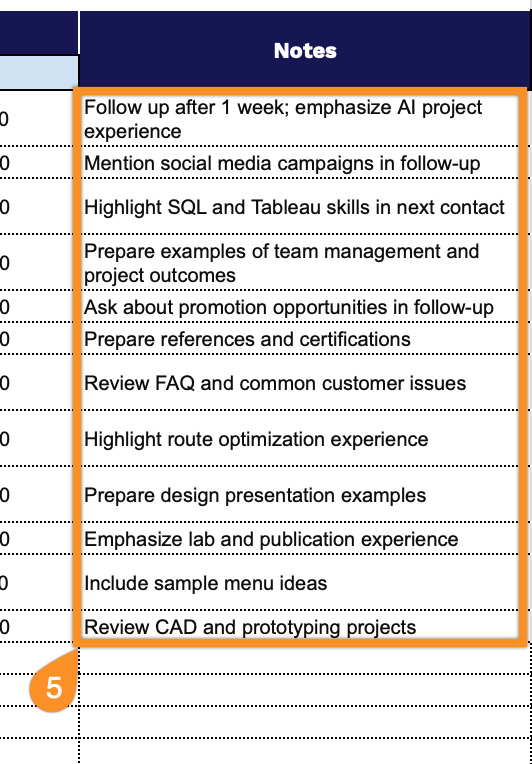
5. Use the Notes section to track interview dates, follow-up reminders, or any important details about the application process.