Don’t let valuable connections slip through the cracks.
Use our free Networking Template to log contacts, track conversations, and plan follow-ups. Available in Google Sheets, Excel, and PDF, it’s fully editable and ready to help you grow your professional network.
What Is a Networking Template?
A networking template helps professionals organize and track their business contacts, connections, and relationship-building activities.
These templates save time by providing a consistent framework for maintaining professional networks, whether used for job searching, sales, or general career development.
Download Spreadsheet Daddy’s Free Networking Template
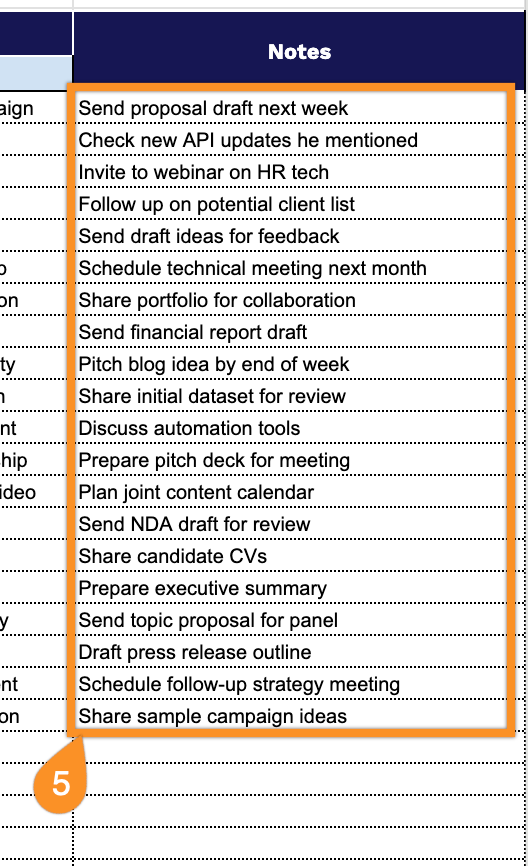
Our Networking Template helps you organize and track your professional contacts and interactions in one place.
What’s included
- Comprehensive contact database fields: The template includes organized columns for Name, Job Title, Company, Email, Phone Number, and LinkedIn profile, enabling you to build a complete professional network directory with all essential contact information in one centralized location.
- Interaction tracking and follow-up system: Built-in columns for Date Met, Meeting Notes, Follow-up Date, and Method of Contact allow you to document every networking interaction, track conversation details, and schedule timely follow-ups to maintain strong professional relationships.
- Networking goals planning section: A dedicated area to define and document your networking objectives, helping you stay focused on specific outcomes, whether you’re seeking career opportunities, partnerships, mentorship, or industry connections.
- Priority and opportunity management fields: Includes an Importance column to rank and prioritize your contacts, plus an Opportunities section to track potential collaborations, job leads, referrals, or business prospects that emerge from your networking efforts.
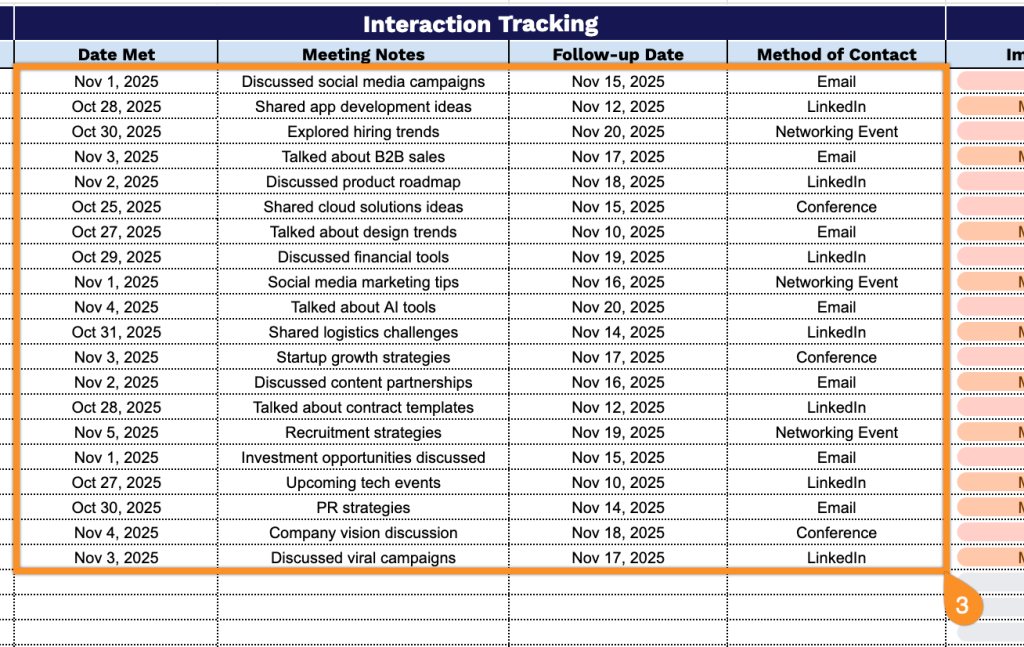
- Flexible notes documentation area: A customizable Notes field provides space to record key insights, personal details, conversation highlights, and other relevant information to help you personalize future interactions and build meaningful professional connections.
You can easily customize it by adding or removing columns to match your specific networking needs and workflow.
Choose your format below to download a free blank networking template for tracking professional connections:
How to Use Our Networking Template
1. Get started by saving the template in Excel or PDF, or creating a personal Google Sheets version.
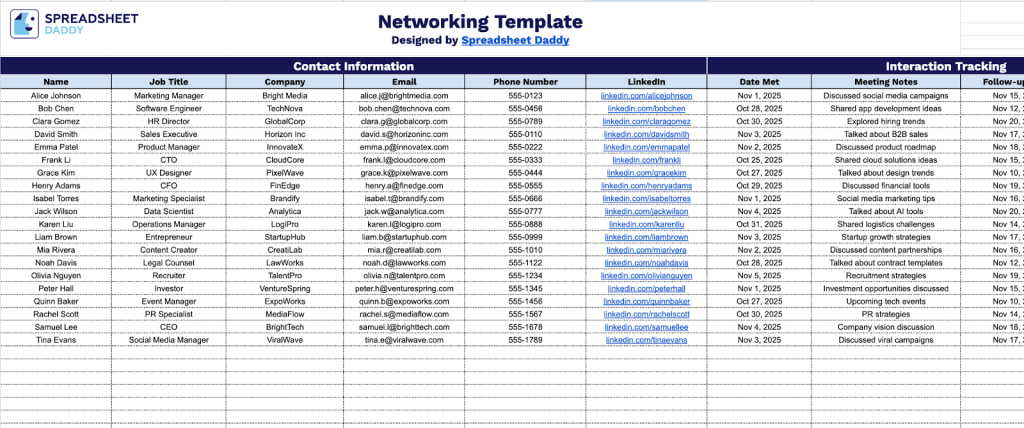
2. Complete the Contact Information section by entering all essential professional details:
- Name: Enter the full name of your networking contact as you’d like it to appear in your records.
- Job Title: Specify their current professional position or role within their organization.
- Company: Record the name of the organization or business where they are currently employed.
- Email: Include their professional email address for digital correspondence.
- Phone Number: Document their preferred contact number for direct communication.
- LinkedIn: Add their LinkedIn profile URL or handle for easy access to their professional network.
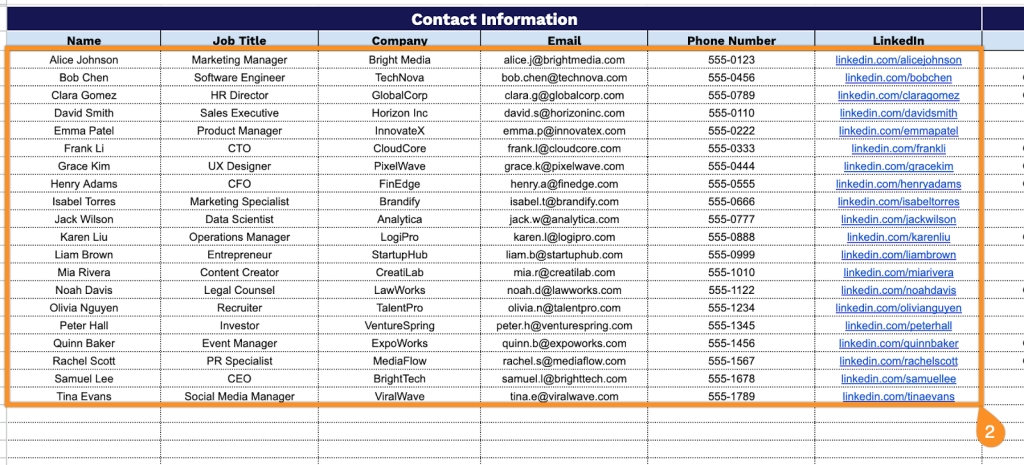
3. Complete the Interaction Tracking section by documenting your networking engagement:
- Date Met: Record the specific date you first connected with or most recently met this contact.
- Meeting Notes: Capture key discussion points, shared interests, and essential details from your conversation.
- Follow-up Date: Schedule the date when you plan to reconnect or send a follow-up message.
- Method of Contact: Specify how the interaction occurred (in-person meeting, phone call, video conference, email, social event, etc.).
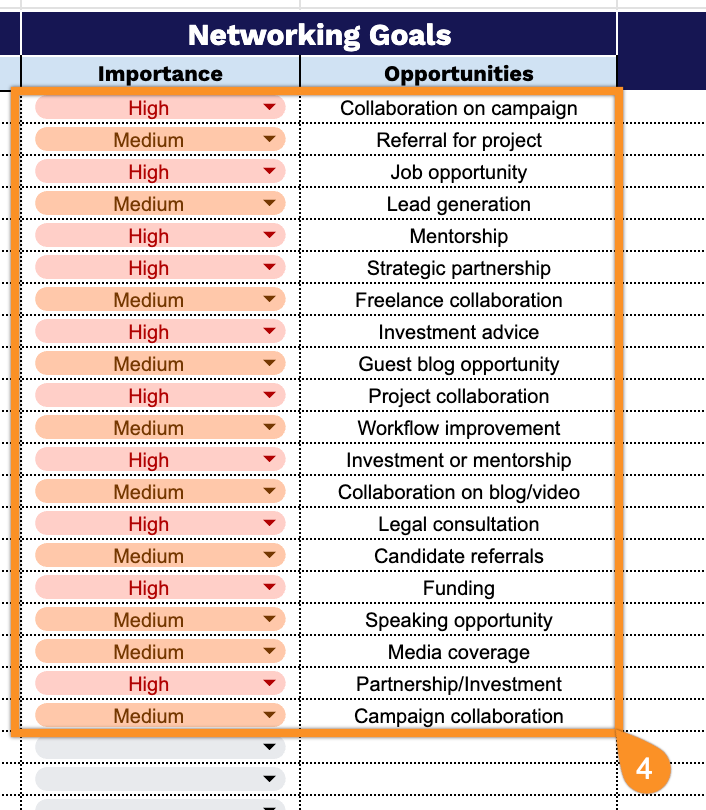
4. Complete the Networking Goals section by defining the relationship strategy:
- Importance: Assess the priority level of this contact based on your professional objectives and potential collaboration opportunities.
- Opportunities: Identify specific ways this connection could be mutually beneficial, such as mentorship, partnerships, referrals, or industry insights.
5. Use the Notes section to record any essential details, follow-up reminders, or special terms related to the interaction.