Get a head start on your operational planning with our free Operational Readiness Checklist Template.
Choose Google Sheets, Excel, or PDF and tailor the template to your needs.
It provides a structured way to review critical tasks, monitor progress, and make sure your team is prepared for launch or implementation.
What Is an Operational Readiness Checklist Template?
An operational readiness checklist template is a structured document that organizations use to systematically verify that all necessary components are in place before launching a new product, service, project, or operational change.
By providing a repeatable and consistent format, the template helps minimize risk, reduce errors, and confirm that an organization or system meets the required standards and is fully prepared to perform its intended functions reliably and safely.
Download Spreadsheet Daddy’s Free Operational Readiness Checklist Template
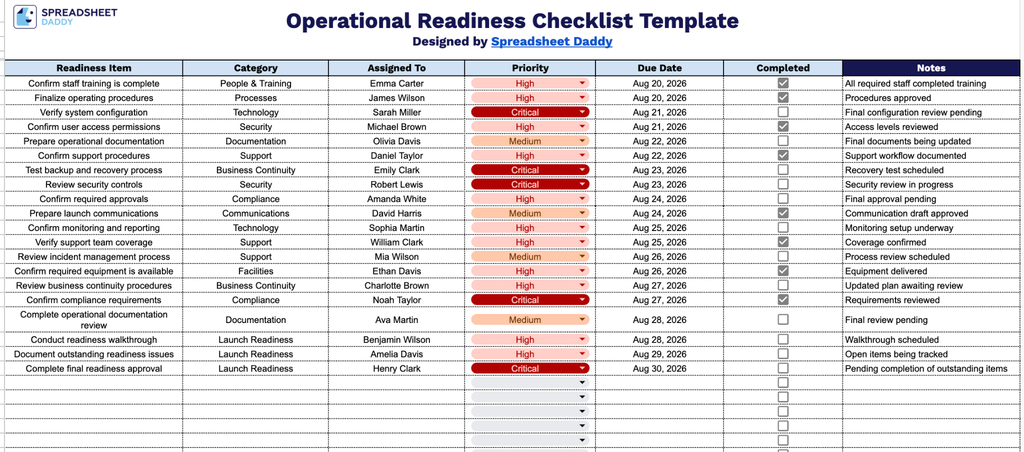
Our Operational Readiness Checklist Template is designed to help teams track and confirm all critical tasks before a launch or go-live event.
What’s included
- Readiness Item and Category tracking: Dedicated columns let you list each individual task or requirement needed for operational readiness and group it under a broader category (e.g., IT, Staffing, Facilities, Compliance), making it easy to organize checklist items by workflow area.
- Assigned To field for accountability: Each row includes a space to designate the team member or department responsible for completing that readiness item, ensuring clear ownership throughout the checklist.
- Priority and Due Date columns: Built-in fields let you flag each task’s urgency and set a specific completion deadline, helping teams sequence their work and stay on track before a launch or go-live date.
- Interactive Completed checkboxes: Each readiness item includes a checkbox to mark tasks as done in real time, giving you an at-a-glance view of overall progress without typing status updates.
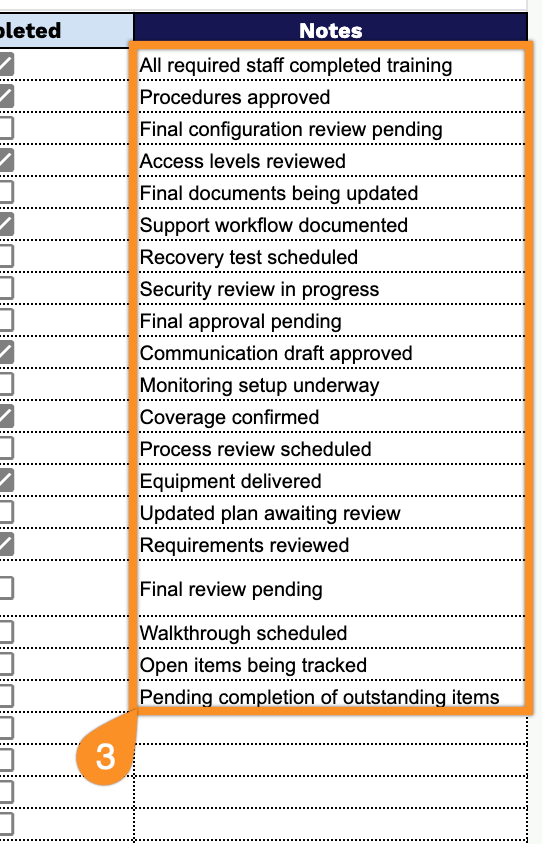
- Open-ended Notes section: A dedicated Notes column provides space to document additional context, blockers, follow-up actions, or clarifications for any readiness item, keeping all relevant details in one place.
Add or remove columns as needed to match your own workflow.
Get your free Operational Readiness Checklist template by selecting your preferred file format from the download options below:
How to Use Our Operational Readiness Checklist Template
1. Download the ready-to-use checklist as an Excel or PDF file, or create an editable Google Sheets copy for easy customization.
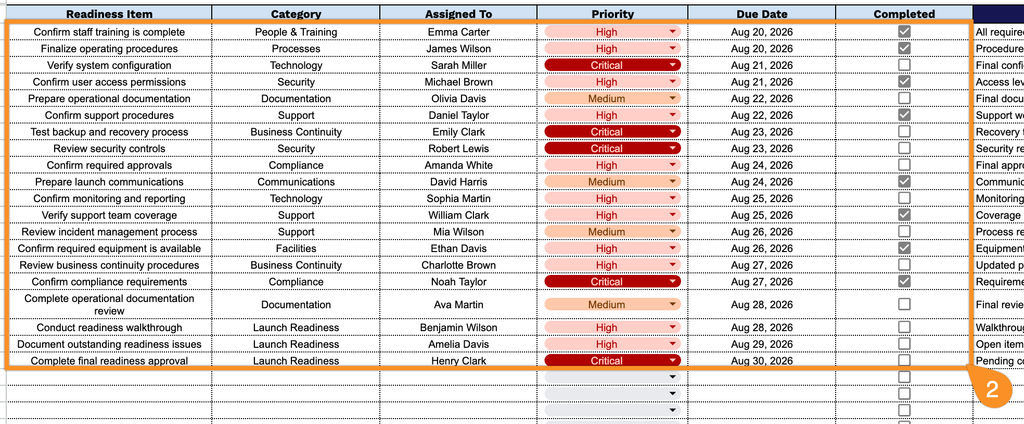
2. Enter each readiness item, assign it to the appropriate category and team member, set its priority and due date, and mark the checkbox once the item is complete.
3. Use the Notes section to record important observations, pending actions, exceptions, special instructions, or follow-up details related to operational readiness.