Looking for a clean, accurate way to document a finalized payment?
Our Paid-In-Full Receipt Template is available for free in Google Sheets, Excel, Word, Google Docs, and PDF. It’s easy to personalize and ideal for providing proof that no outstanding balance remains.
Need other types of receipts? Browse our wide selection of free printable receipt templates.
What Is a Paid-In-Full Receipt Template?
A paid-in-full receipt template is a pre-formatted document that confirms that a customer has fully paid their balance or debt for goods or services.
Businesses and individuals use this template to provide customers with written confirmation that their financial obligation has been fully satisfied.
Download Spreadsheet Daddy’s Free Paid-In-Full Receipt Template
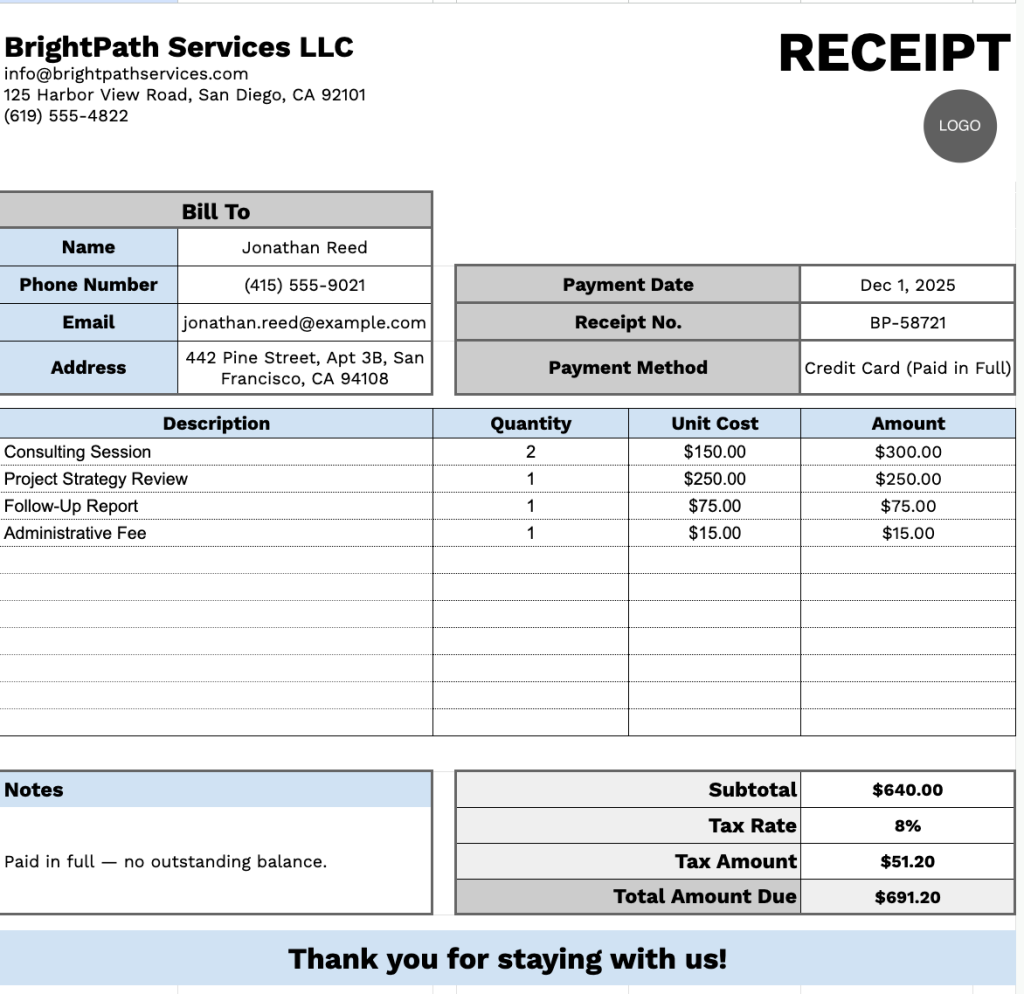
Our Paid-In-Full Receipt Template provides a professional format for documenting completed transactions with precise payment details and itemized billing.
What’s included
- Customizable business information fields: The header section includes editable placeholders for company name, email address, physical address, and phone number, allowing you to quickly brand the receipt with your business details for professional documentation.
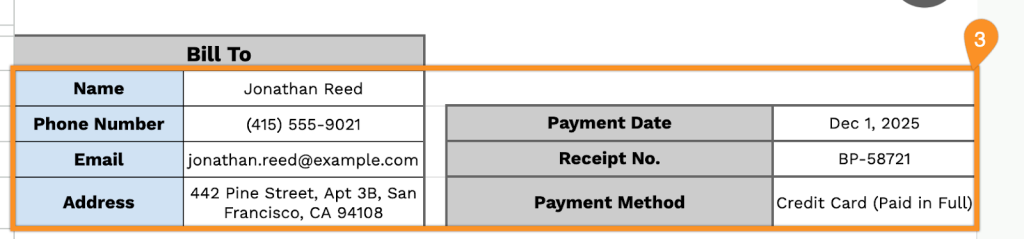
- Comprehensive customer billing section: The “Bill To” area captures complete customer information, including name, phone number, email address, and physical address, alongside essential transaction details such as payment date, receipt number, and payment method, for thorough record-keeping.
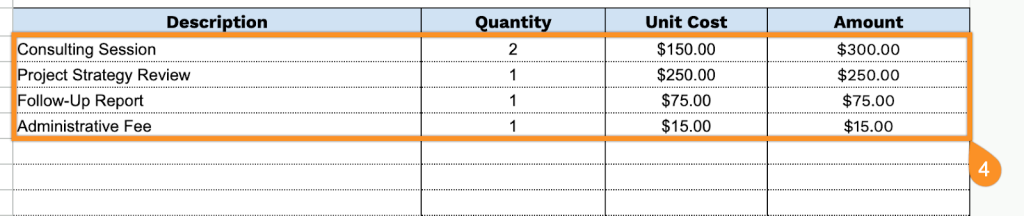
- Itemized transaction table: A structured table featuring Description, Quantity, Unit Cost, and Amount columns provides space for up to 11 line items, enabling detailed breakdowns of products or services with individual pricing.
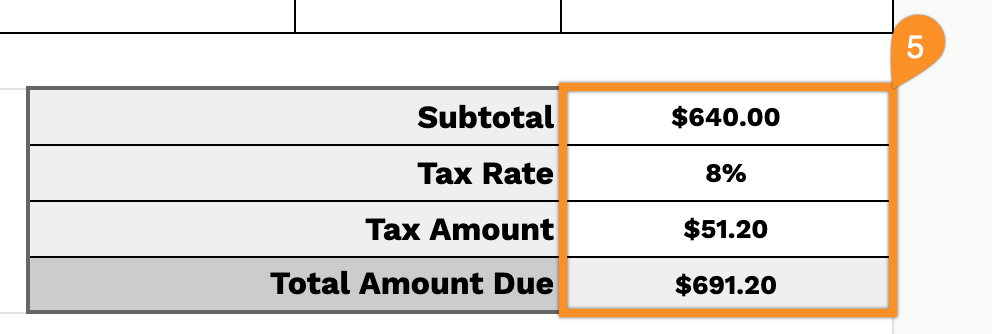
- Automated financial calculation fields: The bottom right section includes pre-formatted fields for Subtotal, Tax Rate, Tax Amount, and Total Amount Due, streamlining the calculation process and ensuring accurate financial totals for each transaction.
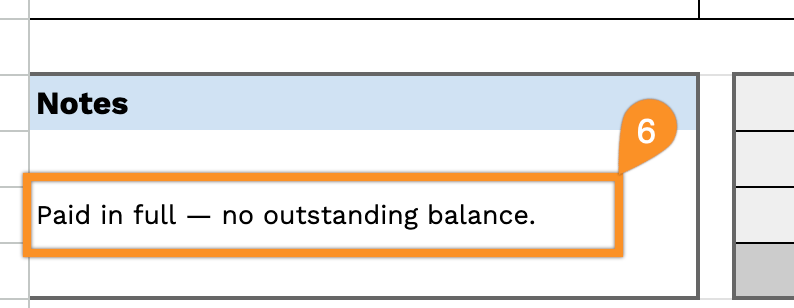
- Notes section and courtesy message: A dedicated notes area on the lower left allows for payment terms, special instructions, or additional details, while the template concludes with a professional “Thank you for staying with us!” message to maintain positive customer relations
You can adjust the layout by adding or removing columns to match your specific business requirements.
Select a link below to download a blank paid-in-full receipt template in the format that works best for you:
How to Use Our Paid-In-Full Receipt Template
1. Grab this receipt template for paid-in-full transactions in Excel, Word, or PDF, or recreate it in Google Sheets or Docs.
2. Enter your company details at the top, including your company name, email, address, phone number, and logo.

3. Fill in the customer’s information under “Bill To,” along with the payment date, receipt number, and payment method.
4. List the items or services provided. Include the quantity and unit price for each, and the template will automatically calculate the line totals.
5. Apply the appropriate tax rate. The template will automatically calculate the subtotal, tax amount, and total amount paid.
6. Use the Notes section to include any essential details or special instructions related to the payment.