Planning an event and want an easy way to stay organized?
Our free Party Guest List Template is professionally formatted and available in Google Sheets, Excel, and PDF.
It is fully editable and helps you manage guest details, invitations, and RSVP responses in one place.
What Is a Party Guest List Template?
A party guest list template is a pre-formatted spreadsheet that helps you organize and track event invitations.
Using a template streamlines party planning by keeping all guest-related information in one organized place, making it easier to manage headcounts, send invitations, and follow up with attendees.
Download Spreadsheet Daddy’s Free Party Guest List Template
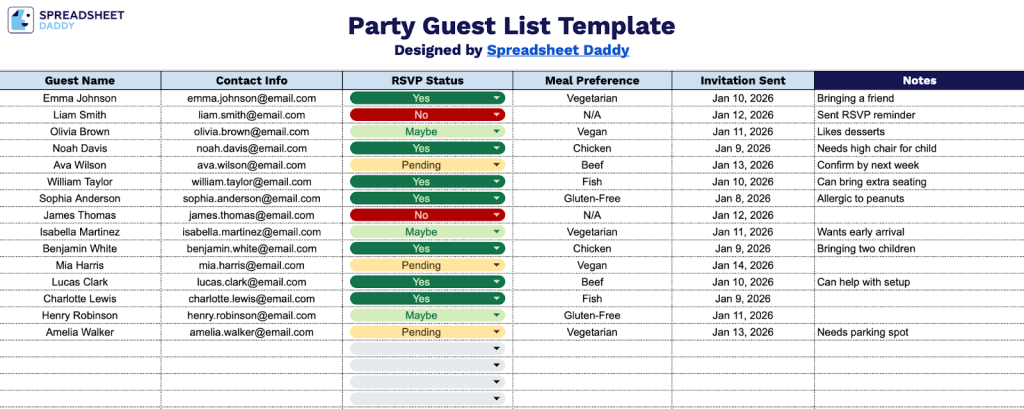
Our Party Guest List Template helps you organize and track all the essential details for your upcoming event.
What’s included
- Comprehensive guest tracking columns: The template features six essential data fields, including Guest Name, Contact Info, RSVP Status, Meal Preference, Invitation Sent, and Notes, providing a complete system to manage every aspect of your guest list from initial invitation through final attendance confirmation and dietary requirements.
- RSVP status monitoring: A dedicated RSVP Status column lets you track responses in real time, so you can see at a glance who has confirmed, declined, or not yet responded to your invitation, enabling better planning for food, seating, and venue capacity.
- Meal preference documentation: The Meal Preference column helps you capture dietary restrictions, food allergies, and menu choices for each guest, ensuring your catering aligns with attendee needs and preventing last-minute food-related complications.
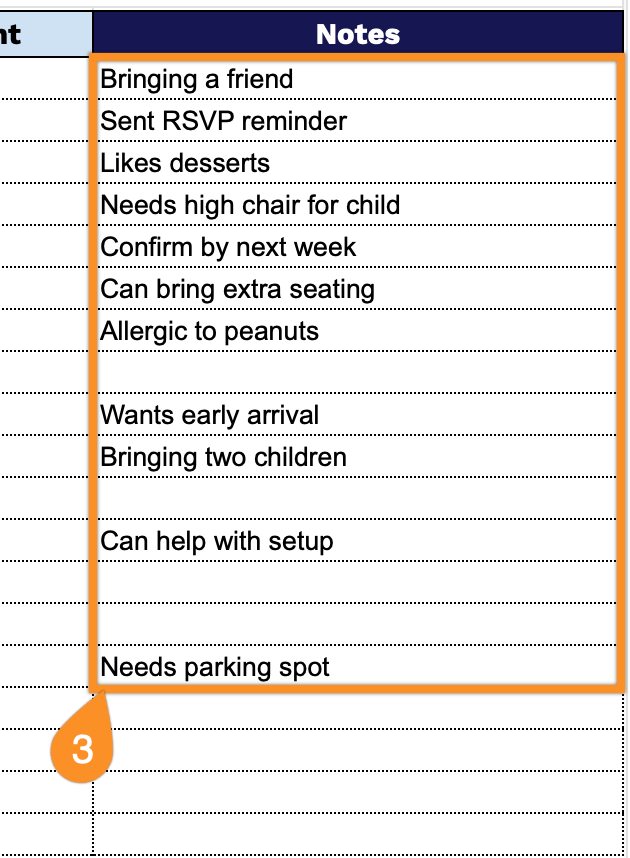
- Flexible notes section: A dedicated Notes column provides space for additional guest-specific information, such as plus-one details, special seating requests, gift tracking, relationship to the host, and other relevant information to ensure a personalized, well-organized event experience.
You can adjust the template by adding or removing columns and rows to suit your specific needs and preferences.
Download a free, editable party guest list template using the links below in the format that works best for you:
How to Use Our Party Guest List Template
1. Get started by downloading the template in Excel or PDF, or copying it to Google Sheets.
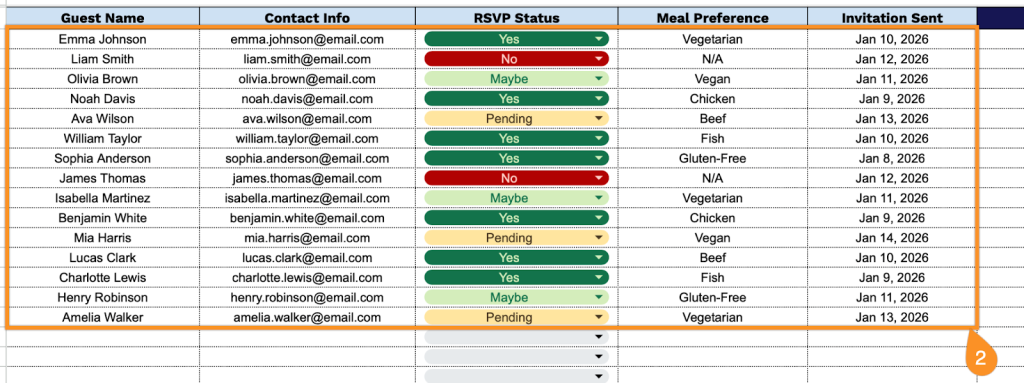
2. Complete the columns by entering all essential details for each invitee:
- Guest Name: Enter the full name of each person you’re inviting to your event.
- Contact Info: Record phone numbers, email addresses, or mailing addresses for sending invitations and updates.
- RSVP Status: Track responses by marking whether each guest has confirmed attendance, declined, or not yet responded.
- Meal Preference: Document any dietary requirements, food allergies, or menu selections for catering purposes.
- Invitation Sent: Note the date when you sent the invitation to help follow up with guests who haven’t responded.
3. Use the Notes section for essential reminders, last-minute changes, or anything you don’t want to forget before the event.