Make potluck planning simple with this free, editable template.
It works in Google Sheets, Excel, and PDF and helps you keep track of food assignments and guest details.
What Is a Potluck Template?
A potluck template is a pre-formatted organizational tool that helps coordinate shared meals where each participant brings a different dish.
These templates streamline the planning process by providing a clear, centralized list that all participants can reference.
Download Spreadsheet Daddy’s Free Potluck Template
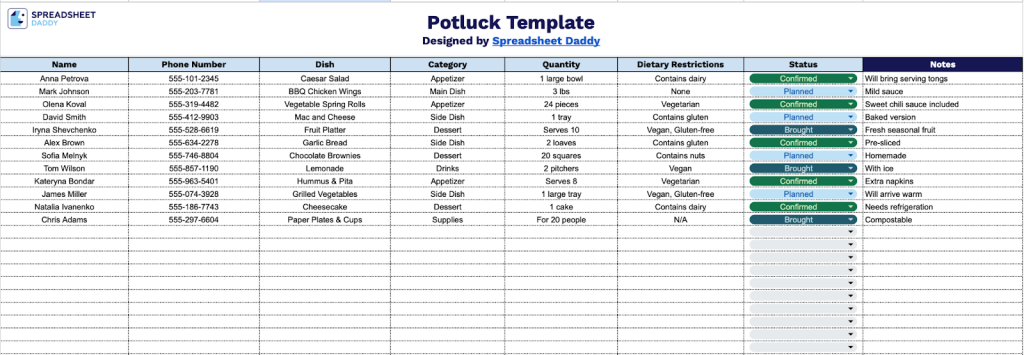
Our Potluck Template streamlines the planning process by centralizing all contribution details in one place.
What’s included
- Comprehensive guest tracking columns: The template features seven organized columns to capture all essential potluck information, including Name, Phone Number, Dish, Category, Quantity, Dietary Restrictions, Status, and Notes, ensuring you have complete visibility into attendee contributions and can coordinate a well-balanced meal selection.
- Dietary restriction documentation: A dedicated column for dietary restrictions lets you track allergies, vegetarian, vegan, gluten-free, and other special requirements, ensuring all guests can safely enjoy the potluck and that hosts can plan accordingly.
- Real-time status tracking: The Status column provides visibility into confirmation levels (confirmed, planned, not bringing), allowing you to monitor RSVPs and follow up with guests as needed to ensure adequate food coverage for your gathering.
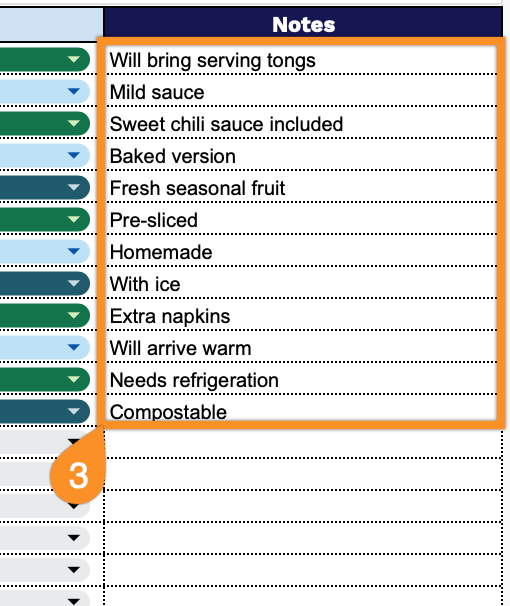
- Flexible notes section: The Notes column offers space for additional details such as serving instructions, ingredient lists, heating requirements, or special requests, giving you complete context for each dish and streamlining day-of-event logistics.
Adapt the structure by adding or removing columns to match your planning requirements.
Choose a format below to download a free Potluck Template:
How to Use Our Potluck Template
1. Download the Potluck Template in Excel or PDF, or open it in Google Sheets to customize your own copy.
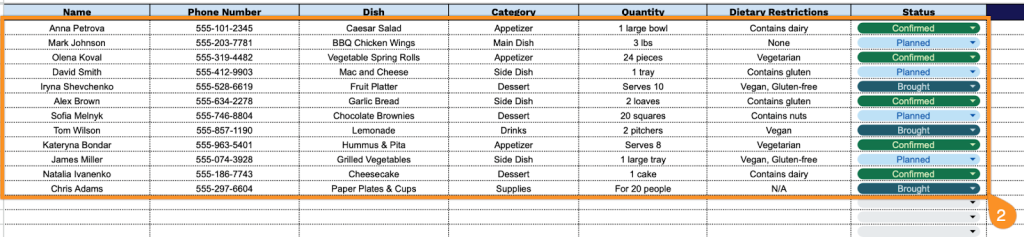
2. Complete the columns by entering all essential participant and dish information:
- Name: Enter the full name of the person contributing to the potluck.
- Phone Number: Record the contact number for coordination and last-minute communication.
- Dish: Specify the name of the food item the participant plans to bring.
- Category: Classify the dish type (appetizer, main course, side dish, dessert, or beverage).
- Quantity: Indicate the number of servings or portion size expected from this dish.
- Dietary Restrictions: Note any relevant nutritional considerations (vegetarian, vegan, gluten-free, nut-free, etc.).
- Status: Track the confirmation status (planned, confirmed, not bringing, etc.).
3. Add any extra details or reminders in the Notes section.