Make preparation easier with a ready-made Prep List Template that helps you stay organized from start to finish.
Download the free template in Google Sheets, Excel, or PDF format and customize it to efficiently manage tasks, supplies, deadlines, and other important details.
What Is a Prep List Template?
A prep list template is a structured document used in professional kitchens to organize and track all food preparation tasks to be completed during a shift or before service begins.
By giving kitchen staff a clear, standardized checklist to follow, a prep list template helps reduce waste, maintain consistency, and ensure that the kitchen runs smoothly and efficiently during busy service periods.
Download Spreadsheet Daddy’s Free Prep List Template
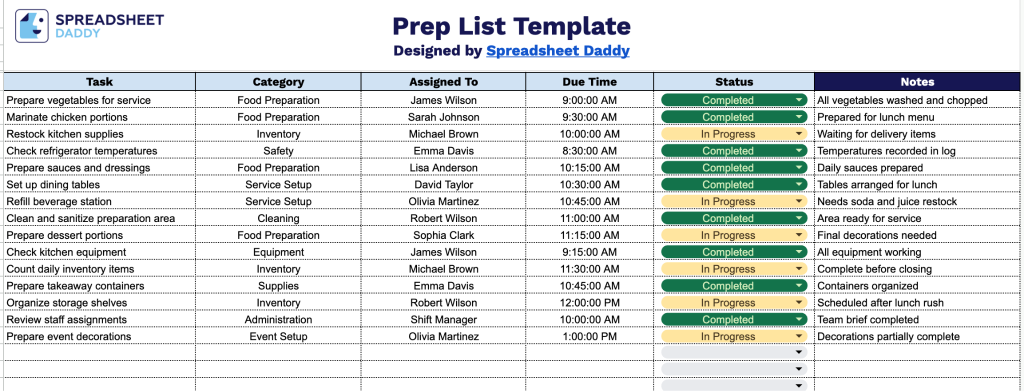
Our Prep List Template gives you a simple way to track daily prep tasks, who’s responsible for each one, due times, and current status, all in one organized sheet.
What’s included
- Task identification field: The Task column provides a dedicated space to list each prep item to be completed, ensuring nothing gets missed during setup or service.
- Category classification: The Category column lets you group tasks by type (such as food prep, equipment, cleaning, or stocking), making it easy to organize and prioritize work across different areas of operation.
- Assignment tracking: The Assigned To column lets you designate a specific team member for each task, ensuring clear accountability and reducing confusion about who’s handling what.
- Due time scheduling: The Due Time column lets you set a specific deadline for each task, helping your team stay on schedule and ensuring prep work is completed before it’s needed.
- Status and notes fields: The Status column provides a quick way to track whether a task is pending, in progress, or complete, while the Notes column provides space for additional details, special instructions, or follow-up items for each task.
You can easily add or remove columns to match the specific way your kitchen or team likes to work.
Choose your preferred format from the links below to download a blank Prep List Template:
How to Use Our Prep List Template
1. Download the Prep List template as an Excel or PDF file, or make a customizable copy directly in Google Sheets.
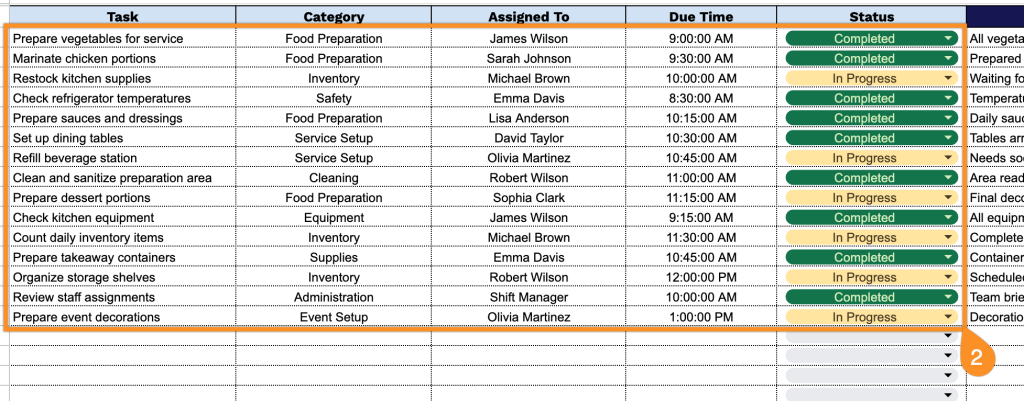
2. Add each preparation task along with its category, assigned team member, deadline, and current status to keep everything organized.
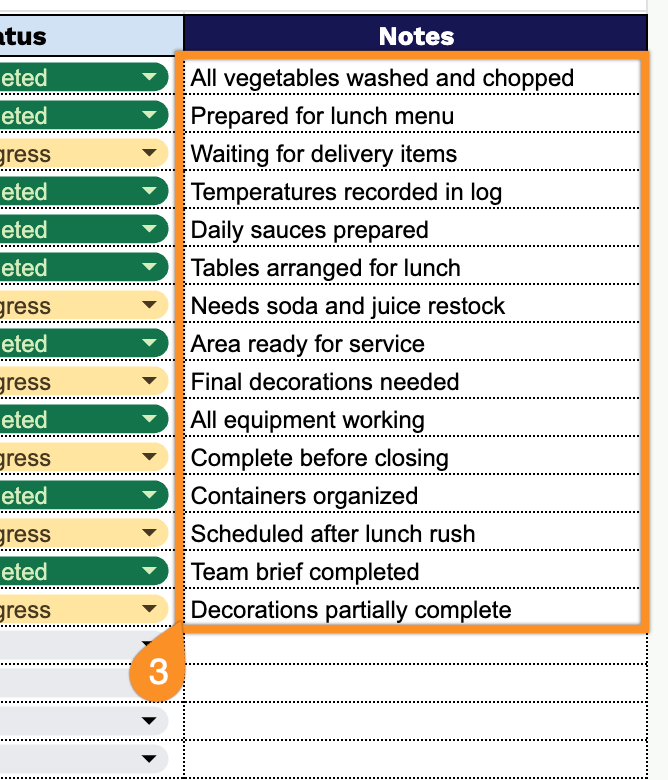
3. Use the Notes section to record special instructions, reminders, supplier details, or any additional information needed for a smooth production process.