Streamline your reading habits with our easy-to-use Reading List Template.
Available in Google Sheets, Excel, and PDF, this template lets you efficiently track titles, authors, genres, and completion status. Fully customizable, it adapts to your unique reading style.
What Is a Reading List Template?
A reading list template is a structured document or tool that helps you organize and track books, articles, and other reading materials you want to read or have already completed.
These templates make it easy to manage your reading goals, prioritize what to read next, and document your literary journey.
Download Spreadsheet Daddy’s Free Reading List Template
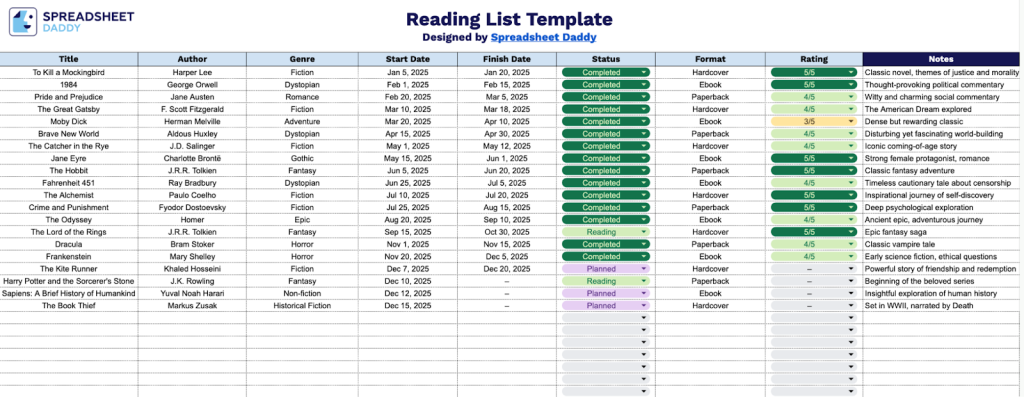
Our Reading List Template helps you track and organize all the books you read throughout the year.
What’s included
- Comprehensive book tracking columns: The template includes eight essential fields, including Title, Author, Genre, Start Date, Finish Date, Status, Format, and Rating, along with a dedicated Notes section, allowing you to capture every detail of your reading journey from when you start a book to your final thoughts and personal rating.
- Flexible status management system: The Status column enables you to categorize books by their current reading state, whether they’re in your to-be-read pile, currently being read, completed, or on hold, providing a clear visual overview of your entire reading pipeline at any given time.
- Date-based progress tracking: The Start Date and Finish Date columns work together to help you monitor reading duration, calculate how long it takes to complete books, set monthly or yearly reading goals, and identify patterns in your reading habits over time.
- Multi-format reading organization: The Format field accommodates all types of reading materials: physical books, e-books, audiobooks, or any other format, ensuring your complete reading experience is documented regardless of how you consume content.
- Personal rating and notes system: The Rating column provides a quick way to rank your favorites, while the Notes field offers unlimited space for recording memorable quotes, key takeaways, recommendations, or any thoughts you want to preserve about each book for future reference.
You can customize it by adding or removing columns to fit your personal reading goals and preferences.
Click one of the links below to get your free blank reading list template in the format that works best for you:
How to Use Our Reading List Template
1. Download the template in Excel or PDF, or save a personal copy to Google Sheets.
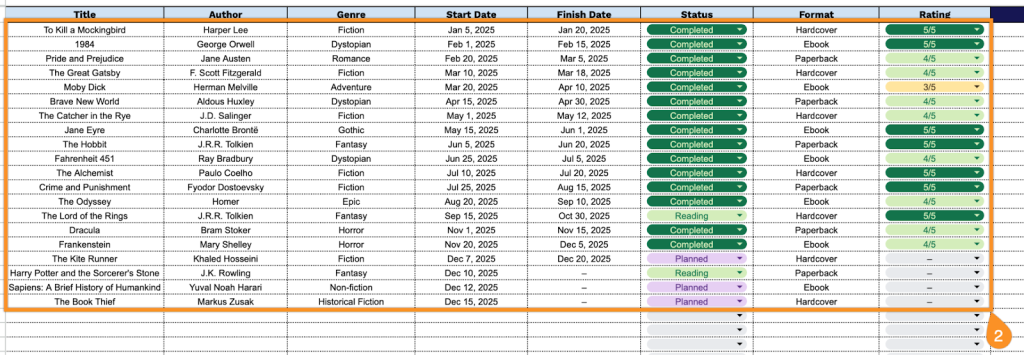
2. Complete the columns by entering all essential book information:
- Title: Enter the complete name of the book, including subtitle if applicable.
- Author: Specify the writer’s full name or multiple authors if it’s a collaborative work.
- Genre: Add the appropriate literary category (fiction, non-fiction, mystery, romance, biography, etc.).
- Start Date: Record the date when you began reading the book.
- Finish Date: Document the date when you completed reading the book.
- Status: Indicate your current reading progress (not started, reading, completed, on hold, etc.).
- Format: Specify the medium in which you’re reading (hardcover, paperback, e-book, audiobook, etc.).
- Rating: Assign your personal evaluation score or review of the book after completion.
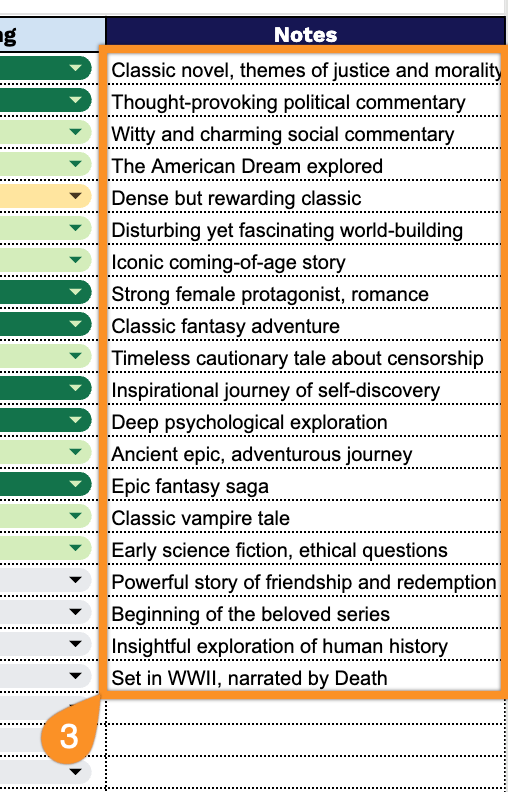
3. Use the Notes section for essential details, such as key takeaways, thoughts, or reminders about each reading item.