Want to turn your reading into a habit?
Use our free Reading Log Template in Google Sheets, Excel, or PDF to effortlessly track books, progress, and thoughts. Easy to customize, it’s a fun way to see how much you’ve read and stay motivated.
What Is a Reading Log Template?
A reading log template is a structured document that helps readers track and record information about the books or materials they read.
These templates are commonly used by students, teachers, and avid readers to monitor reading habits, set goals, and retain information from their reading experiences.
Download Spreadsheet Daddy’s Free Reading Log Template
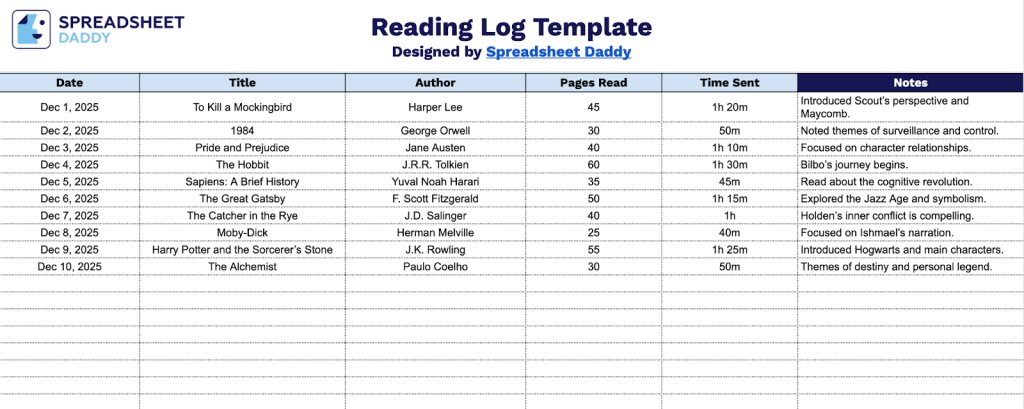
Our Reading Log Template helps you track your reading habits by recording essential information about each book you read.
What’s included
- Date tracking field: The first column allows you to record when each reading session occurred, helping you maintain a chronological record of your reading journey and identify patterns in your reading habits over time.
- Book identification columns: Dedicated fields for Title and Author ensure you capture complete bibliographic information for every book you read, making it easy to reference specific works later and build a comprehensive personal library catalog.
- Progress measurement fields: The Pages Read and Time Spent columns enable you to quantitatively track your reading pace and duration for each session, providing valuable data to help you set realistic reading goals and monitor your improvement.
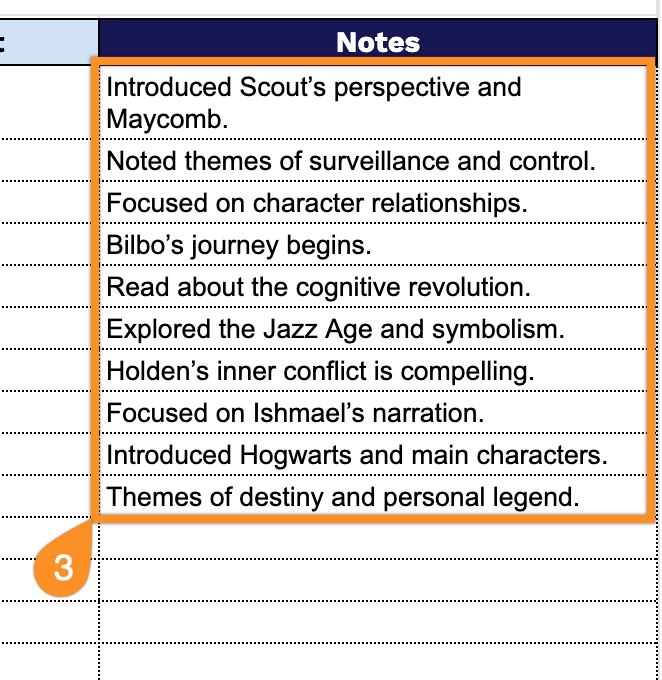
- Flexible notes section: A generous notes column provides space to jot down memorable quotes, character observations, plot points, personal reflections, or any insights you want to remember, transforming your log from simple tracking into a meaningful reading journal.
The flexible format allows you to easily add or remove columns based on your personal tracking preferences.
Pick your favorite format and grab a free blank reading log template from the links below:
How to Use Our Reading Log Template
1. Get this reading log template as an Excel or PDF file, or make your own copy in Google Sheets.
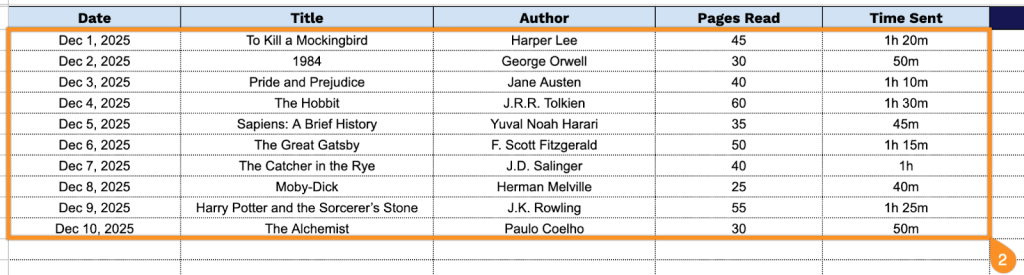
2. Complete the columns by entering all essential tracking and reference information:
- Date: Record when you completed the reading session or finished the book.
- Title: Enter the full title of the book, article, or reading material you’re logging.
- Author: Specify the name of the writer or content creator.
- Pages Read: Include the number of pages covered during this reading session or in total.
- Time Spent: Document the duration of your reading session to track your reading habits over time.
3. Use the Notes section for reflections, favorite quotes, or any critical observations about the book.