Tired of juggling receipts and payment records?
Our Receipt Ledger Template makes bookkeeping simple. Download it for free in Google Sheets, Excel, or PDF, and start logging your income, expenses, and balances in minutes. It’s easy to edit and perfect for keeping everything neat and organized.
Check out our full collection of free, customizable receipt templates for even more options!
What Is a Receipt Ledger Template?
A receipt ledger template is a pre-formatted document used to systematically record and track all incoming receipts and payments received by a business or individual.
This template helps maintain accurate financial records and simplifies bookkeeping by providing a consistent structure for documenting all monetary transactions.
Download Spreadsheet Daddy’s Free Receipt Ledger Template
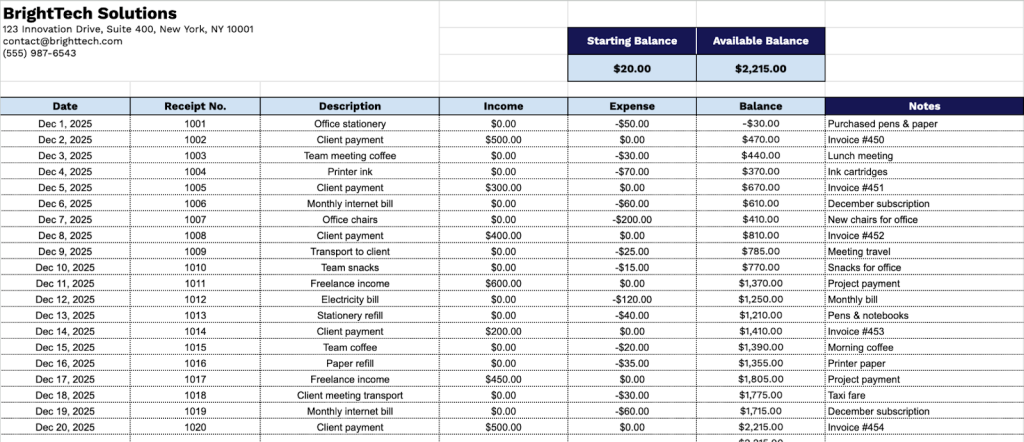
Our Receipt Ledger Template helps you track income and expenses in a clear, organized format.
What’s included
- Comprehensive ledger layout: A clean, tabular structure organized with clear column headers for tracking daily financial activity, including date, receipt number, description, income, expense, balance, and notes, ensuring every transaction is easy to log and review.
- Color-coded financial sections: Distinct visual separation between starting balance and available balance fields, allowing quick identification of beginning totals and real-time running balances for simplified financial oversight.
- Professional business header: Customizable fields at the top of the template for entering your company name, address, email, and phone number, so your ledger maintains a consistent, branded appearance.
- Extended transaction rows: A large set of pre-formatted rows designed for ongoing recordkeeping, giving you ample space to document income and expenses over more extended periods without needing additional sheets.
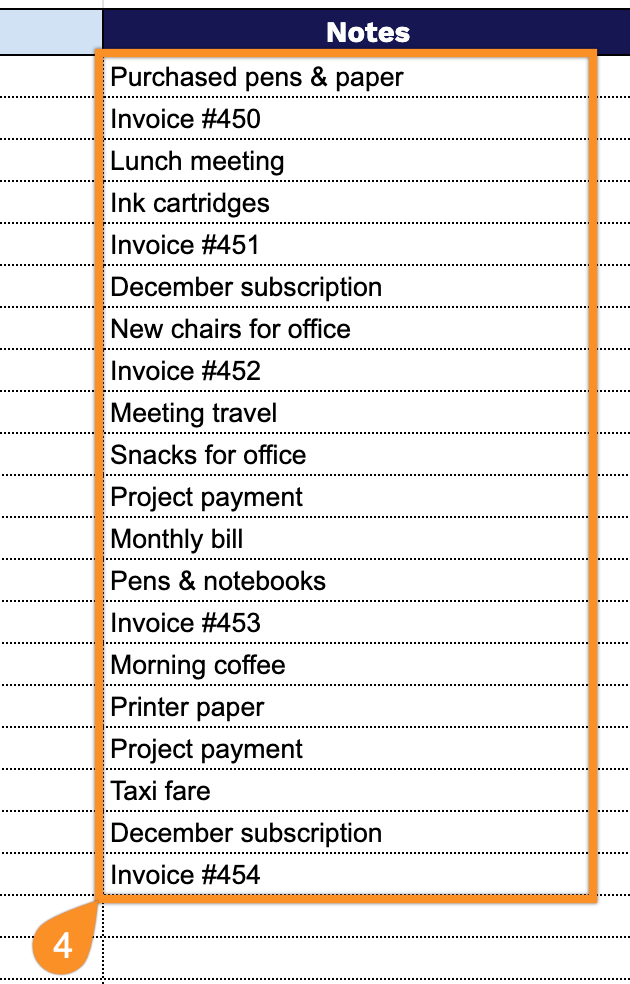
- Notes column for added clarity: A dedicated notes field accompanying each entry, allowing you to include extra details or context for specific transactions to support accurate reporting and auditing.
Customize the template by adding or removing columns to fit your specific tracking needs.
Grab your free blank receipt ledger template in the format you like best from the links below:
How to Use Our Receipt Ledger Template
1. Access this receipt ledger template in Excel or PDF, or duplicate it in Google Sheets.
2. Enter your company details at the top, including name, email, address, phone number, and logo. Then, add your starting balance, if any.

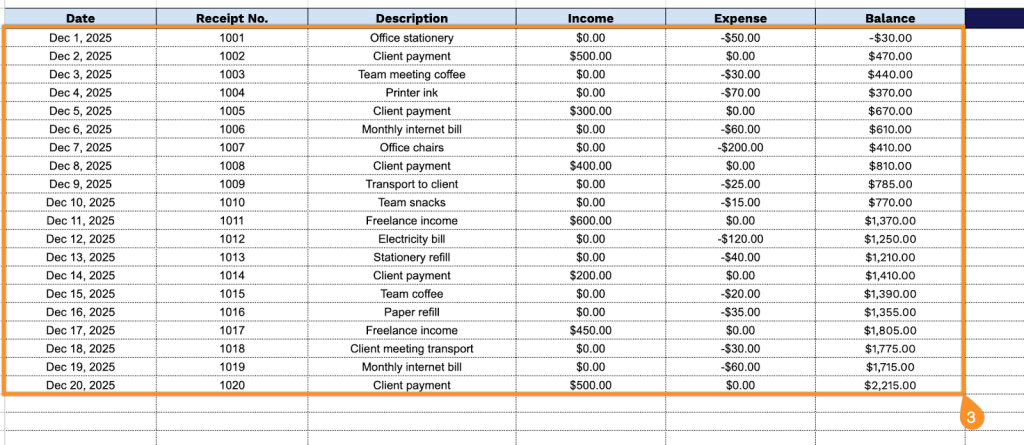
3. Complete the table by filling in each required column with accurate transaction details:
- Date: Record the exact day the transaction took place for precise chronological tracking.
- Receipt No.: Enter the unique receipt identifier to maintain organized and traceable records.
- Description: Provide a summary of the transaction, including what was purchased or paid for.
- Income: Log any money received as part of the transaction.
- Expense: Note any outgoing payments or costs associated with the entry.
- Balance: The template automatically updates the running total to reflect the account status after the transaction.
4. Use the Notes section to add any important information or special instructions.