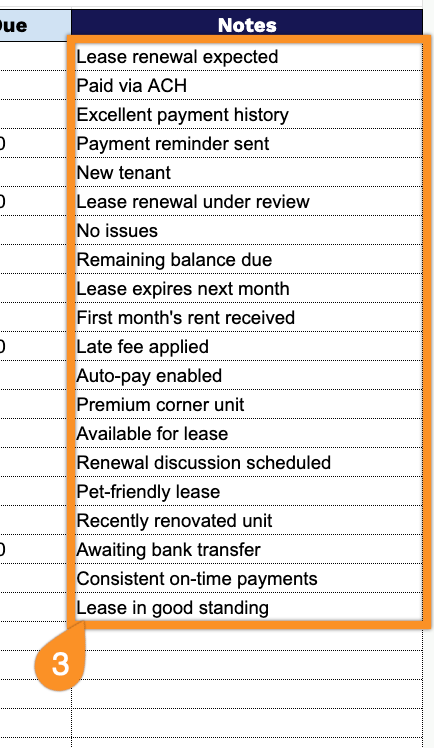
Get started faster with a customizable Rent Roll Template.
Available as a free download in Google Sheets, Excel, or PDF, it provides an organized way to monitor tenants, leases, rental rates, and payment activity.
What Is a Rent Roll Template?
A rent roll template is a structured document used by landlords and property managers to track and organize key information about their rental properties and tenants, including unit numbers, tenant names, lease dates, and rental amounts.
It serves as a financial snapshot of a property’s income-generating performance, making it easy to monitor which tenants are current on payments, which have outstanding balances, and the overall occupancy status.
Download Spreadsheet Daddy’s Free Rent Roll Template
Our Rent Roll Template gives you a clean, organized way to track unit details, tenant information, lease dates, rent amounts, and payment status all in one place.
What’s included
- Pre-built column headers for complete tenant tracking: The template includes ten ready-to-use columns, Unit, Tenant, Lease Start, Lease End, Monthly Rent, Security Deposit, Rent Due Date, Payment Status, Balance Due, and Notes, giving you a single, organized view of every lease and payment detail across your property.
- Dedicated financial tracking fields: Separate fields for Monthly Rent, Security Deposit, and Balance Due let you monitor what’s owed, what’s been collected, and what’s still outstanding at a glance, without needing to build separate spreadsheets for deposits or arrears.
- Lease timeline tracking: Lease Start and Lease End fields let you keep tabs on upcoming renewals and expirations across all your units, helping you plan ahead for vacancies or lease renewal conversations.
- Payment monitoring fields: Rent Due Date and Payment Status fields make it simple to track who has paid, who’s late, and when the next payment is expected for each tenant.
It’s fully customizable, so you can add or remove columns as needed to match your property’s specific requirements.
Choose your preferred format below to get a free Rent Roll template:
How to Use Our Rent Roll Template
1. Start with a free Rent Roll template by downloading the Excel or PDF version, or duplicate it for use in Google Sheets.
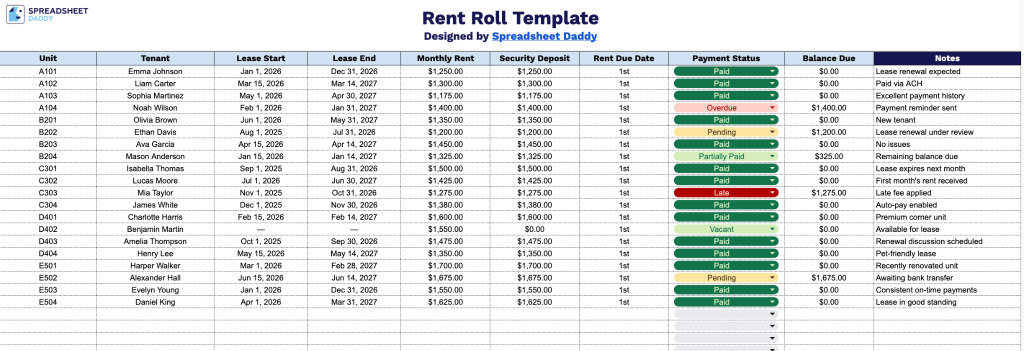
2. Enter each property’s unit number, tenant name, lease start and end dates, monthly rent, security deposit, rent due date, payment status, and any outstanding balance.
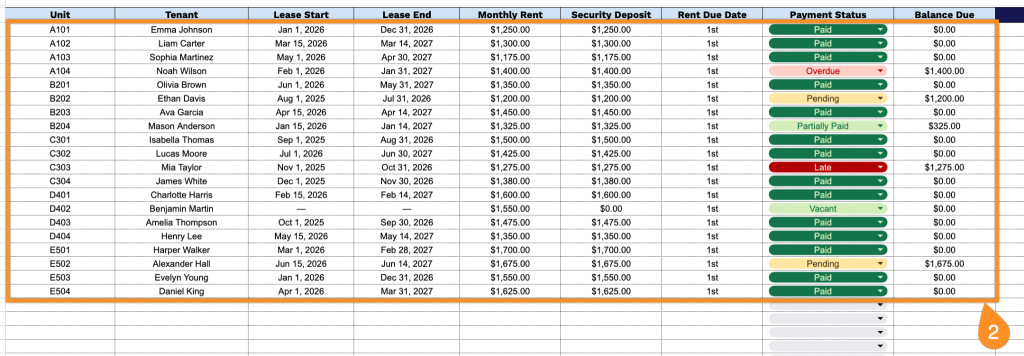
3. Use the Notes section to document lease renewals, maintenance issues, upcoming vacancies, or any other important property management information.