Keep every restaurant task organized with a professional checklist template you can use right away.
Download our free Restaurant Checklist Template in Google Sheets, Excel, and PDF formats to streamline routine checks, improve accountability, and maintain smooth day-to-day operations.
What Is a Restaurant Checklist Template?
A restaurant checklist template is a structured document used by restaurant owners, managers, and staff to systematically track and verify that essential tasks and standards are consistently met during daily operations.
By providing a standardized framework, the template helps maintain quality control, improve staff accountability, and ensure compliance with health and safety regulations throughout the restaurant.
Download Spreadsheet Daddy’s Free Restaurant Checklist Template
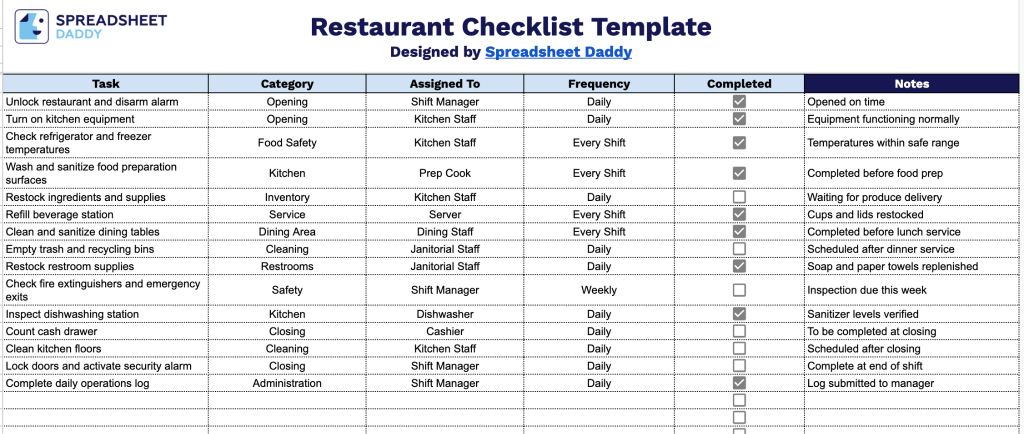
Our Restaurant Checklist Template helps you keep daily operations organized by tracking tasks across opening, food safety, service, cleaning, and closing routines.
What’s included
- Task identification field: The Task column lets you list every specific duty that needs to be completed, from opening procedures to closing side work, giving staff a clear, itemized reference for daily operations.
- Category classification field: The Category column allows you to group tasks by area of operation, such as kitchen, front-of-house, cleaning, inventory, or safety, making it easy to filter responsibilities by department or function.
- Staff assignment field: The Assigned To column lets you designate which employee, role, or shift is responsible for each task, promoting accountability and clarifying ownership across the team.
- Frequency scheduling field: The Frequency column allows you to specify how often each task should be performed (daily, weekly, monthly, etc.), helping ensure recurring duties aren’t overlooked during busy shifts.
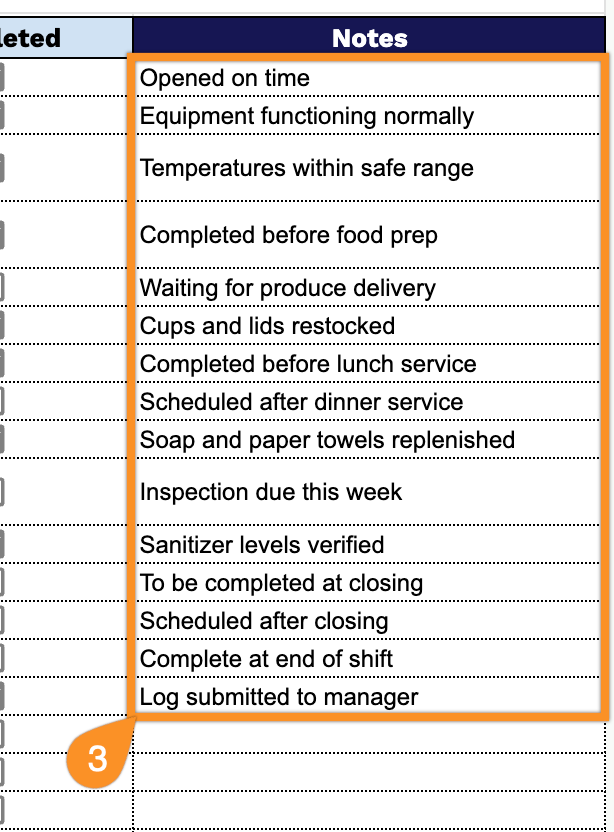
- Completion tracking and notes fields: The Completed checkbox lets staff quickly confirm a task is done, while the accompanying Notes column provides space to record additional details, exceptions, or follow-up actions related to that task.
Since every restaurant runs a little differently, you can add or remove columns to match your own workflow and priorities.
Use the links below to download a customizable Restaurant Checklist Template in your preferred format:
How to Use Our Restaurant Checklist Template
1. Access the Restaurant Checklist by downloading the Excel or PDF file, or duplicate it in Google Sheets for easy customization.
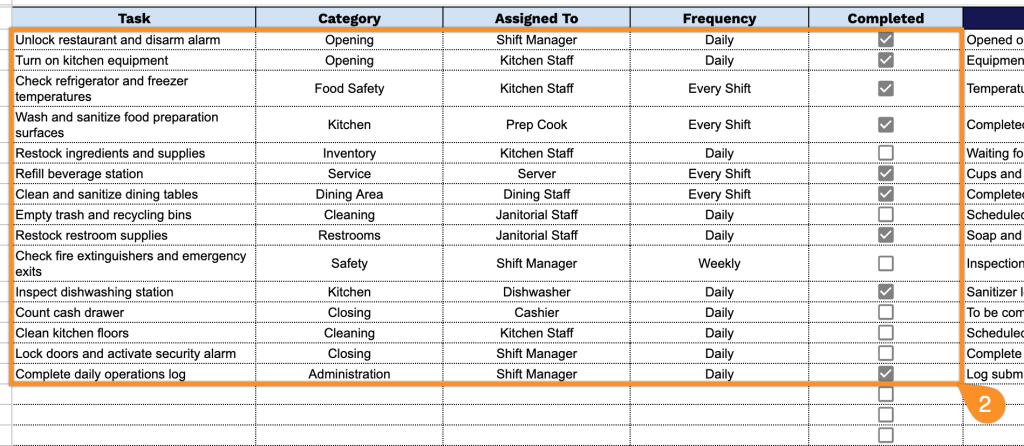
2. Add daily tasks, select the appropriate category, assign responsibilities to team members, set the frequency, and mark each task as completed once finished.
3. Use the Notes section to add comments, follow-up actions, special instructions, or any important observations related to the checklist.