Whether you’re training for a race or simply staying active, our free Running Log Template makes it easy to keep all your running records in one place.
Download it in Google Sheets, Excel, or PDF format and customize it to track your distance, pace, duration, and personal progress.
What Is a Running Log Template?
A running log template is a structured document or tool used by runners to systematically record details of each workout, such as distance, time, pace, route, and how they felt during the run.
It serves as a personal training journal that helps athletes track their progress over time, identify patterns in their performance, and stay motivated by visualizing their consistency and improvement.
Download Spreadsheet Daddy’s Free Running Log Template
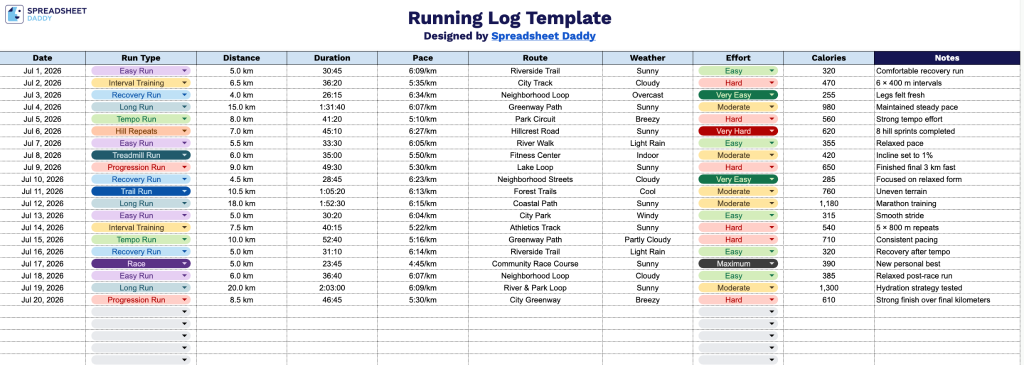
Our Running Log Template gives you a clean, organized way to track your training over time, from distance and pace to effort level and how you felt on each run.
What’s included
- Structured run-tracking columns: The template includes ten dedicated columns, Date, Run Type, Distance, Duration, Pace, Route, Weather, Effort, Calories, and Notes, giving you a complete record of every run without needing to set up your own tracking system.
- Dedicated Effort and Weather fields for performance context: Beyond the basics of distance and pace, the template includes columns to note subjective effort level and weather conditions, helping you spot patterns between external factors and performance over time.
- Separate Duration and Pace tracking: Rather than combining timing data into a single field, the template splits out Duration and Pace into their own columns, making it easier to monitor speed trends independently from total workout length.
- Route and Notes fields for qualitative detail: Space is included to log the specific route taken and any additional observations, so you can track favorite courses, injuries, or how a run felt beyond the raw numbers.
Since every runner tracks different things, you can easily add or remove columns to fit your own training goals.
Choose your preferred format below to get a free Running Log template:
How to Use Our Running Log Template
1. Get the Running Log template in Excel or PDF format, or save a personal Google Sheets version to customize.
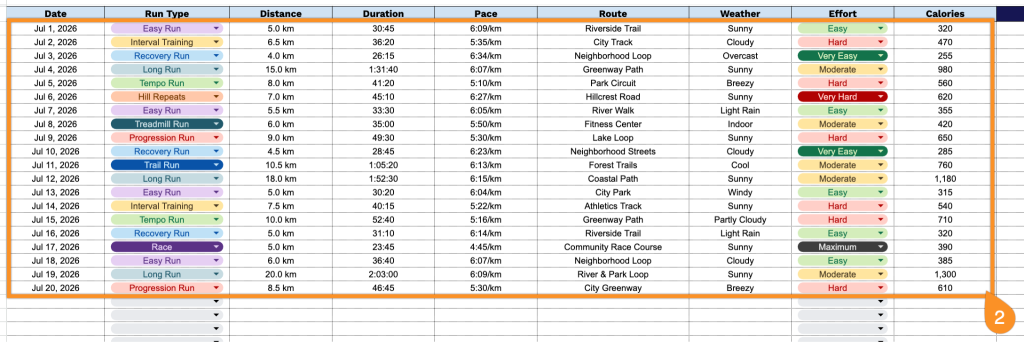
2. Fill in the run details, including the date, workout type, distance covered, running time, pace, route, weather conditions, effort rating, and calories burned.
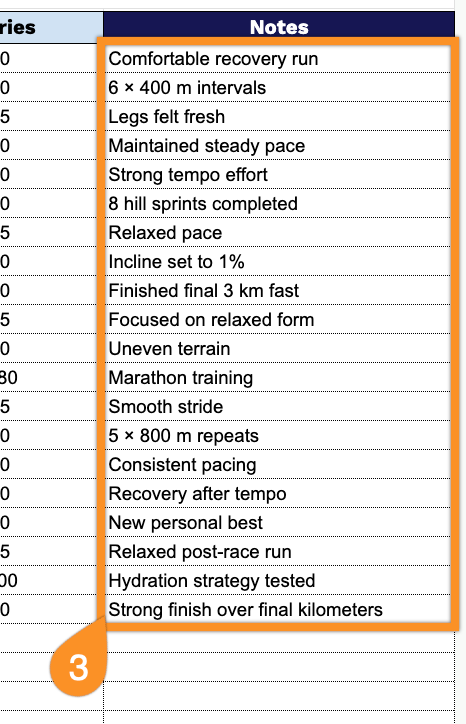
3. Use the Notes section to record observations such as injuries, achievements, workout highlights, recovery progress, or goals for your next run.