Skip the hassle of designing a salary benchmarking framework from scratch.
Our free Salary Benchmarking Template provides a structured way to record employee roles, compare industry pay rates, review compensation gaps, and analyze salary data.
Download it in Google Sheets, Excel, or PDF and customize it to fit your needs.
What Is a Salary Benchmarking Template?
A salary benchmarking template is a structured tool used by HR professionals and businesses to systematically compare their employees’ compensation against market rates for similar roles within the same industry, region, or company size.
By using such a template, companies can make informed decisions about compensation adjustments, attract and retain top talent, and ensure pay equity across their workforce.
Download Spreadsheet Daddy’s Free Salary Benchmarking Template
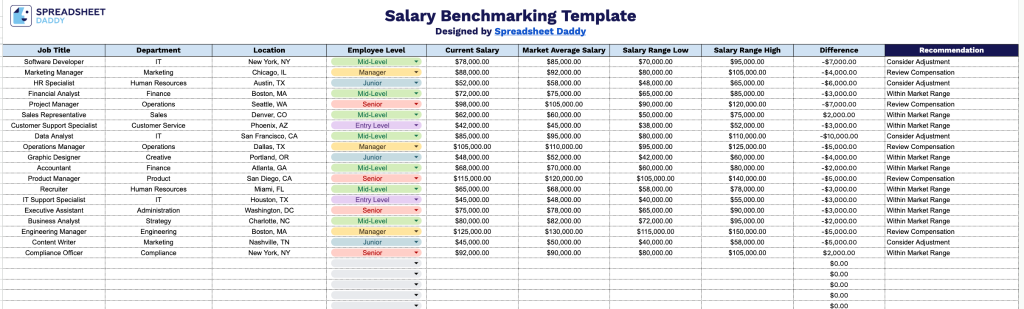
Our Salary Benchmarking Template helps you compare employee salaries against market data to spot pay gaps and guide compensation decisions.
What’s included
- Comprehensive job data columns: The template includes dedicated fields for Job Title, Department, Location, and Employee Level, giving you a clear, organized way to catalog every role you’re benchmarking across your organization.
- Automated salary comparison fields: Current Salary and Market Average Salary columns sit side by side, with a built-in Difference column that automatically calculates the gap between what you’re paying and what the market suggests.
- Salary range tracking: Salary Range Low and Salary Range High columns let you record the full competitive pay band for each role, so you can see at a glance whether current compensation falls within, below, or above market norms.
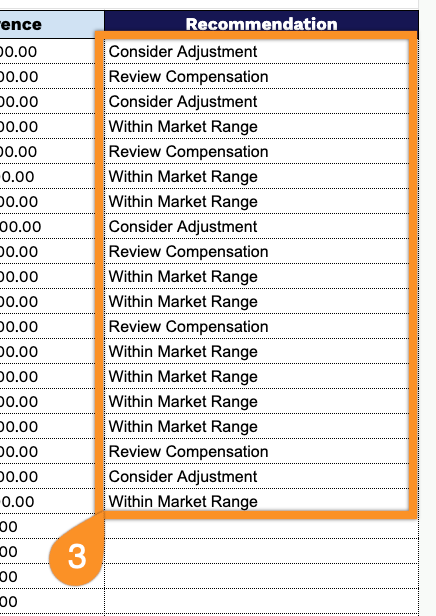
- Recommendation column for action planning: A dedicated Recommendation field, highlighted in a bold navy header to stand out from the rest of the sheet, gives you space to note next steps, whether that’s a raise, a pay freeze, or further review.
This template is fully customizable, so you can add or remove columns to match the specific data points your organization tracks.
Choose your preferred file format from the options below and download a free blank Salary Benchmarking Template to start comparing compensation data:
How to Use Our Salary Benchmarking Template
1. Download the ready-to-use Salary Benchmarking template in Excel or PDF format, or create a Google Sheets copy that you can edit and adapt.
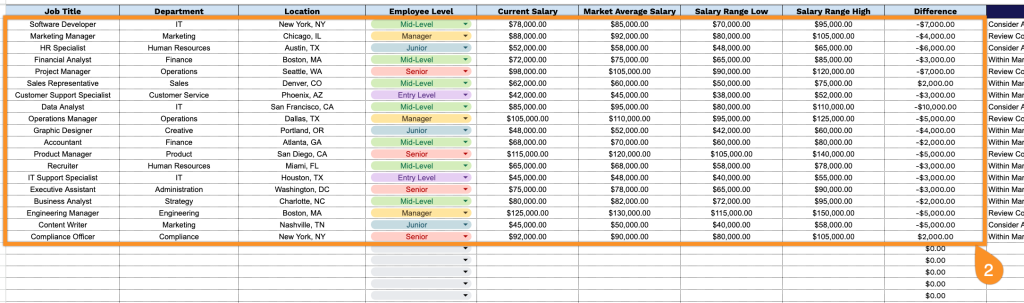
2. Add position and compensation details by entering the role title, department, location, employee level, current pay, market salary data, and low-to-high salary ranges. The template automatically calculates the difference between current and market salaries for quick analysis.
3. Use the Notes section to record important observations, adjustment recommendations, review dates, or other details related to salary decisions.