Looking for a polished 501(c)(3) donation receipt template that you can start using right away?
Grab our free, ready-to-edit template in Google Sheets, Excel, Word, Google Docs, or PDF. It’s formatted to meet the typical documentation requirements for charitable contributions.
Want more options? Browse our wider range of free editable receipt templates, ideal for nonprofits of all sizes.
What Is a 501(c)(3) Donation Receipt Template?
A 501(c)(3) donation receipt template is a standardized document that tax-exempt nonprofit organizations use to acknowledge charitable contributions from donors. T
The IRS requires these receipts for any single donation of $250 or more, though many organizations provide them for all contributions as a best practice.
Download Spreadsheet Daddy’s Free 501(c)(3) Donation Receipt Template
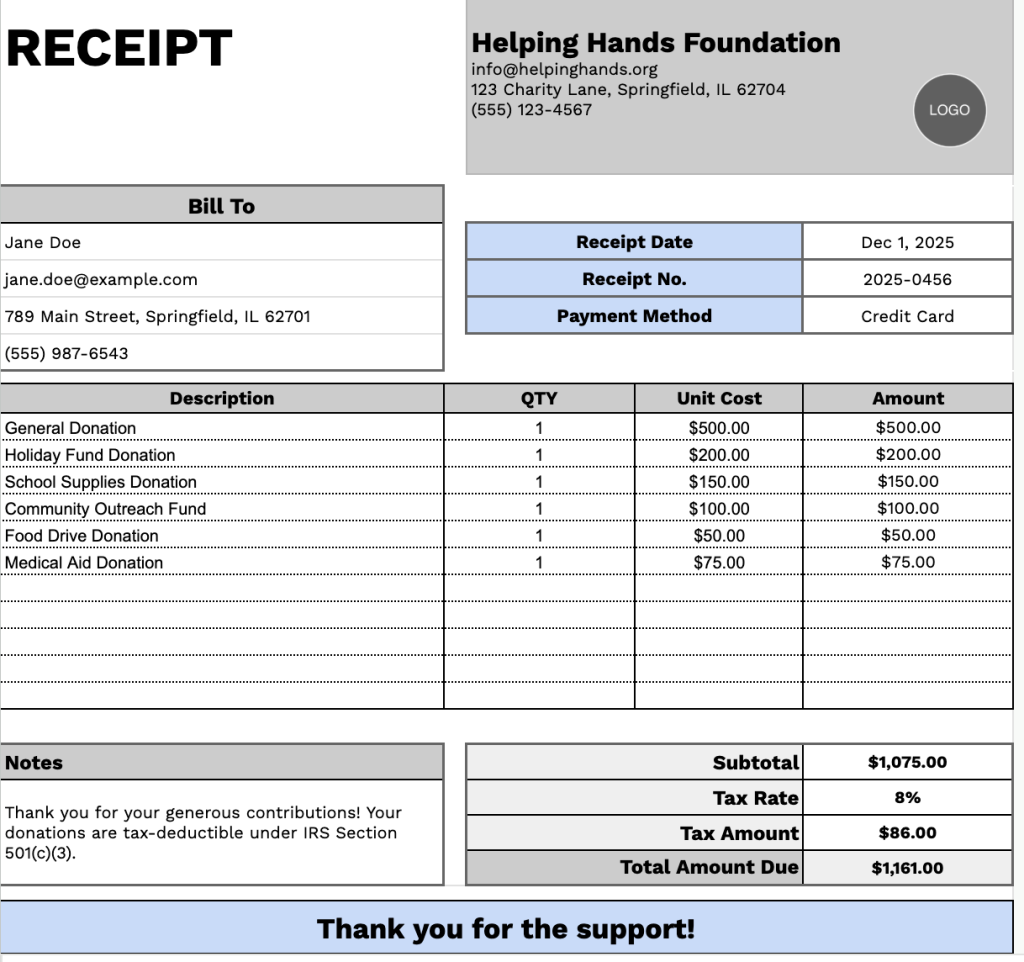
Our 501(c)(3) Donation Receipt Template provides a professional format for nonprofit organizations to issue donation receipts to their contributors.
What’s included
- Customizable organization information fields: The header section includes editable placeholders for company name, email address, physical address, and phone number, allowing you to quickly brand the receipt with your nonprofit organization’s details for professional tax-deductible donation documentation.
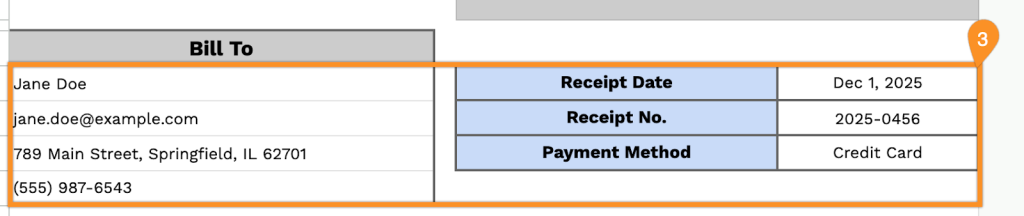
- Donor information panel: A “Bill To” section captures complete donor details, including name, email, physical address, and phone number, along with essential tracking fields for receipt date, receipt number, and payment method to maintain accurate donor records and IRS compliance.
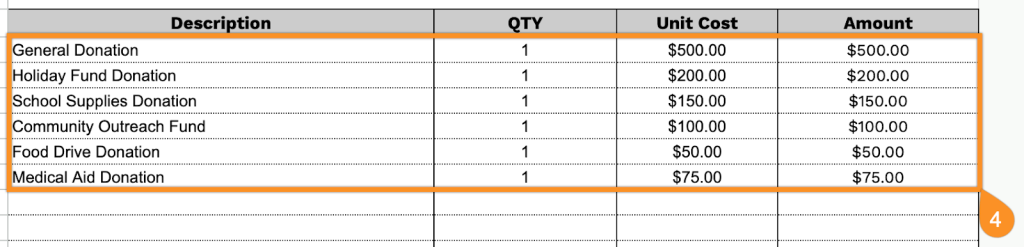
- Itemized donation tracking table: A table with four columns (Description, QTY, Unit Cost, Amount) enables you to document multiple donation types, whether cash contributions, in-kind donations, or donated goods, providing detailed breakdowns required for tax documentation purposes.
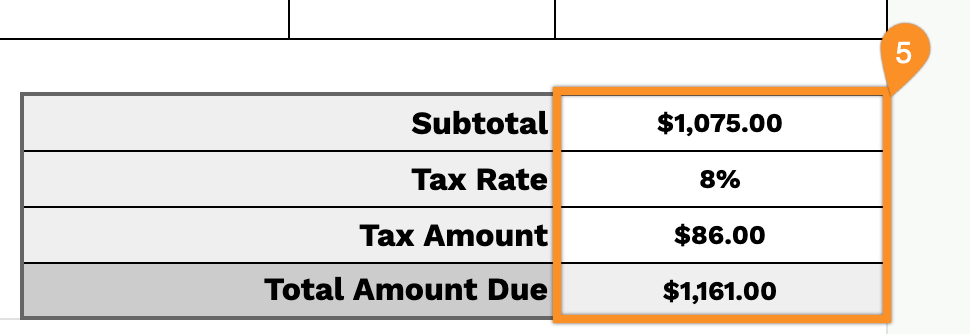
- Automated financial calculation section: The footer includes pre-formatted fields for subtotal, tax rate percentage, tax amount, and total amount due to ensure accurate financial record-keeping and transparent donation reporting.
- Notes and acknowledgment area: A dedicated notes section allows you to include IRS-required acknowledgment language for tax-deductibility, specify any goods or services provided in exchange, add personalized thank you messages, and include your 501(c)(3) tax-exempt status information, concluded with a “Thank you for the support!” message.
You can customize the template by adding or removing columns to match your organization’s specific needs.
Use the links below to download a free blank 501(c)(3) donation receipt template in the format that best suits your organization:
How to Use Our 501(c)(3) Donation Receipt Template
1. Access this nonprofit donation receipt template as an Excel, Word, or PDF file, or duplicate it in Google Sheets or Google Docs.
2. Add your organization’s information at the top of the receipt. This should include the nonprofit’s name, address, mailing address, phone number, and logo, so donors can easily identify your 501(c)(3).

3. Enter the donor’s details in the Bill To section, along with the receipt date, receipt number, and the payment method used for the donation.
4. List the donated items or services. Include the quantity and unit value for each entry. The template will automatically calculate the total value for each line.
5. If applicable, enter the tax rate. The template will then compute the subtotal, tax amount, and the total value of the donation.
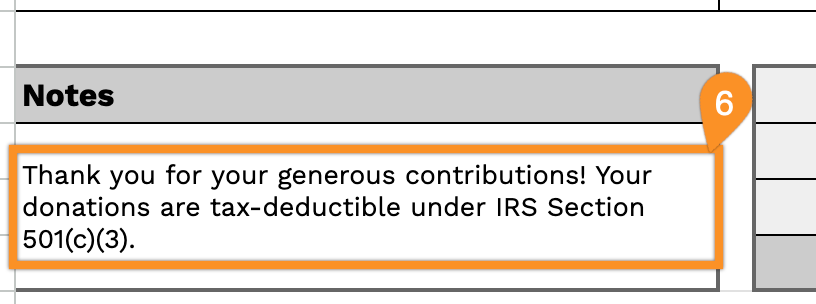
6. Use the Notes section for any additional information, such as tax-deductible statements or special acknowledgments related to the donor’s contribution.