Want to simplify the process of tracking sales commissions?
Our free Sales Commission Tracking Template is available in Google Sheets, Excel, and PDF formats.
It’s easy to customize and helps you keep sales, commission rates, earnings, and payouts organized in one place.
What Is a Sales Commission Tracking Template?
A sales commission tracking template is a structured document or spreadsheet that businesses use to systematically record, calculate, and manage commissions earned by their sales representatives.
By centralizing this information, the template eliminates manual calculation errors, ensures timely and fair compensation, and provides valuable insights into individual and team sales performance.
Download Spreadsheet Daddy’s Free Sales Commission Tracking Template
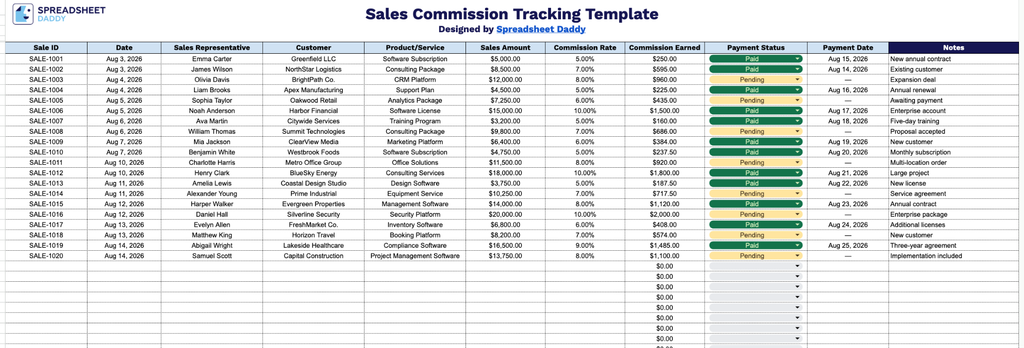
Our sales commission tracking template gives you a simple, organized way to log sales, calculate commissions, and monitor payment status all in one place.
What’s included
- Comprehensive sale-tracking columns: The sheet includes dedicated fields for Sale ID, Date, Sales Representative, Customer, and Product/Service, giving you a complete, organized record of every transaction in a single row at a glance.
- Automatic commission calculation: The Commission Earned column is pre-populated with a formula that multiplies the Sales Amount by the Commission Rate, instantly returning a dollar figure so you never have to calculate payouts manually.
- Payment tracking fields: Payment Status and Payment Date columns let you monitor which commissions have been paid, are pending, or are overdue, making it easy to stay on top of payroll obligations for your sales team.
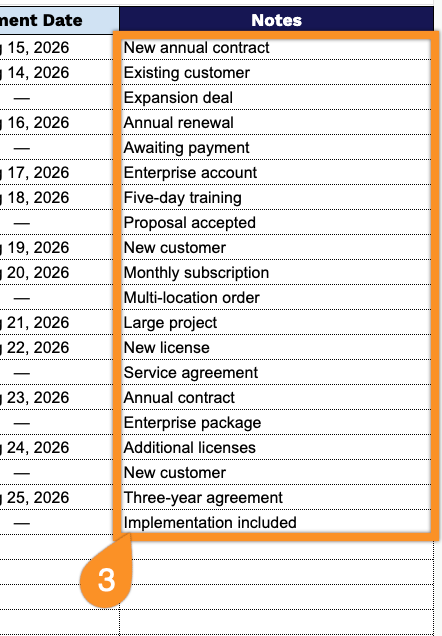
- Notes column for added context: A dedicated Notes field at the end of each row allows you to record additional details, such as special commission arrangements, split deals, or clawback conditions, for each individual sale.
It’s fully customizable, so you can add or remove columns as needed to match your team’s specific workflow.
Use the links below to download the free Sales Commission Tracking template in the format that works best for you:
How to Use Our Sales Commission Tracking Template
1. Download the Sales Commission Tracking template as an Excel or PDF file, or make your own editable copy in Google Sheets.
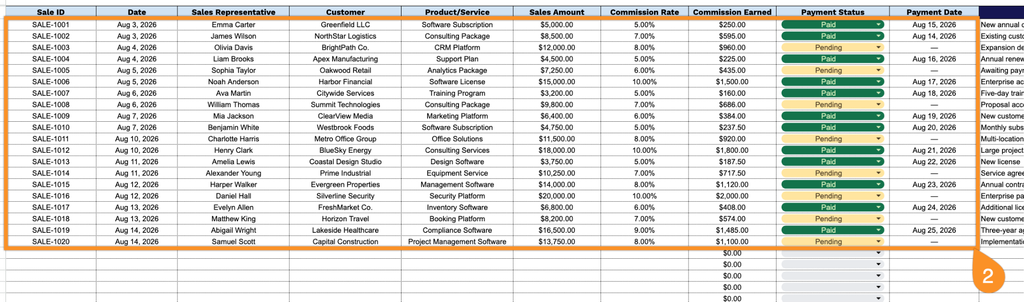
2. Enter key sale details such as the sale ID, date, sales representative, customer, product or service, sales amount, commission date, payment status, and payment date. The template automatically calculates the commission earned, making it easy to track sales performance and commission payments.
3. Use the Notes section to record any important details, adjustments, special terms, or additional information related to the sale or commission payment.