Simplify your shipping recordkeeping with our free Shipping Log Template.
Available in Google Sheets, Excel, and PDF, this ready-made template can be quickly edited to fit your needs.
Use it to document shipments, track deliveries, and maintain clear, up-to-date shipping records.
What Is a Shipping Log Template?
A shipping log template is a pre-formatted document used by businesses to systematically record and track the movement of goods from one location to another.
By providing a standardized structure, a shipping log template helps organizations maintain accurate records, streamline logistics operations, reduce errors, and ensure accountability throughout the shipping process.
Download Spreadsheet Daddy’s Free Shipping Log Template
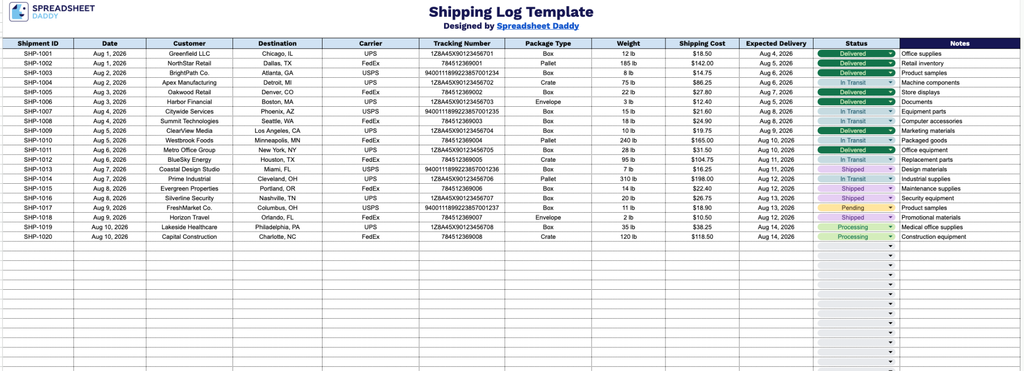
Our Shipping Log Template gives you a clean, organized way to track every shipment from order to delivery, including customer details, carrier information, tracking numbers, weight, cost, and status.
What’s included
- Comprehensive shipment-tracking columns: The log includes 12 dedicated fields: Shipment ID, Date, Customer, Destination, Carrier, Tracking Number, Package Type, Weight, Shipping Cost, Expected Delivery, Status, and Notes, giving you a complete record of every outbound or inbound package in one place.
- Unique shipment identification: The Shipment ID field lets you assign a unique reference number to each entry, making it easy to search, sort, or cross-reference shipments against invoices or customer orders.
- Carrier and tracking details in one view: Dedicated Carrier and Tracking Number columns let you log which shipping provider handled each package and its corresponding tracking code, so you can quickly follow up on any shipment’s progress.
- Status tracking field for shipment visibility: A dedicated Status column lets you note whether a shipment is pending, in transit, delayed, or delivered, giving you a quick-glance view of where every package stands.
- Cost and delivery tracking: The Shipping Cost and Expected Delivery columns allow you to monitor shipping expenses and delivery timelines side by side, helping with budgeting and setting accurate customer expectations.
It’s fully customizable, so you can add or remove columns as needed to match your own workflow.
Pick the format you prefer from the options below and download your free blank Shipping Log Template:
How to Use Our Shipping Log Template
1. Download the Shipping Log template as an Excel or PDF file, or make your own copy in Google Sheets.
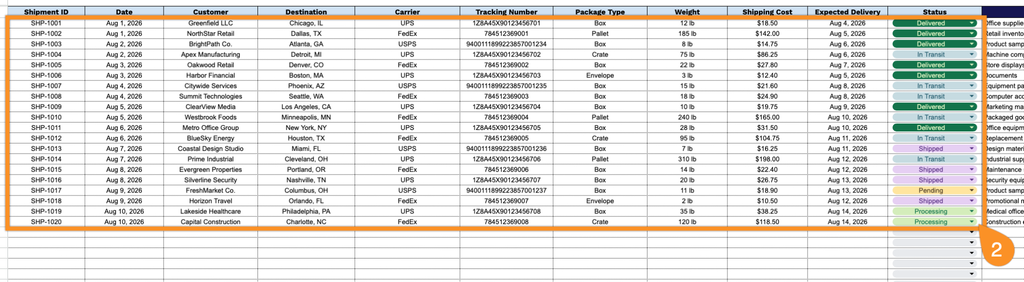
2. Enter the key shipment details, including the shipment ID, date, customer, destination, carrier, tracking number, package type, weight, shipping cost, expected delivery date, and current shipment status.
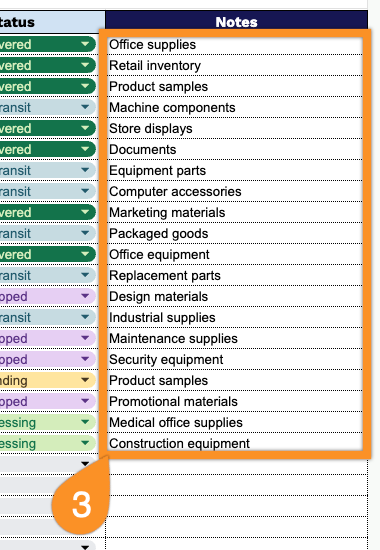
3. Use the Notes section to add important shipping details, delivery instructions, special handling requirements, or other relevant information.