Tired of forgetting something at the store?
Grab our easy-to-use Shopping List Template for Google Sheets, Excel, or PDF. Edit it in seconds, keep track of everything you need, and make shopping stress-free.
What Is a Shopping List Template?
A shopping list template is a pre-formatted document designed to help you organize items you need to purchase before going to the store.
Using a template saves time, reduces the chance of forgetting items, and can help you stick to a budget by planning purchases.
Download Spreadsheet Daddy’s Free Shopping List Template
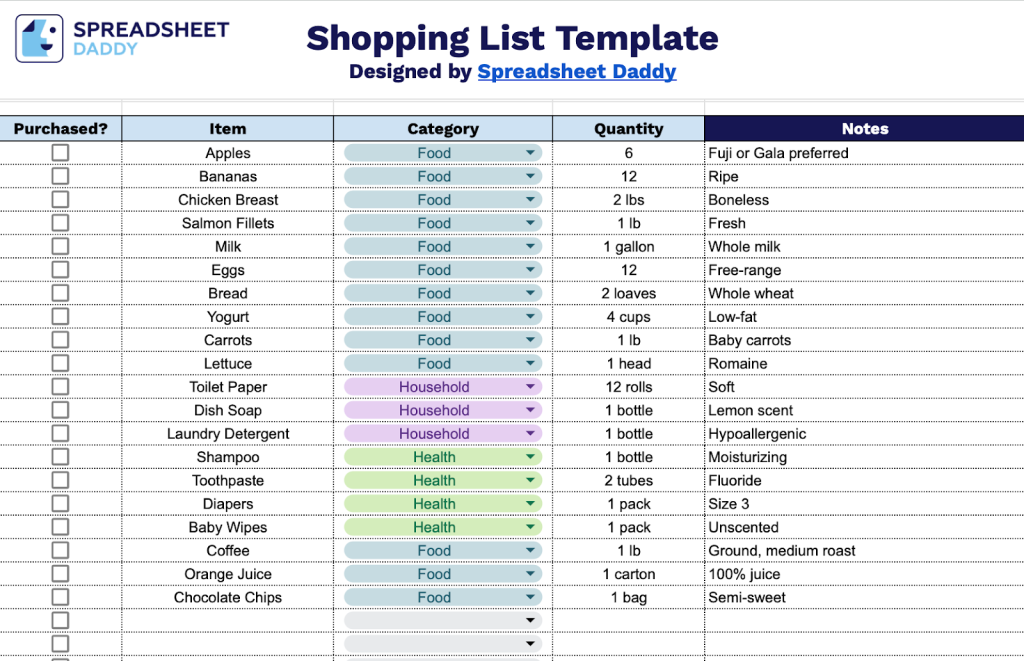
Our Shopping List Template provides a simple and organized way to plan your grocery trips and household purchases.
What’s included
- Structured four-column layout: The template features a clear organizational system with dedicated columns for Purchased status (checkbox functionality), Item name, Category classification, and Quantity tracking, enabling systematic shopping list management and easy progress monitoring as you shop.
- Category-based organization system: A built-in categorization column lets you group items by type, making it easier to navigate store layouts efficiently and ensuring nothing gets overlooked during your shopping trip.
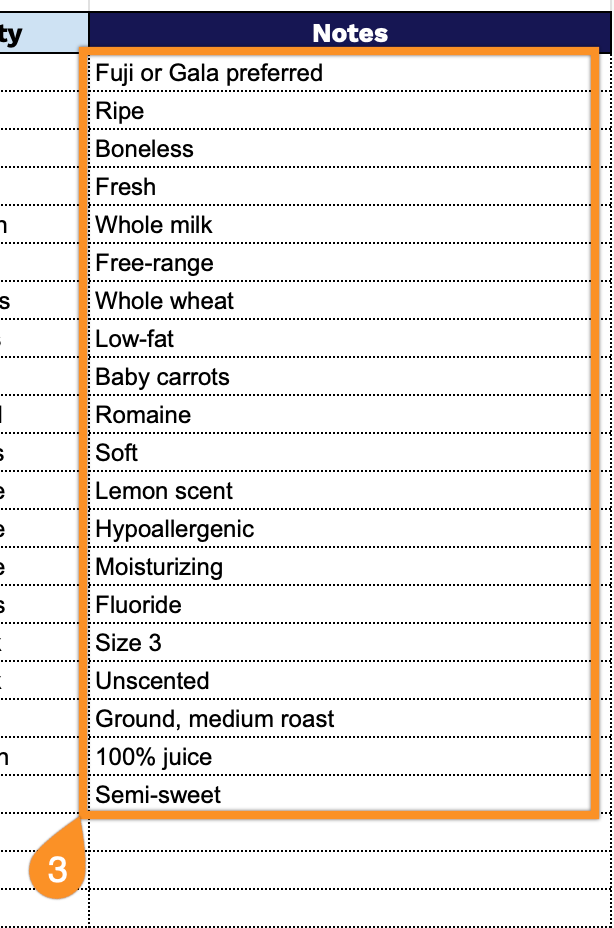
- Comprehensive notes field: An additional notes column provides space for important details such as preferred brands, size specifications, coupon reminders, and special instructions, giving you the flexibility to capture all relevant purchase information in one centralized location.
The flexible design allows you to add or remove columns based on your specific needs, making it easy to customize for any shopping situation.
Pick your favorite format and grab a free blank shopping list template from the links below:
How to Use Our Shopping List Template
1. Start your shopping planning by getting the template in Excel or PDF, or make a Google Sheets version.
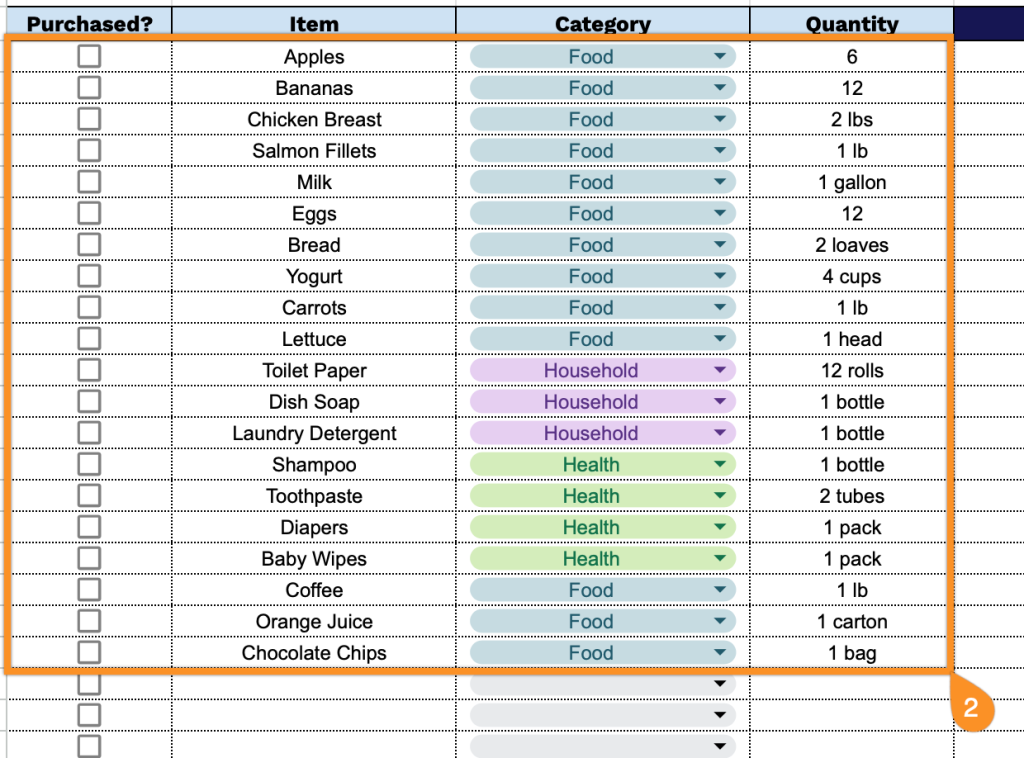
2. Complete the columns by entering all essential items and purchase information:
- Purchased?: Check this box to indicate whether each item was purchased from the store.
- Item: Record the specific name or description of the product you need to buy.
- Category: Specify the classification or department where the item can be found (Food, Household, Health, etc.).
- Quantity: Enter the amount needed, including the unit of measurement (2 lbs, 3 bottles, 1 dozen, etc.).
3. Use the Notes section to include any special instructions or essential details.