Keep your snow removal records organized with our free Snow Removal Log Template.
Available in Google Sheets, Excel, and PDF, this ready-to-use template can be customized to document service dates, properties, snow conditions, equipment, and removal work.
What Is a Snow Removal Log Template?
A snow removal log template is a structured document used by property managers, contractors, or municipalities to record and track snow and ice removal activities at a specific location.
This log serves as an official record for accountability, billing verification, liability protection, and compliance with safety regulations.
Download Spreadsheet Daddy’s Free Snow Removal Log Template
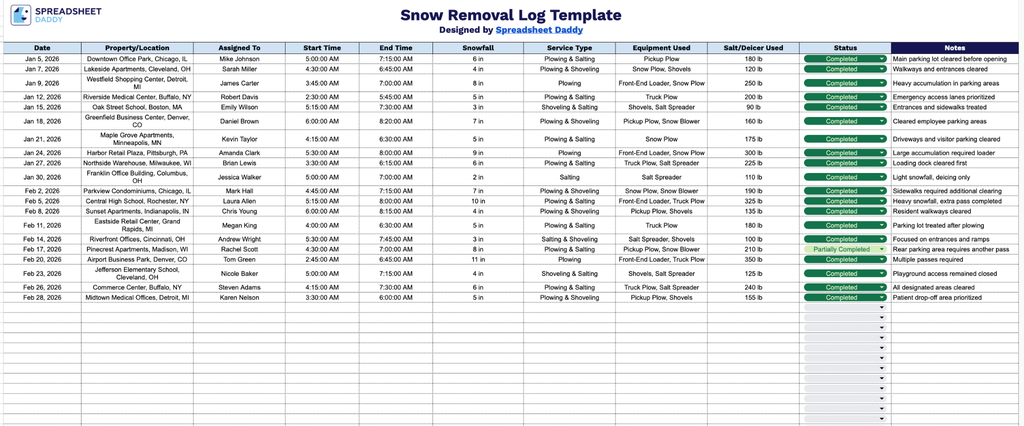
Our Snow Removal Log Template helps you track daily snow removal activities across all your properties in one organized spreadsheet.
What’s included
- Full job-tracking column set: The log includes ten dedicated columns: Date, Property/Location, Assigned To, Start Time, End Time, Snowfall, Service Type, Equipment Used, Salt/Deicer Used, Status, and Notes, giving you a complete record of every snow removal visit from start to finish.
- Time and weather tracking built in: Dedicated Start Time and End Time columns let you log exact service duration, while the Snowfall column captures accumulation totals, helping you monitor crew efficiency and correlate service length with storm severity.
- Equipment and material logging: Separate Equipment Used and Salt/Deicer Used columns let you record which machinery (plows, blowers, shovels) and which ice-melt products were applied on each job, useful for inventory tracking, billing, and liability documentation.
Since every business tracks snow removal a little differently, you can add or remove columns to match exactly what your operation needs to record.
Pick the file format that suits your workflow and download the free Snow Removal Log Template below:
How to Use Our Snow Removal Log Template
1. Get started by downloading the Snow Removal Log in Excel or PDF format, or make your own editable version in Google Sheets.
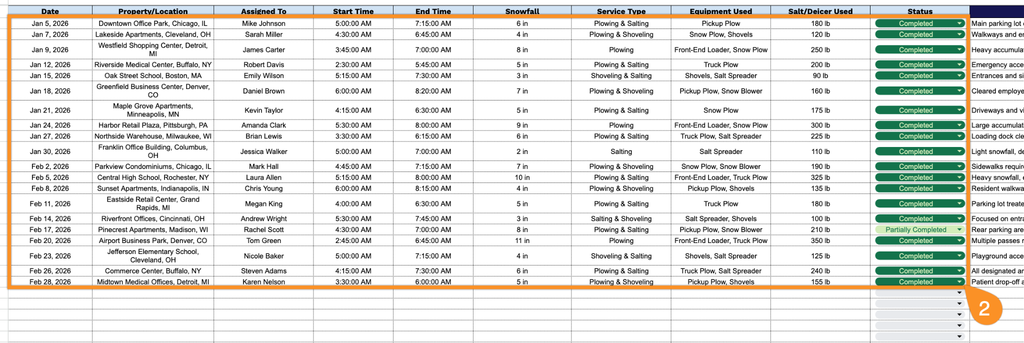
2. Record the key details for each snow removal job, including the date, property or location, assigned crew member, start and end times, snowfall amount, type of service provided, equipment used, salt or deicer applied, and current job status.
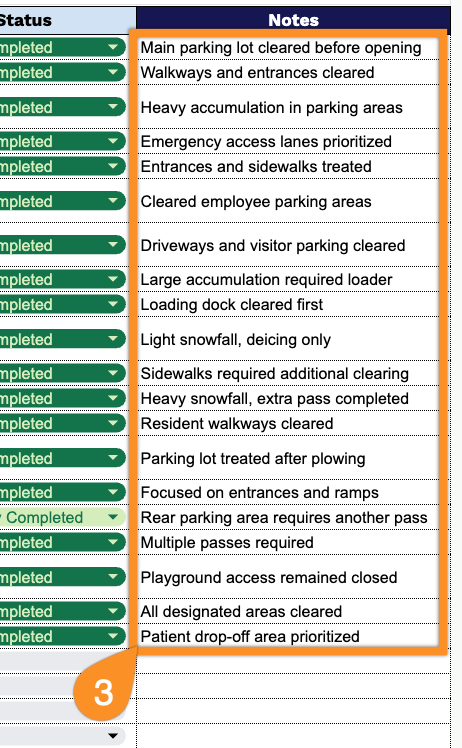
3. Use the Notes section to add important information, such as weather conditions, property-specific instructions, equipment issues, or additional work performed.