Skip the setup and start tracking your learning right away with our free Study Time Template.
Available in Google Sheets, Excel, and PDF formats, it’s designed to help you log and manage your study sessions effortlessly.
What Is a Study Time Template?
A study time template is a structured planning tool that helps students organize and allocate specific time blocks for different subjects, assignments, and learning activities.
By using a template, students can better manage their time, reduce procrastination, and ensure they dedicate adequate attention to each subject area.
Download Spreadsheet Daddy’s Free Study Time Template
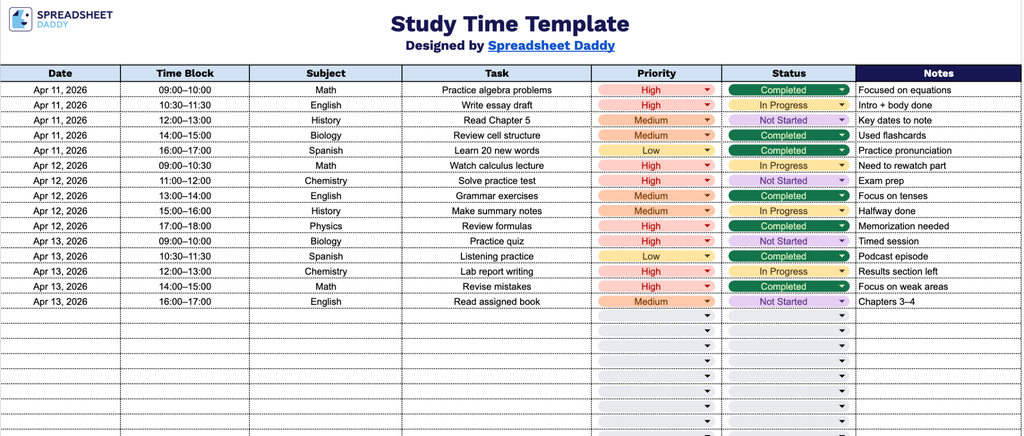
Our Study Time Template helps you organize your daily study sessions by tracking subjects, tasks, priorities, and progress all in one place.
What’s included
- Seven-column tracking table: The main sheet features a structured table with dedicated columns for Date, Time Block, Subject, Task, Priority, Status, and Notes, giving you a comprehensive row-by-row view of every study session in one place.
- Time block scheduling column: A dedicated Time Block column lets you assign specific time ranges (e.g., 9:00–10:30 AM) to each study entry, helping you plan your day in focused intervals and avoid over-scheduling or gaps in your study routine.
- Priority and status tracking fields: The Priority column allows you to rank tasks by urgency or importance (such as High, Medium, or Low), while the Status column lets you mark progress at a glance, whether a task is Not Started, In Progress, or Complete, keeping your workflow organized and accountable.
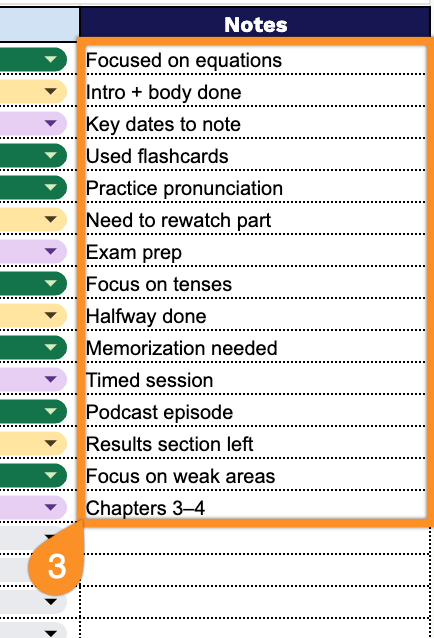
- Notes column for additional context: The final column provides open-ended space to jot down reminders, resources, page numbers, or any session-specific details that don’t fit neatly into the other fields.
Add or remove columns as needed to customize the template around your own subjects, tasks, or any other details that matter to your study routine.
Use the links provided to download your free study time template in the format that suits you best:
How to Use Our Study Time Template
1. Save the template as an Excel or PDF file, or use it in Google Sheets by making a copy.
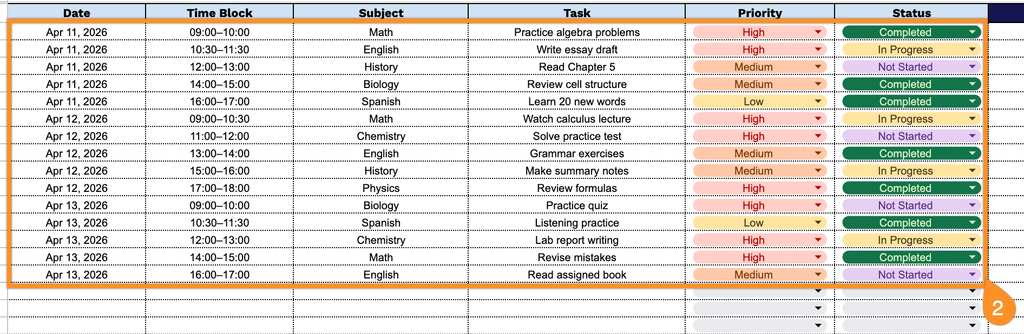
2. Add the date, scheduled time block, subject, priority, and status to every task.
3. Use the Notes section to add any reflections, difficulties, progress comments, or reminders for your next study session.