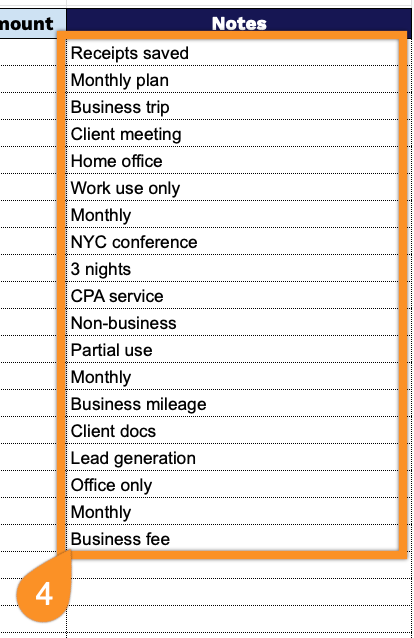
Simplify your tax tracking with our ready-to-use Tax Expense Template.
Available in Google Sheets, Excel, and PDF, this template is professionally designed for easy editing, helping you record and manage all your tax payments accurately and efficiently.
What Is a Tax Expense Template?
A tax expense template is a standardized spreadsheet used to organize, calculate, and track tax-related expenses for individuals or businesses.
This tool helps streamline tax preparation by providing a consistent format to record financial information, making it easier to file returns and maximize legitimate deductions.
Download Spreadsheet Daddy’s Free Tax Expense Template
Our Tax Expense Template helps you track and organize business expenses throughout the year for tax filing purposes.
What’s included
- Comprehensive expense tracking columns: The template features 10 detailed columns, including Date, Vendor/Payee, Description, Category, Payment Method, Amount, Tax-Deductible, Deductible %, Deductible Amount, and Notes, enabling you to capture every critical detail of your business expenses in one organized location.
- Automatic calculation summary section: A prominent header displays real-time totals for both Total Expenses and Total Deductible Amount, automatically summing your entries to provide instant visibility into your overall spending and potential tax deductions without manual calculations.
- Flexible deductibility tracking system: The Tax-Deductible and Deductible % columns work together to accommodate both fully deductible and partially deductible expenses, with the Deductible Amount column automatically calculating the exact dollar value eligible for tax purposes based on your specified percentage.
- Multi-category organization structure: The Category and Payment Method columns allow you to segment expenses by type (office supplies, travel, meals, etc.) and payment source (credit card, cash, check), making it easy to generate categorical reports and identify spending patterns for better financial management and tax preparation.
The spreadsheet lets you record transaction details, categorize expenses, and calculate deductible amounts, with customizable columns you can add or remove as needed.
Grab a free, ready-to-use blank Tax Expense Template in the format of your choice via the links below:
How to Use Our Tax Expense Template
1. Save this template as an Excel or PDF file, or make your personal copy in Google Sheets.
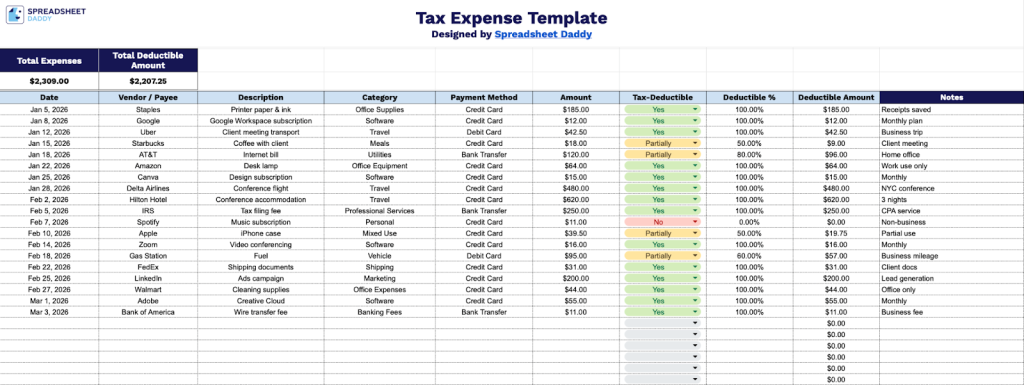
2. Complete the columns by entering all required financial and tracking information:
- Date: Record the exact date the expense was incurred or paid.
- Vendor / Payee: Enter the name of the business or individual you paid (for example, a supplier, contractor, or service provider).
- Description: Provide a brief explanation of the expense, including what was purchased or the purpose of the payment.
- Category: Assign the appropriate expense category (such as Office Supplies, Travel, Utilities, Marketing, or Professional Services).
- Payment Method: Specify how the payment was made (credit card, debit card, bank transfer, cash, check, etc.).
- Amount: Input the total amount paid for the expense.
- Tax-Deductible: Indicate whether the expense qualifies as tax-deductible (Yes, Partially, or No).
- Deductible %: Enter the percentage of the expense that is eligible for deduction (for example, 100%, 50%, etc.).
- Deductible Amount: This field calculates the deductible portion based on the Amount and Deductible % entered, helping you track your total eligible tax deductions accurately.
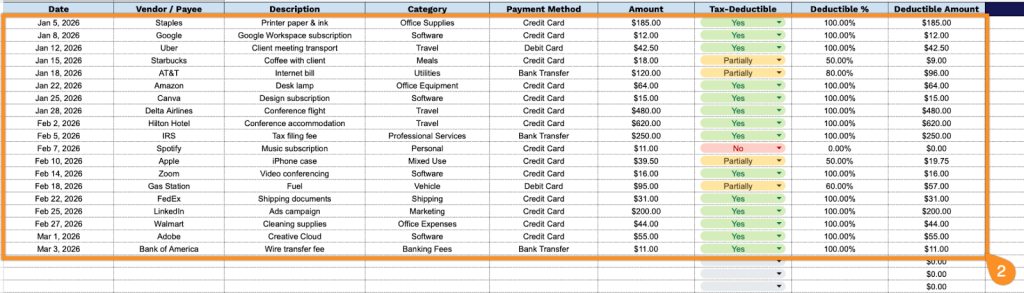
3. The Total Expenses and Total Deductible Amount at the top update automatically as you enter data in the table.
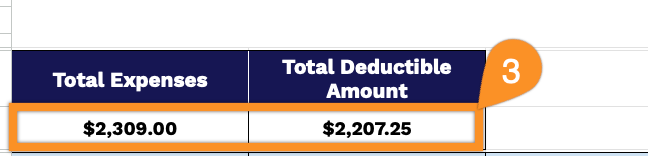
4. Use the Notes section for explanations of unusual expenses, reminders for upcoming payments, or special circumstances affecting your taxes.