Looking for a simple way to manage your vendor information?
Our free Vendor Tracking Template provides a ready-made structure for recording supplier details and managing key dates.
Choose from Google Sheets, Excel, or PDF and edit the template as needed.
What Is a Vendor Tracking Template?
A vendor tracking template is a structured document or spreadsheet that businesses use to organize and monitor all relevant information about their suppliers and service providers in a centralized location.
By standardizing how vendor data is recorded and reviewed, the template helps organizations reduce risk, improve accountability, and make more informed procurement decisions.
Download Spreadsheet Daddy’s Free Vendor Tracking Template
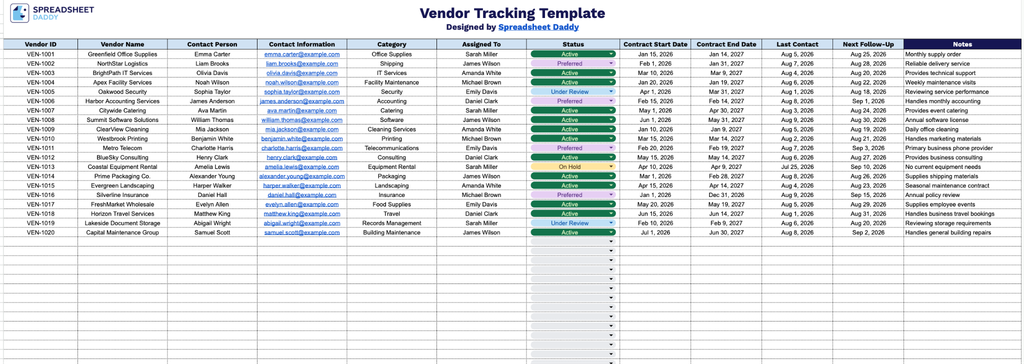
Our Vendor Tracking Template gives you a simple, organized way to manage vendor contacts, contracts, and follow-up dates all in one place.
What’s included
- Comprehensive vendor identification fields: The template includes dedicated columns for Vendor ID, Vendor Name, Contact Person, and Contact Information, giving you a centralized, at-a-glance record of every vendor your business works with and how to reach them.
- Category and ownership tracking: A Category column lets you group vendors by type (e.g., supplier, contractor, service provider), while the Assigned To column identifies which team member owns the relationship, making accountability clear across your organization.
- Contract lifecycle management columns: Contract Start Date and Contract End Date fields allow you to track the full duration of each vendor agreement, helping you stay ahead of renewals, expirations, and renegotiations before they become urgent.
- Built-in follow-up and status monitoring: The Status column shows where each vendor relationship currently stands, while Last Contact and Next Follow-Up columns help you maintain consistent communication and never miss a scheduled check-in.
It’s fully customizable, so you can add or remove columns to match exactly what your business needs to track.
Choose your preferred file format below and download a free, ready-to-use Vendor Tracking template:
How to Use Our Vendor Tracking Template
1. Get the Vendor Tracking template in Excel or PDF, or duplicate it directly in Google Sheets for easy editing.
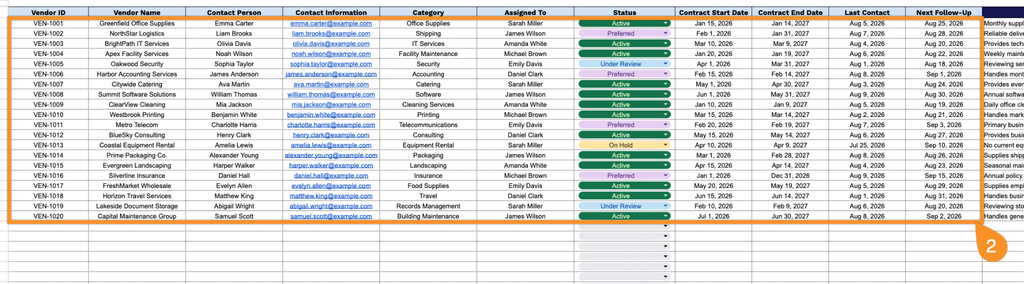
2. Enter key vendor details, including the vendor ID, company name, primary contact, contact information, category, assigned team member, current status, contract start and end dates, most recent contact, and upcoming follow-up date.
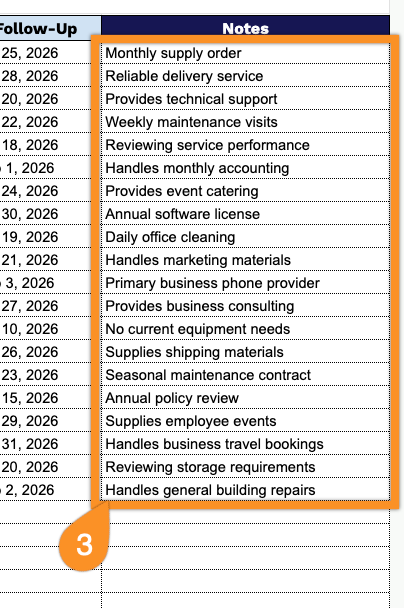
3. Use the Notes section to record important vendor information, special requirements, contract details, or other follow-up notes.