Plan every step leading up to your deadline with our free Workback Schedule Template.
Available in Google Sheets, Excel, and PDF, it’s fully editable and ideal for managing projects, launches, and events.
What Is a Workback Schedule Template?
A workback schedule template is a project planning tool that starts from a fixed deadline and works backwards to map out all the tasks, milestones, and checkpoints needed to complete a project on time.
It serves as a structured framework that helps teams stay aligned, allocate time realistically, and catch potential bottlenecks before they derail the project.
Download Spreadsheet Daddy’s Free Workback Schedule Template
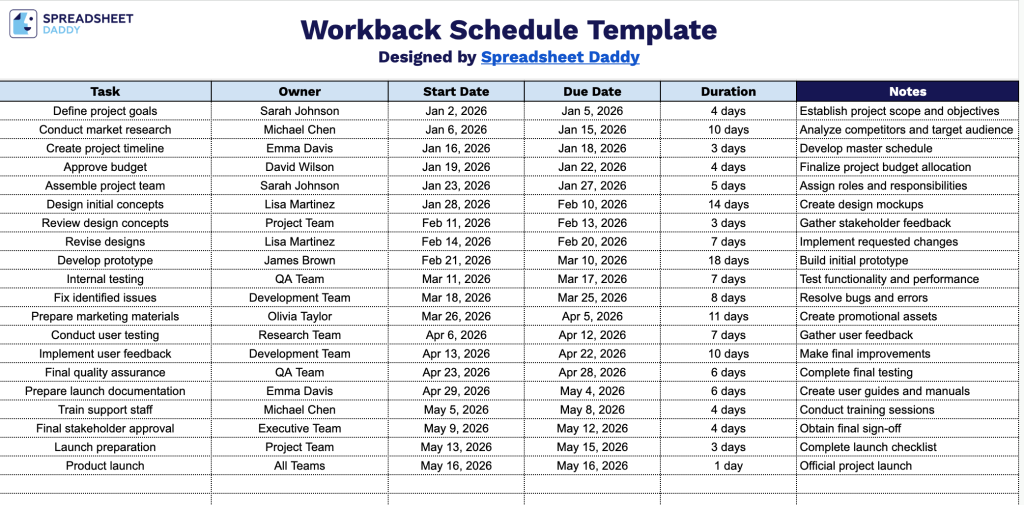
Our Workback Schedule Template helps you plan and track a project from kickoff to launch, keeping all tasks and deadlines organized in a single, clear view.
What’s included
- Simple, column-based task tracking layout: The template uses a single flat table with six columns, including Task, Owner, Start Date, Due Date, Duration, and Notes, giving you a clean, linear structure to list out every step of a project in the order it needs to happen.
- Dedicated ownership column: The Owner column lets you assign a specific person or team to each task, so accountability is built into the schedule from the start, and nobody has to guess who’s responsible for what.
- Start Date and Due Date fields for backward planning: These two columns are the heart of a schedule. You plug in your final deadline, then work backward to set start and due dates for each preceding task, making it easy to see how much runway you have for each step.
- Duration column for at-a-glance effort estimates: This field lets you note how long each task is expected to take (in days, hours, or weeks), helping you spot bottlenecks or overly ambitious timelines before they become a problem.
You can add or remove columns as needed to fit your own project’s requirements.
Choose your preferred file format below to access a free blank Workback Schedule template:
How to Use Our Workback Schedule Template
1. Start by downloading the Workback Schedule template in Excel or PDF, or duplicate it into your Google Sheets account.
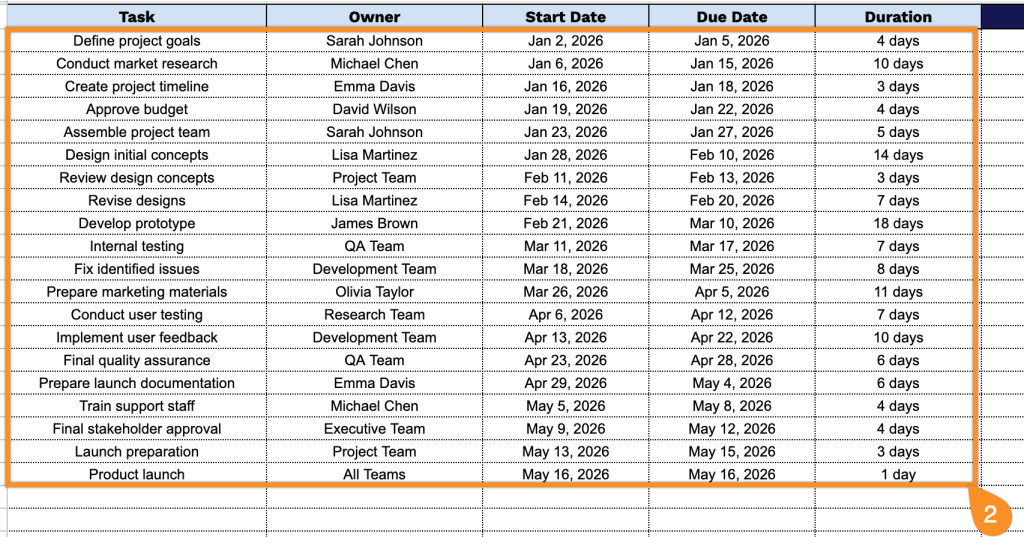
2. Add all project tasks, assign responsibility, and fill in the start dates, deadlines, and task durations.
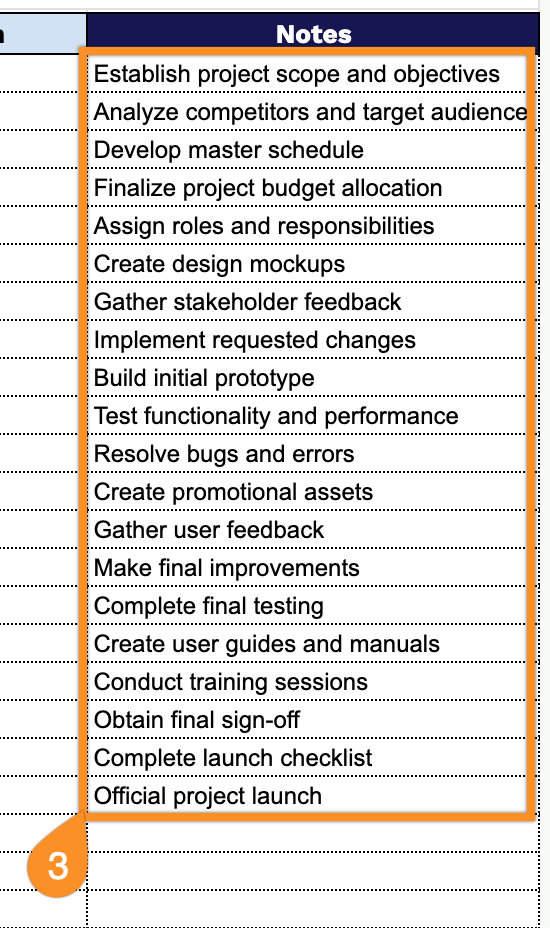
3. Use the Notes section to record important project updates, assumptions, risks, meeting outcomes, or additional instructions for team members.