Make tracking sponsorship payments effortless with our ready-to-use Sponsorship Receipt Template.
Available in Google Sheets, Excel, Word, Google Docs, and PDF, it’s fully customizable and designed for accuracy.
Need more options? Check out our entire collection of free, editable receipt templates for every type of transaction.
What Is a Sponsorship Receipt Template?
A sponsorship receipt template is a pre-formatted document that organizations use to acknowledge and confirm financial or in-kind contributions from sponsors.
This template serves as both an official record for the sponsor’s accounting purposes and a formal thank-you that helps maintain positive relationships with supporters.
Download Spreadsheet Daddy’s Free Sponsorship Receipt Template
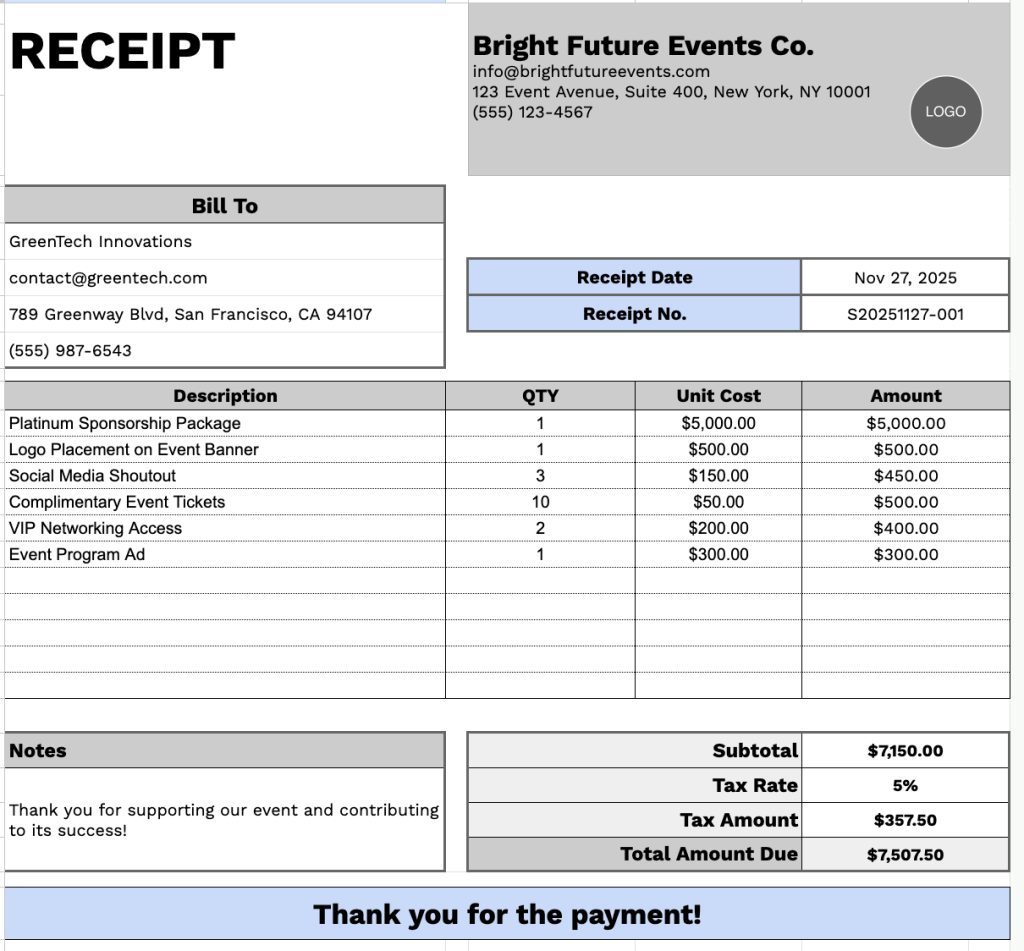
Our Sponsorship Receipt Template provides a professional format for documenting sponsorship transactions and contributions.
What’s included
- Customizable business information fields: The header section includes editable placeholders for company name, email address, physical address, and phone number, enabling you to quickly brand the receipt with your organization’s or business’s details for professional documentation.
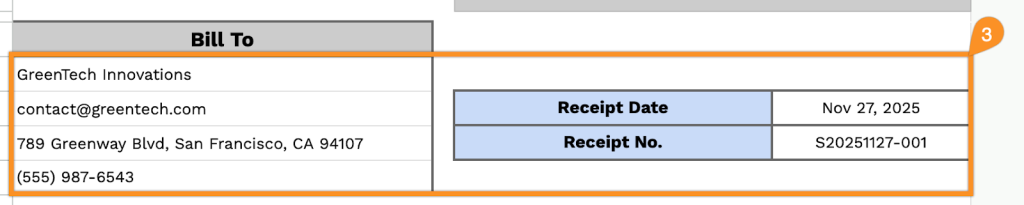
- Recipient billing information section: A dedicated “Bill To” area captures the sponsor’s complete contact details, including name, email, physical address, and phone number, ensuring accurate record-keeping and easy reference for future correspondence.
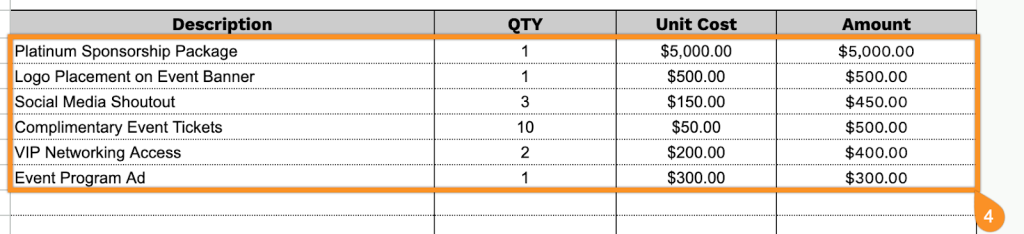
- Multi-line itemization table with quantity tracking: An eleven-row table with four columns (Description, QTY, Unit Cost, Amount) lets you list multiple sponsorship packages, benefits, or services, with individual quantities and per-unit pricing for transparent billing.
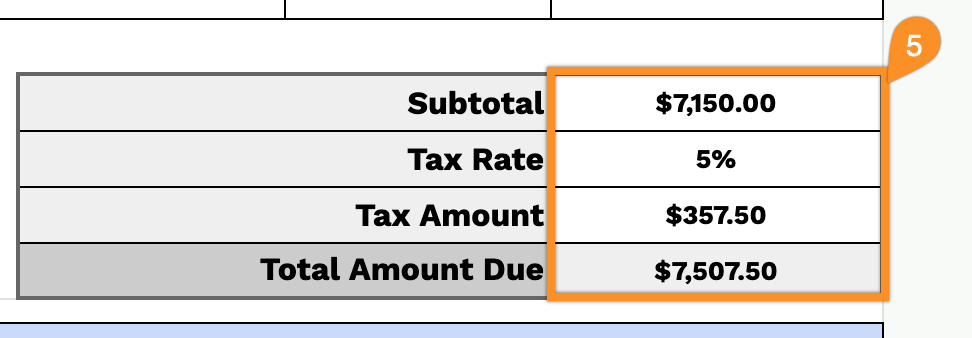
- Automated financial calculation fields: The bottom section features subtotal, tax rate, tax amount, and total amount due fields that work together to provide precise cost breakdowns, with all monetary values pre-formatted in USD.
- Receipt tracking and documentation tools: Includes designated fields for receipt date and receipt number in the header area, plus a notes section and “Thank you for the payment!” message at the bottom for adding payment terms, special conditions, or personalized acknowledgments.
The customizable layout lets you add or remove columns based on your specific needs, making it adaptable to various sponsorship arrangements.
Use the links below to get your free blank sponsorship receipt template in the format that works best for you:
How to Use Our Sponsorship Receipt Template
1. Get this sponsorship receipt template in Excel, Word, or PDF, or make your own version in Google Sheets or Docs.
2. Enter your company information at the top, including your company name, email, address, phone number, and logo.

3. Fill in the “Bill To” details, along with the receipt date and receipt number.
4. List the items or services provided, specifying the quantity and price for each. The template will automatically calculate the line totals.
5. Add the applicable tax rate, and the template will compute the subtotal, tax amount, and total amount due.
6. Use the Notes section for any additional details or essential information.