Need a simple way to issue car rental receipts?
Download our free, ready-to-use car rental receipt template in Google Sheets, Excel, Word, Google Docs, or PDF. It’s fully editable, making it easy to track rental periods, payment details, and customer information with accuracy.
Looking for more options? Browse our complete collection of free, editable receipt templates to find the perfect format for all your car rental and business record-keeping needs.
What Is a Car Rental Receipt Template?
A car rental receipt template is a standardized document that records the details of a vehicle rental transaction between a rental company and a customer.
This template serves as proof of payment and helps both parties maintain accurate records of the rental agreement for accounting, expense reporting, or insurance purposes.
Download Spreadsheet Daddy’s Free Car Rental Receipt Template
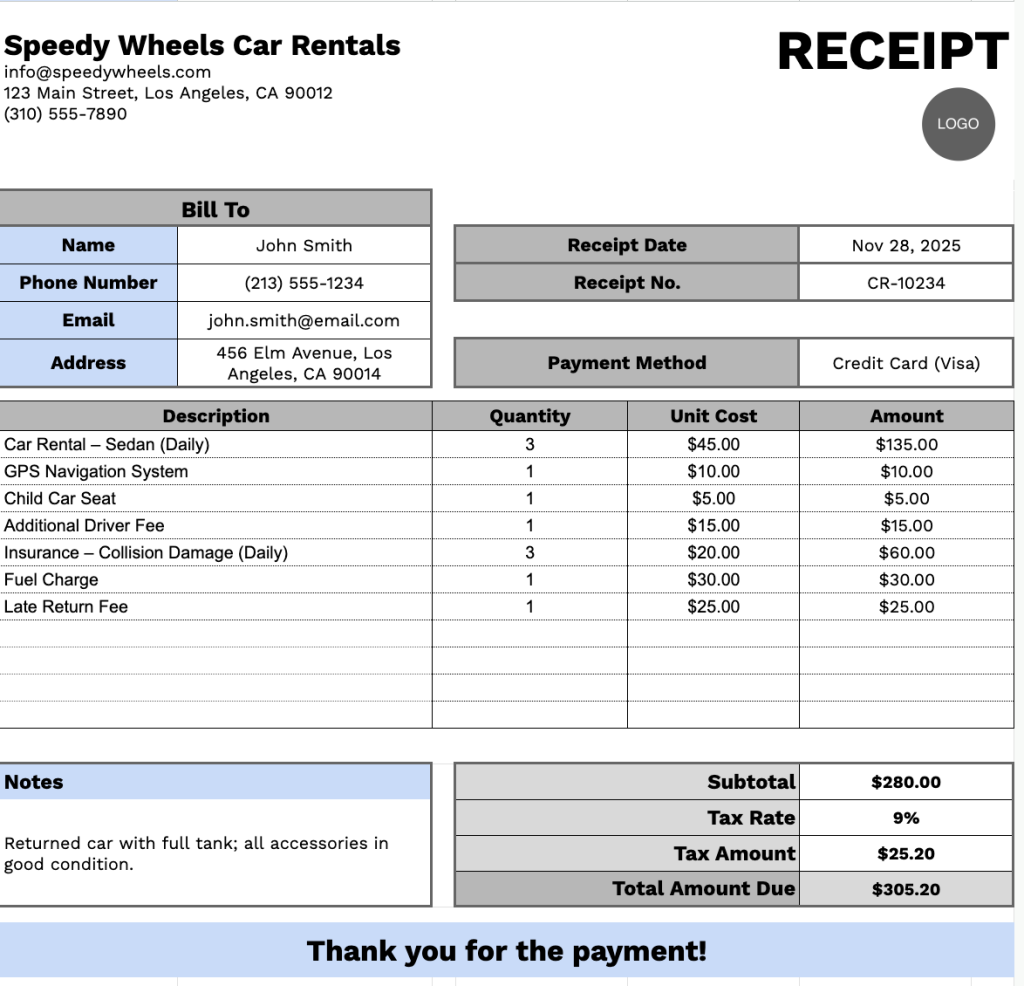
Our Car Rental Receipt Template provides a clear and professional format for documenting rental transactions and associated charges.
What’s included
- Professional header section with customizable fields: The template includes editable placeholders for company name, email address, physical address, and phone number to help rental businesses maintain consistent, professional documentation.
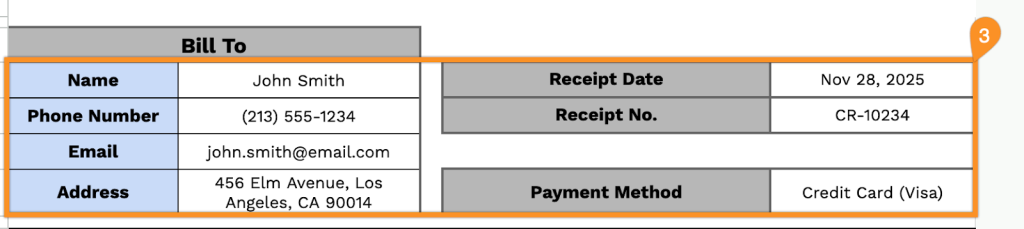
- Comprehensive billing information block: A dedicated section captures essential customer details, including the “Bill To” fields for customer name, phone number, email, and address, along with receipt date, receipt number, and payment method for complete transaction tracking.
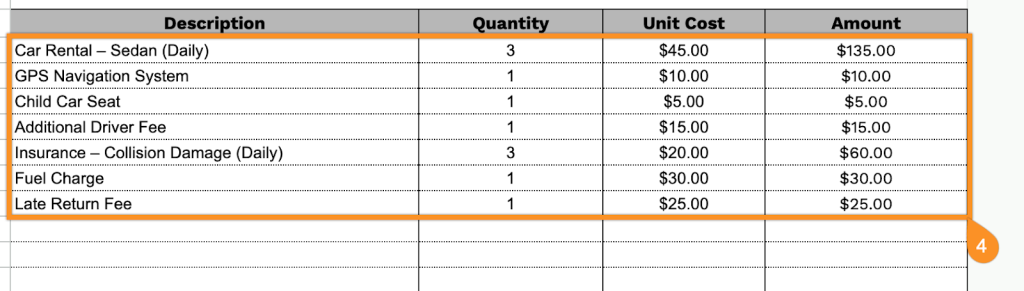
- Detailed line-item table for rental charges: The template includes a structured table with columns for Description, Quantity, Unit Cost, and Amount, featuring pre-formatted rows to itemize daily rates, insurance fees, fuel charges, mileage fees, equipment add-ons, and other rental costs.
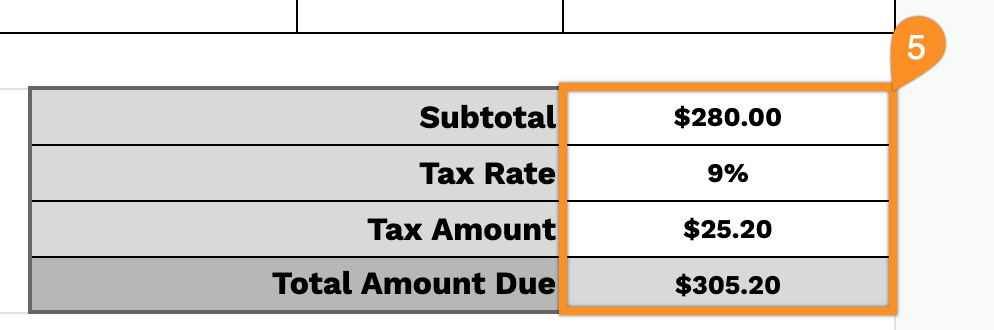
- Automated calculation footer: A built-in totals section provides a subtotal field, configurable tax rate input, automatically calculated tax amount, and a bold total due, complete with a professional “Thank you for the payment!” message.
The template is fully customizable, allowing you to add or remove columns based on your business requirements.
Grab your free blank car rental receipt template in the format you like from the links below:
How to Use Our Car Rental Receipt Template
1. Download a ready-to-use car rental receipt template in Word, Excel, or PDF, or customize one in Google Docs or Sheets.
2. At the top of the template, enter your company details: name, email, address, phone number, and logo.

3. Fill in the customer’s information under “Bill To,” along with the receipt date, receipt number, and payment method.
4. List the rental items or services provided. Enter the quantity and price for each item, and the template will automatically calculate the line totals.
5. Apply the relevant tax rate. The template will then calculate the subtotal, tax, and total amount due.
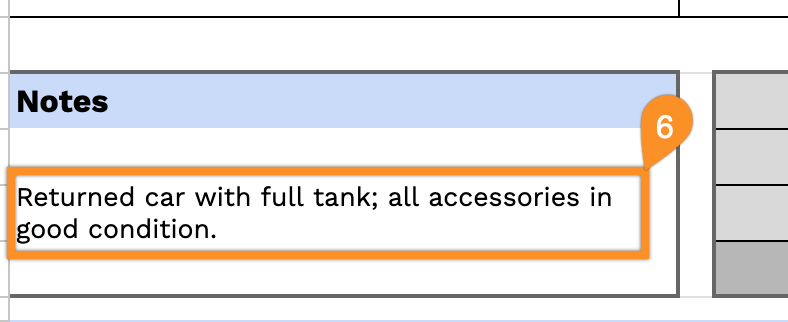
6. Use the Notes section to include any critical details, such as pickup/drop-off instructions, mileage limits, or special terms.