Stay on top of payments effortlessly with our Payment Schedule Template.
Available in Google Sheets, Excel, and PDF, it’s fully customizable to track amounts, deadlines, payment methods, and progress, all in a professional format.
What Is a Payment Schedule Template?
A payment schedule template is a structured document that outlines when payments are due, how much is due, and to whom payments should be made over a specified period.
It’s commonly used in business agreements, loans, construction projects, and freelance work to track installment payments and ensure both parties stay aligned on financial obligations.
Download Spreadsheet Daddy’s Free Payment Schedule Template
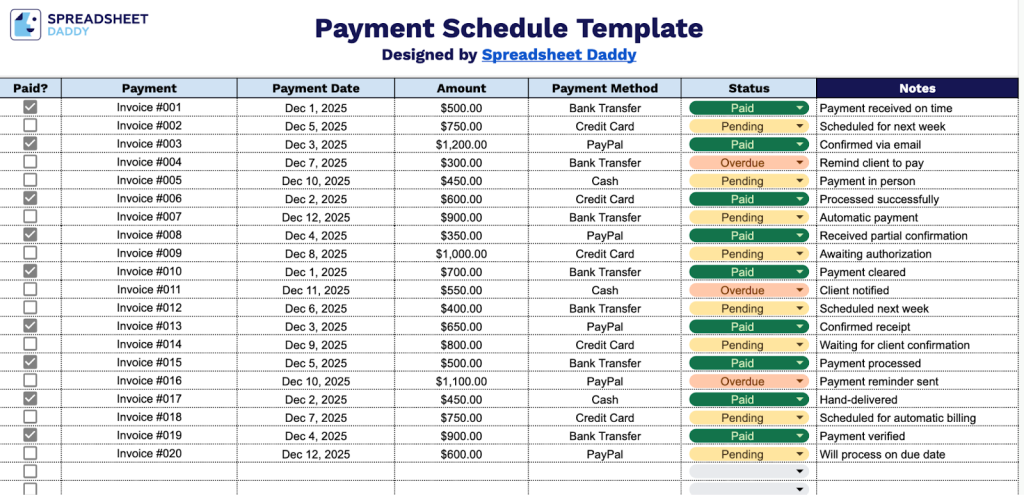
Our Payment Schedule Template helps you track and manage all your payments in one organized place.
What’s included
- Comprehensive payment tracking columns: The template includes six essential columns, including a Paid status checkbox, Payment name, Payment Date, Amount, Payment Method, and Status, along with a dedicated Notes field, providing a complete system to monitor and document all payment transactions in one centralized location.
- Payment method documentation field: A dedicated column allows you to specify how each payment was processed, whether by check, credit card, bank transfer, cash, or other methods, ensuring accurate financial record-keeping and audit trails for accounting purposes.
- Status monitoring system: The Status column lets you categorize each payment as pending, completed, overdue, or canceled, making it easy to identify which payments require immediate attention or follow-up at a glance.
- Flexible date and amount tracking: Dedicated columns for payment dates and amounts let you maintain a chronological record of all transactions, helping you forecast cash flow, track payment schedules, and ensure timely processing of financial obligations.
- Notes section for detailed context: Each payment row includes a notes field where you can add critical information such as invoice numbers, reference codes, payment confirmation numbers, client details, or special instructions, ensuring all relevant documentation is accessible in one place.
The flexible design allows you to add or remove columns based on your specific needs, making it easy to customize for any business or personal use.
Grab your free payment schedule template in the format you like best from the links below:
How to Use Our Payment Schedule Template
1. Grab this payment schedule template in Excel or PDF format, or start a copy in Google Sheets.
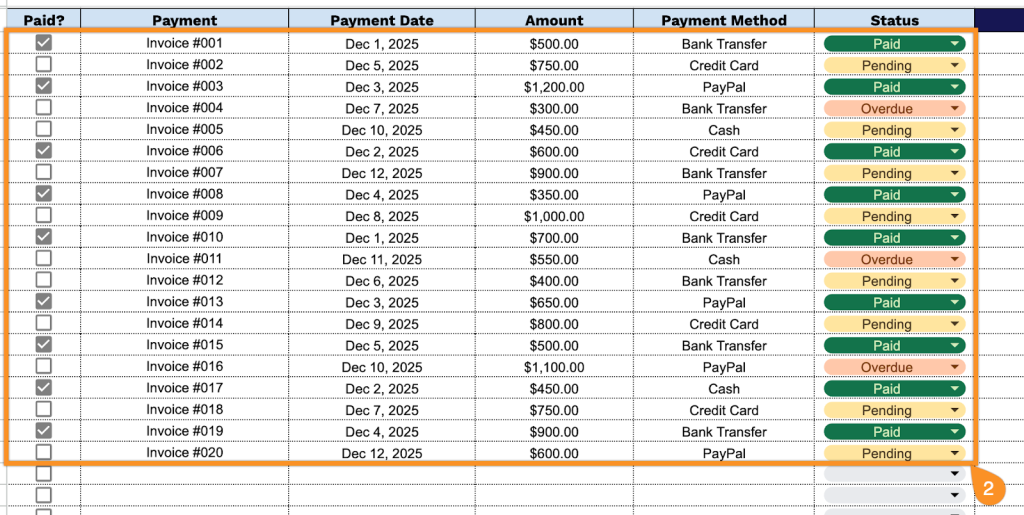
2. Complete the columns by entering all essential payment tracking information:
- Paid?: Mark the checkbox to indicate whether the payment has been received or processed.
- Payment: Enter the unique payment identifier or reference number for tracking purposes.
- Payment Date: Record the date when the payment was made or is scheduled to be made.
- Amount: Specify the exact monetary value of the payment in the appropriate currency.
- Payment Method: Select the form of payment used (credit card, bank transfer, cash, check, PayPal, etc.).
- Status: Document the current payment state (pending, completed, overdue, cancelled, etc.).
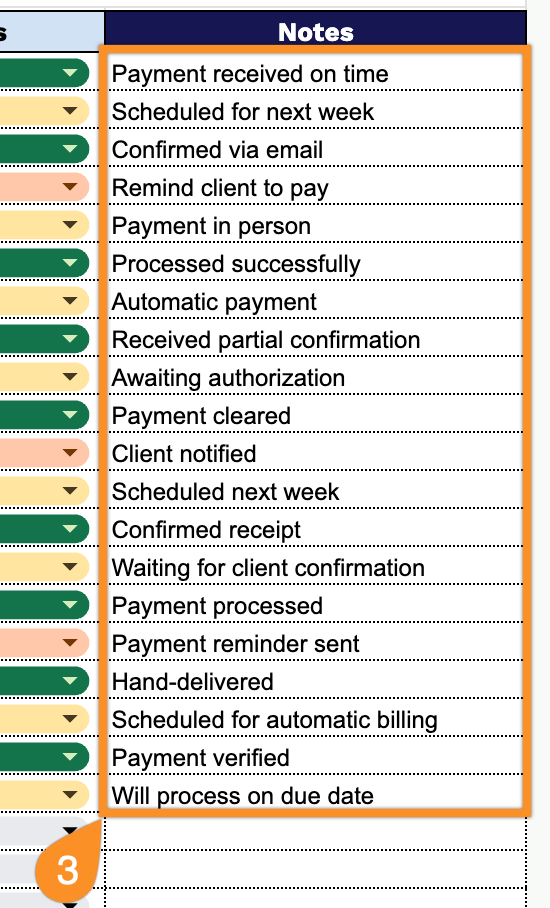
3. Use the Notes section to include any essential details or special instructions.