

Boost your productivity instantly with our free To-Do List Template.
Available in Google Sheets, Excel, and PDF, it’s ready to customize so you can track tasks, set deadlines, and achieve your goals efficiently.
What Is a To-Do List Template?
A to-do list template is a pre-designed framework that helps you organize and track tasks.
These templates can range from simple checklists to more complex formats with categories, time blocks, or project-specific sections.
Download Spreadsheet Daddy’s Free To-Do List Template
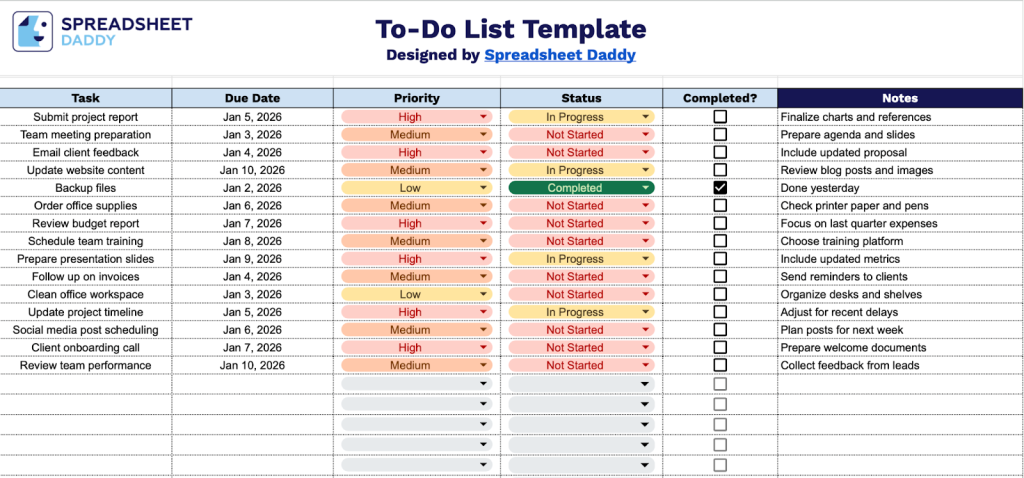
Our To-Do List Template provides a clear, organized way to track your tasks, deadlines, and progress in one place.
What’s included
- Task column for action items: The primary column where you enter detailed descriptions of each task or action item that needs to be completed, providing a clear overview of all your to-dos in one centralized location.
- Due Date tracking field: A dedicated column for recording deadlines and time-sensitive commitments, helping you prioritize work based on urgency and ensuring nothing falls through the cracks as dates approach.
- Priority classification system: A column designed for categorizing tasks by importance level (such as high, medium, or low priority), enabling you to focus your energy on what matters most and manage your workload strategically.
- Status monitoring column: A field that allows you to track progress through various stages like “Not Started,” “In Progress,” “On Hold,” or “Pending Review,” giving you real-time visibility into where each task stands in your workflow.
- Completion checkbox and notes section: Includes a “Completed?” column for quick visual confirmation of finished tasks, plus a flexible “Notes” field where you can add context, attachments, subtasks, dependencies, or any additional details that support successful task completion and collaboration.
The structure is flexible and can be customized to fit your workflow by adding or removing columns as needed.
Select one of the links below to download a blank To-Do List template in your chosen format:
How to Use Our To-Do List Template
1. Access the template in Excel or PDF, or generate your own copy in Google Sheets.
2. Complete the columns by entering all essential details for each to-do item:
- Task: Enter a clear, concise description of the action item or activity that needs to be completed.
- Due Date: Specify the deadline by which this task must be finished.
- Priority: Set the task’s importance level (high, medium, or low).
- Status: Indicate the current progress state (not started, in progress, on hold, completed, etc.).
- Completed?: Mark this field with a checkmark once the task has been fully finished.
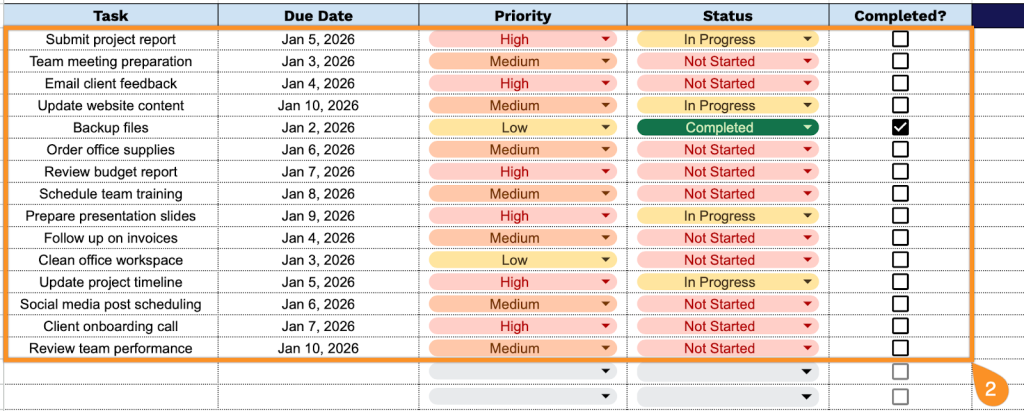
3. Use the Notes section to capture any essential details or reminders.

