Streamline your project planning with ease.
Our free Project Management Template, available in Google Sheets, Excel, and PDF, helps you manage tasks, timelines, and resources efficiently.
Fully editable and professionally formatted, it’s ready to use in minutes.
What Is a Project Management Template?
A project management template is a pre-structured document that provides a standardized format for planning, executing, and tracking projects.
These reusable templates help ensure consistency across projects, save time, and reduce the risk of overlooking critical project components.
Download Spreadsheet Daddy’s Free Project Management Template
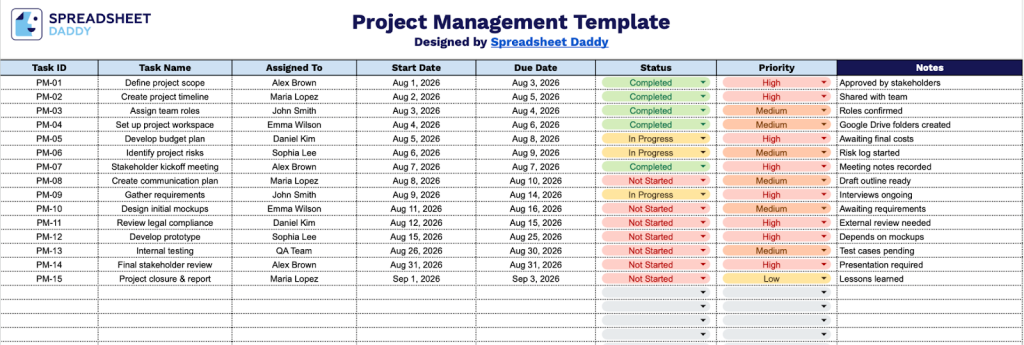
Our Project Management Template provides a structured way to track tasks, assignments, deadlines, and progress throughout your project lifecycle.
What’s included
- Comprehensive task tracking columns: The template includes seven essential fields, including Task ID, Task Name, Assigned To, Start Date, Due Date, Status, and Priority, providing a complete framework for organizing and monitoring all project activities from assignment through completion.
- Task identification and naming system: The Task ID column provides unique task references, while the Task Name field allows for clear, descriptive titles that help team members quickly understand the scope and nature of each work item.
- Team assignment and timeline management: The Assigned To field provides clear accountability by designating responsible team members, while the Start Date and Due Date columns establish project timelines and help track deadlines to keep projects on schedule.
- Status and priority tracking capabilities: The Status column lets you monitor progress stages for each task (such as Not Started, In Progress, or Complete), while the Priority field helps you categorize and focus on high-importance items that require immediate attention or resources.
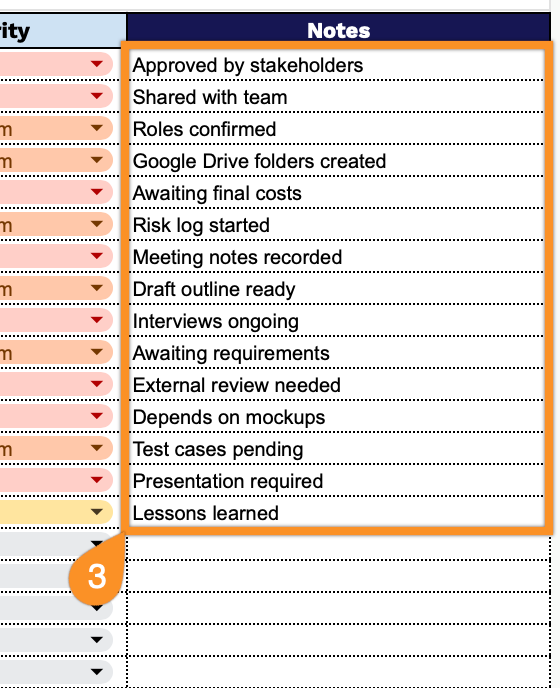
- Flexible notes section for additional context: A dedicated Notes column provides space to capture important details, dependencies, updates, blockers, and special instructions for each task, keeping all relevant information organized and accessible in one centralized location.
The template is fully customizable, allowing you to add or remove columns based on your specific needs and workflow preferences.
Download a free blank project management template in your preferred format using the links below:
How to Use Our Project Management Template
1. Get your copy of this Project Management template in Excel, PDF, or as a Google Sheets file.
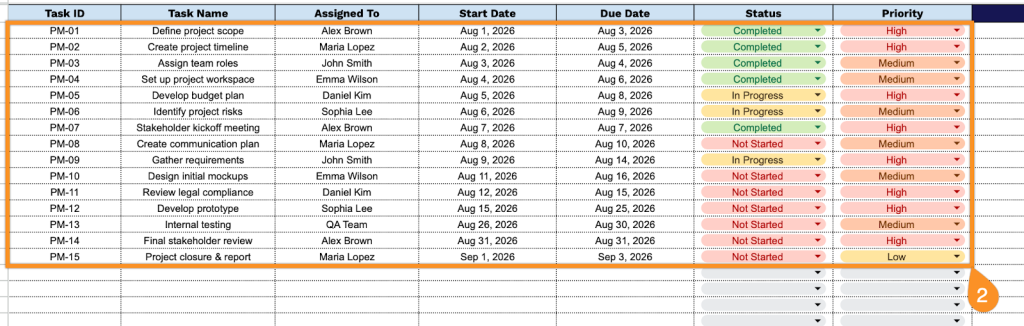
2. Complete the columns by entering all essential project information:
- Task ID: Enter the unique identifier assigned to each task for tracking and reference purposes throughout the project.
- Task Name: Specify the complete task title and a brief description of the work to be performed.
- Assigned To: Select the team member or department responsible for completing the task.
- Start Date: Record the scheduled date when work on the task should begin.
- Due Date: Document the deadline by which the task must be completed.
- Status: Indicate the current progress state (not started, in progress, completed, etc.).
- Priority: Specify the task’s urgency level (low, medium, or high).
3. Use the Notes section for any additional instructions, reminders, or important details related to the project.