Take the stress out of travel planning with our Trip Planner Template.
Professionally formatted and fully editable, it’s ideal for organizing itineraries, tracking costs, and keeping all trip details in one place.
Available in Google Sheets, Excel, and PDF for effortless planning.
What Is a Trip Planner Template?
A trip planner template is a pre-formatted organizational tool that helps travelers structure and track all essential details of their journey in one place.
Using a template saves time and ensures nothing is forgotten, making trip planning more efficient and less stressful.
Download Spreadsheet Daddy’s Free Trip Planner Template
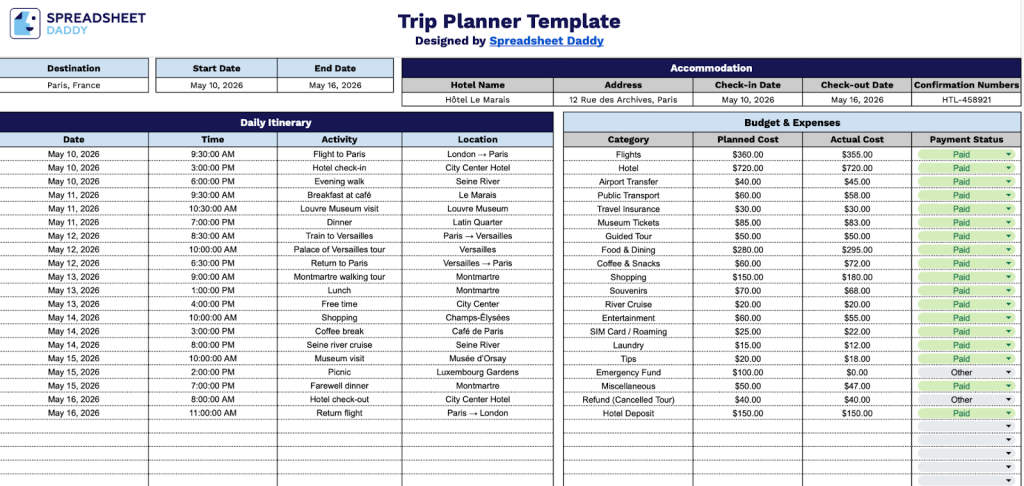
Our Trip Planner Template helps you organize your travel details, daily activities, and expenses in one convenient place.
What’s included
- Comprehensive trip overview section: The header area features editable fields for destination, start date, end date, and accommodation details, enabling you to capture essential trip information at a glance and maintain organized travel plans across multiple trips.
- Detailed accommodation tracking module: A dedicated section includes structured fields for hotel name, physical address, check-in date, check-out date, and confirmation numbers, allowing you to centralize all lodging information and reference booking details quickly during your travels.
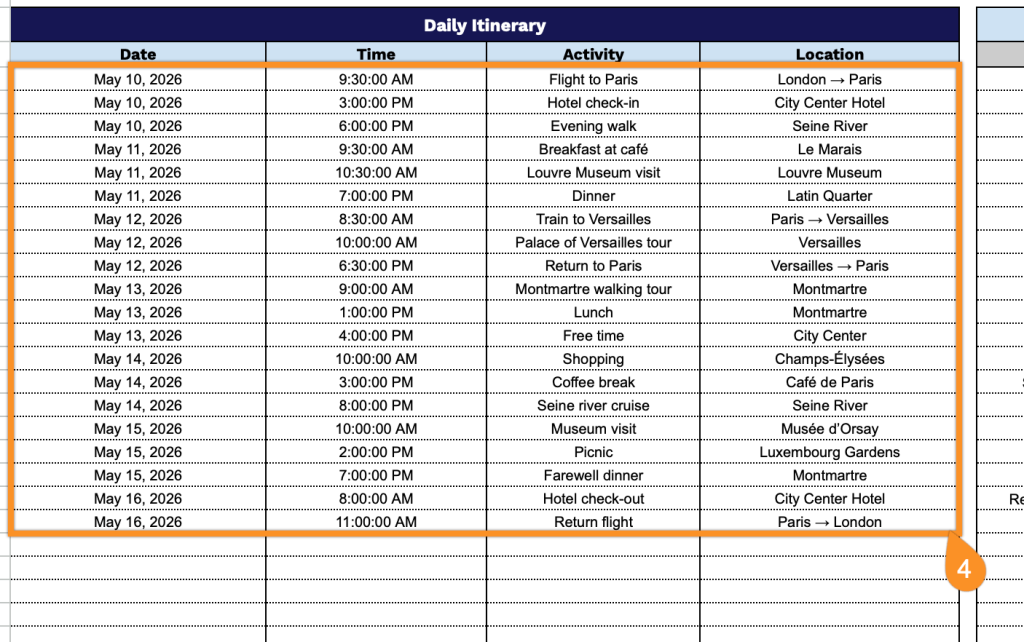
- Day-by-day itinerary planner: The daily itinerary table provides organized columns for date, time, activity, and location, enabling you to map out each day of your trip hour by hour and ensure you don’t miss scheduled events, reservations, or sightseeing opportunities.
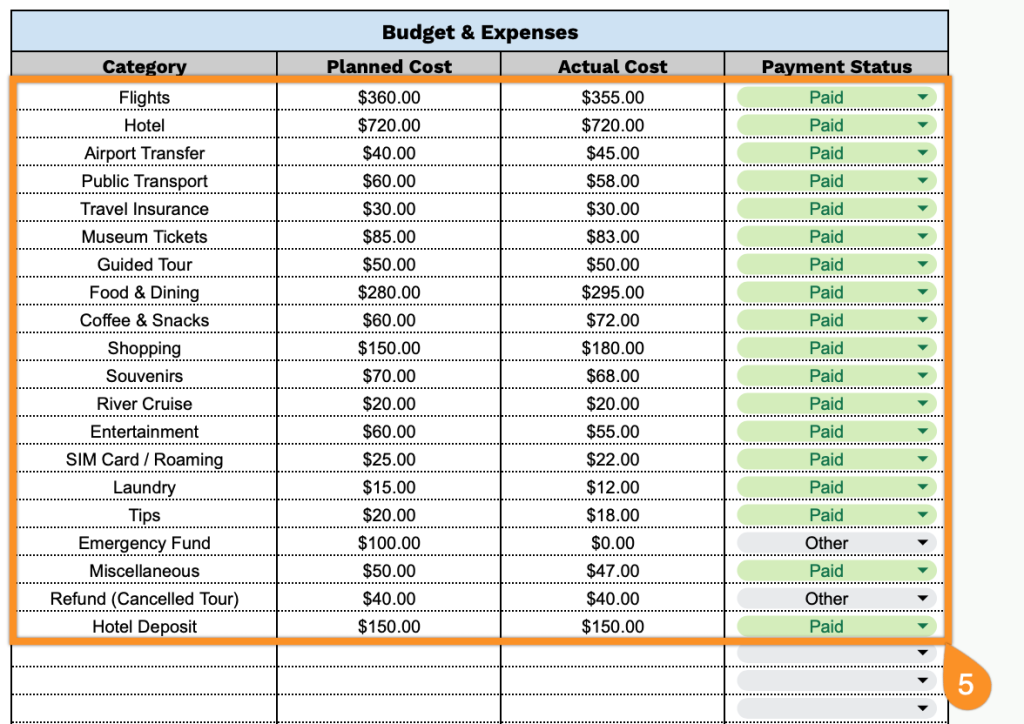
- Integrated budget and expense tracker: A built-in financial management section features categorized columns for expense category, planned cost, actual cost, and payment status, enabling you to monitor spending against your budget in real time and maintain accurate financial records throughout your journey.
The flexible spreadsheet format allows you to add or remove columns based on your specific needs and preferences.
Download a free blank trip planner template in your preferred format using the links below:
How to Use Our Trip Planner Template
1. Grab this planner in PDF or Excel, or create a customized copy in Google Sheets.
2. Enter your destination along with your start and end dates.

3. Include the hotel name, address, check-in and check-out dates, and any confirmation numbers.

4. Fill out the Daily Itinerary with the date, time, activity, and location for each day of your trip.
5. Log each item by category, planned cost, actual cost, and payment status to stay on top of your spending.