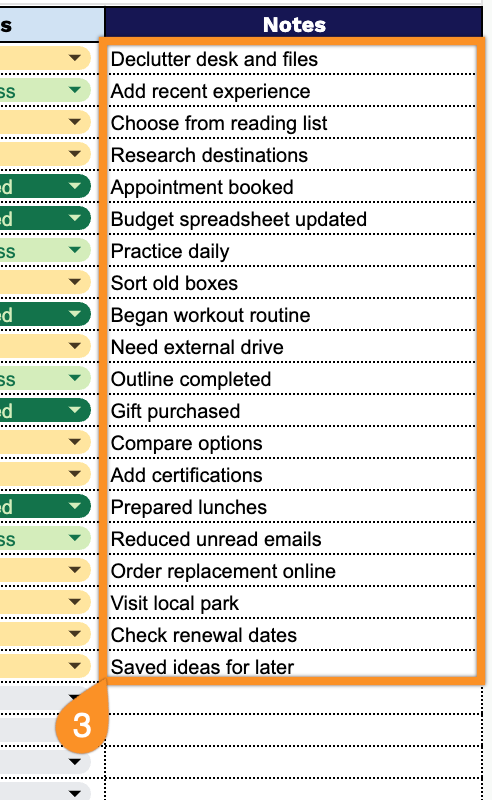
Prefer a ready-made solution?
Our free Brain Dump Template (Google Sheets, Excel, PDF) makes it easy to dump all your thoughts in one place and organize them later when you’re ready.
What Is a Brain Dump Template?
A brain dump template is a structured tool designed to help you rapidly capture every thought, task, idea, or concern from your mind onto paper or a digital document without filtering or organizing as you go.
The goal is to clear mental clutter, reduce cognitive overload, and give you a tangible starting point for prioritizing, planning, and taking action.
Download Spreadsheet Daddy’s Free Brain Dump Template
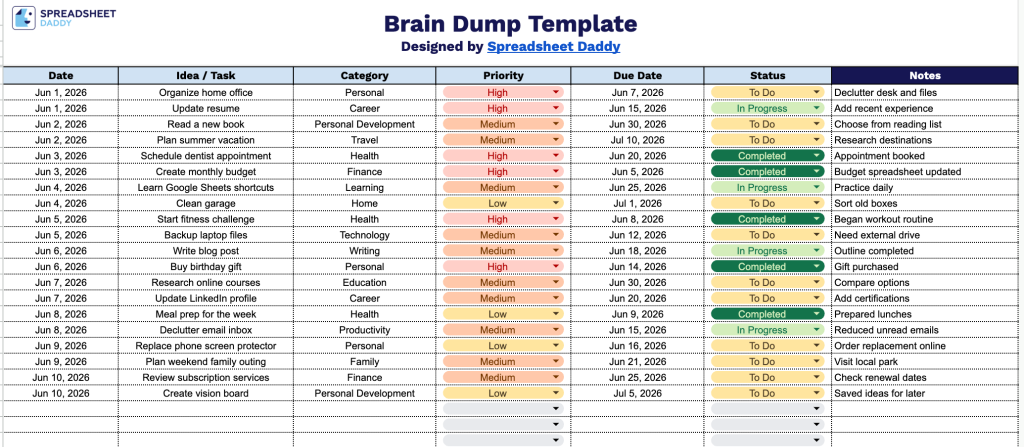
Our Brain Dump Template helps you capture and organize all your ideas, tasks, and goals in one clear, structured layout.
What’s included
- Single-tab layout for streamlined capture: The template is organized on one clean worksheet, providing a focused, distraction-free space to offload every idea, task, or to-do without navigating between multiple sheets.
- Seven structured columns for complete task tracking: Each entry includes dedicated fields for Date, Idea/Task, Category, Priority, Due Date, Status, and Notes, giving you a full snapshot of every item from initial capture through to completion.
- Flexible category and priority fields for custom organization: The Category and Priority columns are left open-ended and fully editable, so you can define your own labels to sort and filter entries in whatever way best fits your workflow.
You can easily add or remove columns to fit your personal workflow and keep things as simple or as detailed as you need.
Use the links below to access a free, ready-to-use blank Brain Dump template in your preferred file type:
How to Use Our Brain Dump Template
1. Pick the version that works best for you: Excel, PDF, or an editable Google Sheets copy.
2. Record the date, jot down your thoughts or tasks, organize them by category, choose a priority level, set a deadline, and update the status as you go.
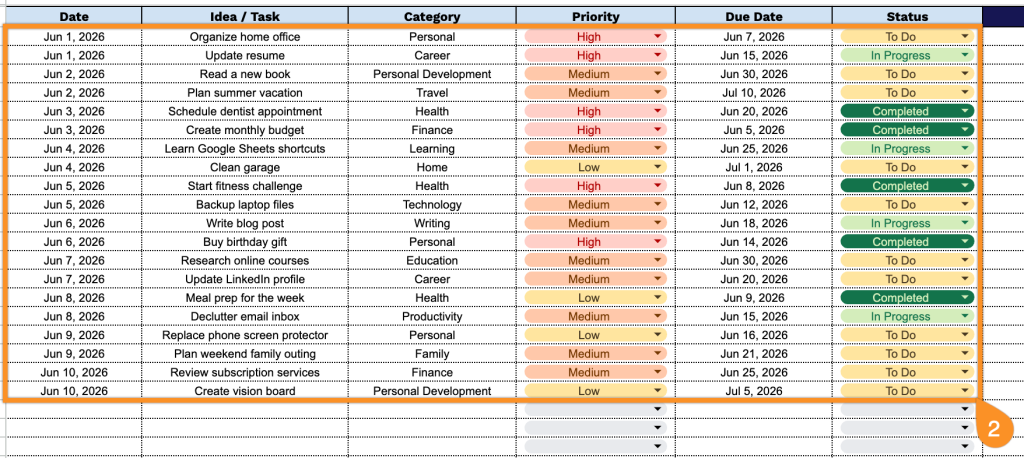
3. Use the Notes section to record additional thoughts, future ideas, reflections, or anything that doesn’t fit neatly into the main table, but you want to remember later.