Get started faster with our free Contractor Estimate Template, designed for contractors who need accurate and professional estimates.
Available in Google Sheets, Google Docs, Word, Excel, and PDF, it’s simple to edit and ready to use for any job.
What Is a Contractor Estimate Template?
A contractor estimate template is a pre-formatted document that contractors use to outline the projected costs of a construction or renovation project before work begins.
Using a standardized template saves contractors time, ensures consistency across bids, and helps build client trust by presenting estimates in an organized, easy-to-read format.
Download Spreadsheet Daddy’s Free Contractor Estimate Template
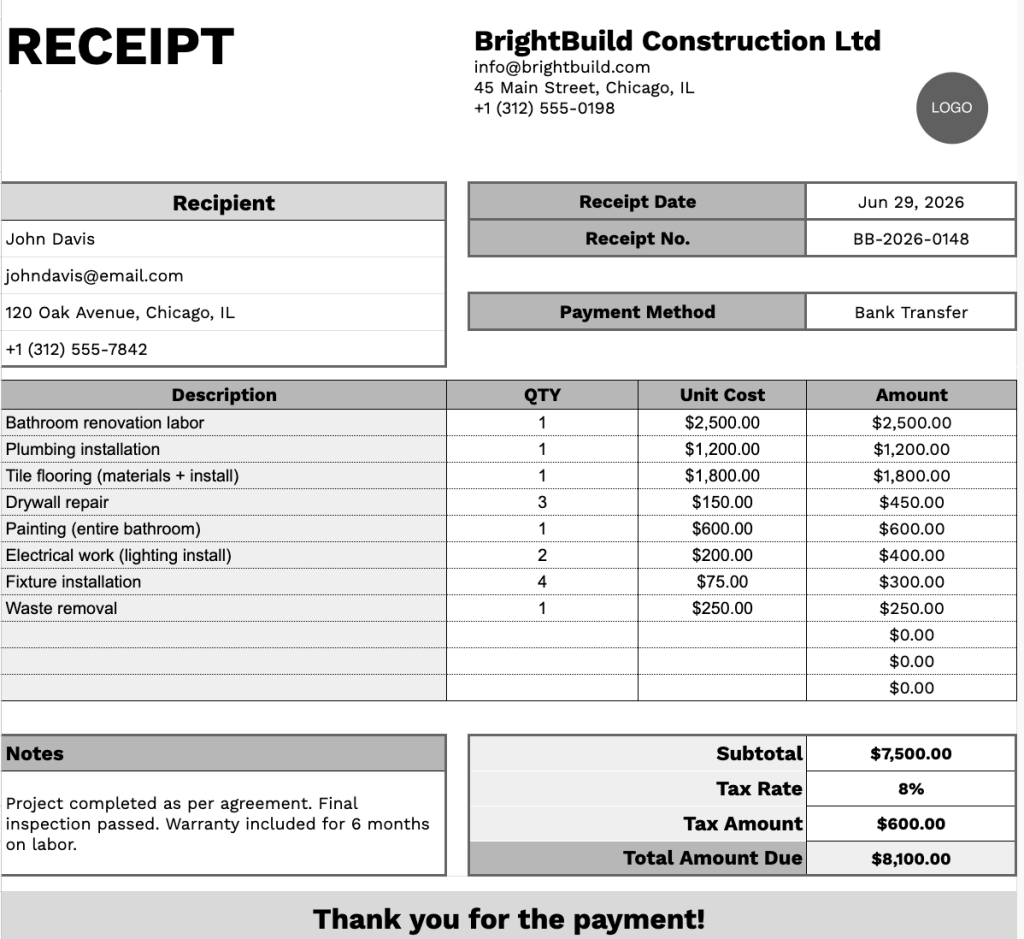
Our Contractor Estimate template provides a clean, professional layout for documenting project costs, including itemized line items, quantities, unit costs, and totals.
What’s included
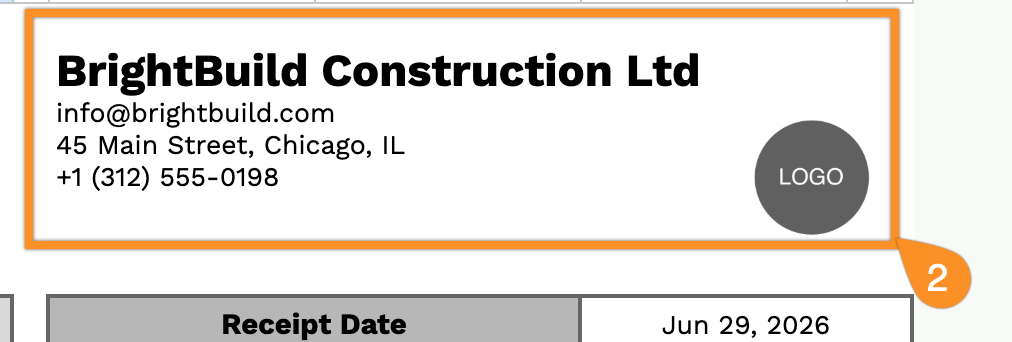
- Customizable business and recipient information fields: The header section includes editable placeholders for company name, email address, physical address, and phone number on the issuer side, mirrored by identical contact fields for the recipient, making it easy to document both parties in a single, professional layout.
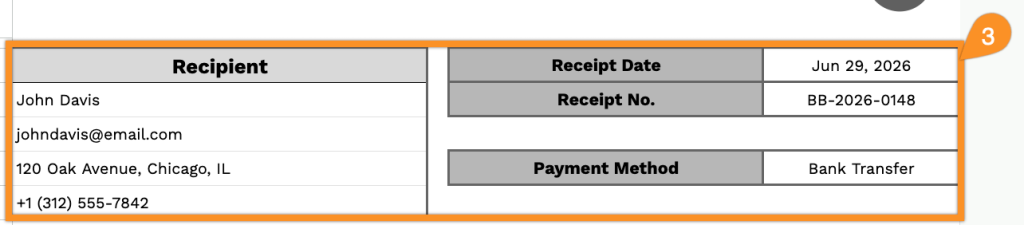
- Receipt metadata fields for tracking and recordkeeping: A dedicated right-side panel contains clearly labeled fields for Receipt Date, Receipt No., and Payment Method, providing a structured way to log transaction details and maintain an organized paper trail across multiple jobs or clients.
- Multi-row itemized line-item table with automatic amount columns: The center of the template features a four-column table, including Description, QTY, Unit Cost, and Amount, with 11 pre-formatted rows, giving contractors ample space to break down labor, materials, and services in granular detail.
- Summary totals section with tax calculation support: Below the line-item table, a right-aligned summary block separates out Subtotal, Tax Rate, Tax Amount, and Total Amount Due in a clean stacked layout, making it easy to apply variable tax rates and present a clear final figure to the client.
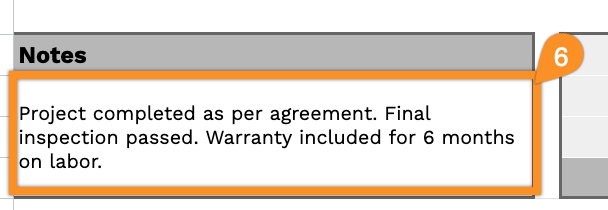
- Notes field and branded footer for added context: A freeform Notes section sits in the lower-left for payment terms, project references, or special instructions, while a full-width shaded footer anchors the document with a thank-you message.
You can easily add or remove columns to match the specific needs of your project or business.
Choose your preferred format from the links below to get a free blank contractor estimate template ready for use:
How to Use Our Contractor Estimate Template
1. Save the template as an Excel, Word, or PDF file, or open a personal version in Google Sheets or Google Docs.
2. Enter your contractor business details at the top of the template, including company name, logo, email, phone number, and physical address.
3. Add the client’s information along with key job reference details such as estimate date, estimate number, and preferred payment terms or method.
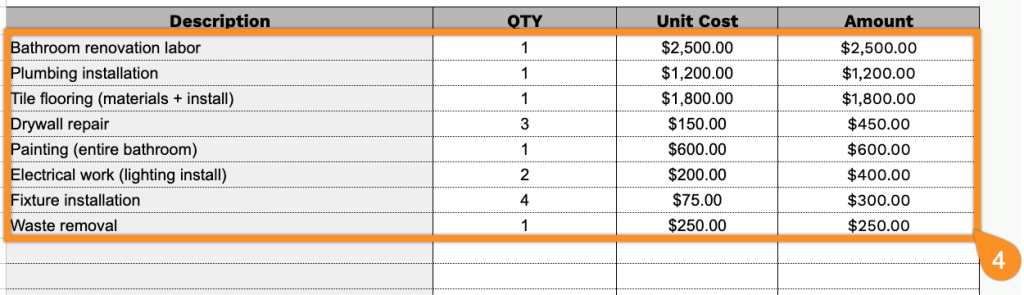
4. Break down the project costs by listing materials, labor, and/or services. Input quantities and unit rates, and the template will automatically generate line totals.
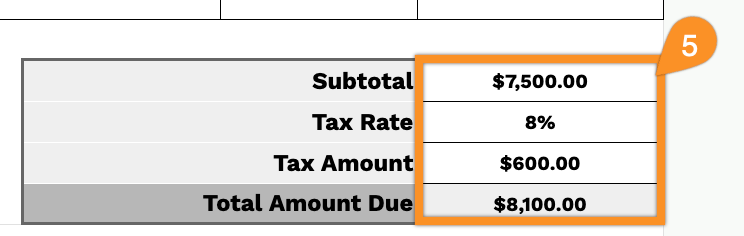
5. Apply the relevant tax rate, if applicable. The template will automatically calculate the subtotal, tax, and the final estimated project total.
6. Use the Notes section to include project assumptions, exclusions, timelines, or any other important conditions related to the estimate.