Save time on trip planning by using our free Road Trip Planner Template.
Download it in Google Sheets, Excel, or PDF format to create a detailed itinerary, plan driving routes, schedule sightseeing stops, and stay organized throughout your journey.
What Is a Road Trip Planner Template?
A road trip planner template is a structured document or tool that helps travelers organize all the essential details of a road trip in one place, including routes, destinations, estimated driving times, and overnight stops.
By providing a clear framework for mapping each leg of the trip, a road trip planner template saves time, reduces stress, and allows travelers to focus on enjoying the adventure rather than scrambling to make last-minute decisions.
Download Spreadsheet Daddy’s Free Road Trip Planner Template
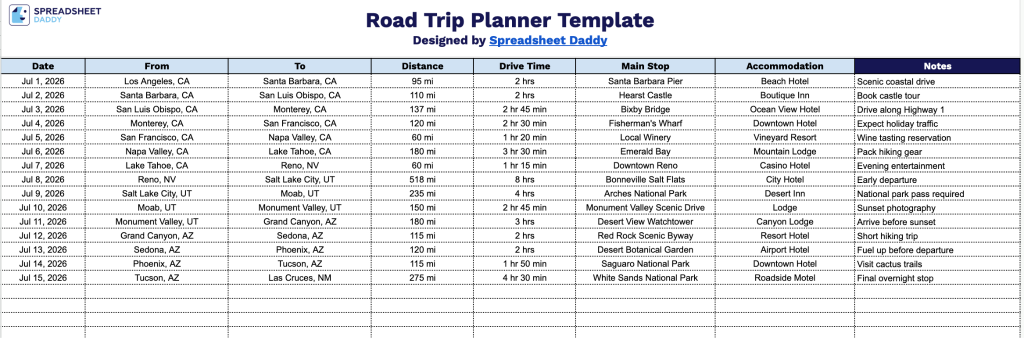
Our Road Trip Planner Template gives you a simple, day-by-day layout to map out your route, track distances and drive times, and note key stops and accommodations along the way.
What’s included
- Structured trip itinerary columns: The main table includes eight dedicated columns, Date, From, To, Distance, Drive Time, Main Stop, Accommodation, and Notes, giving you a clear, day-by-day framework to map out every leg of your journey from departure to arrival.
- Dedicated fields for logistics and lodging: Separate Distance and Drive Time columns let you track mileage and estimated travel duration for each leg, while the Main Stop and Accommodation columns keep sightseeing plans and overnight stays organized alongside the route details.
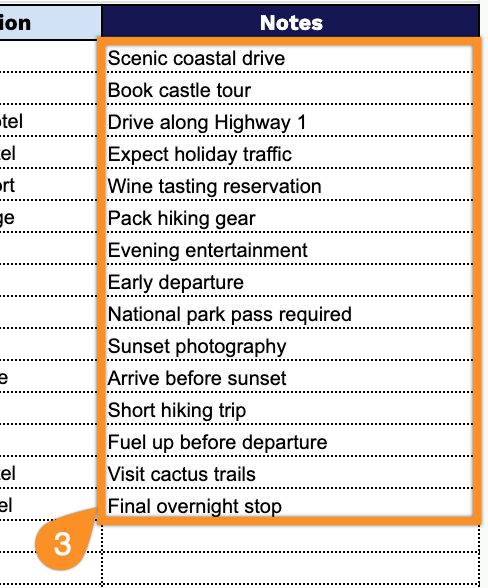
- Open Notes column for custom details: A wide, unrestricted Notes column runs along the right side of the table, giving you space to jot down reminders, packing lists, reservation confirmations, or any other trip-specific details next to the relevant date.
You can add or remove columns as needed to fit your specific travel plans.
Choose your preferred format below and get a free Road Trip Planner template in seconds:
How to Use Our Road Trip Planner Template
1. Get started by downloading the Road Trip Planner in Excel or PDF, or duplicate it for use in Google Sheets.
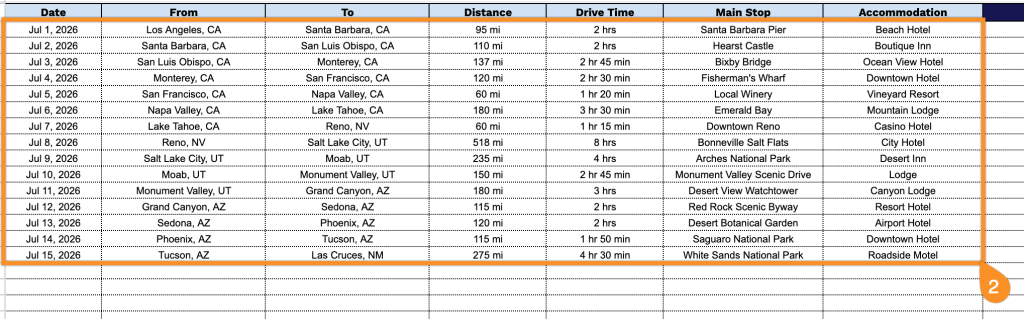
2. Fill in your trip dates, departure and arrival locations, driving distance, travel time, key stops along the route, and accommodation details.
3. Use the Notes section to add packing reminders, emergency contacts, important travel information, booking confirmation numbers, or any special instructions for your trip.